1. Ievads
Thank you for choosing the THOMSON 24-inch HD Google TV (Model 24HG2S14CW). This manual provides essential information for setting up, operating, and maintaining your new television. Please read these instructions carefully before using the product to ensure safe and optimal performance.
Experience complete entertainment for the whole family with the Thomson 24-inch HD Google TV. Google TV simplifies your entertainment experience by organizing content from your apps and subscriptions per user. Create multiple user profiles and benefit from organized recommendations. Enjoy a wide range of smart features, including access to over 400,000 movies and TV shows from numerous available apps, smart voice control with Google Assistant, and integrated Google Cast for wireless streaming of movies, music, and videos from compatible devices. Its elegant design with a 3-sided bezel-less frame allows you to fully concentrate on the on-screen action. Dolby Audio technology creates a dynamic sound experience. The integrated triple tuner allows reception via satellite antenna, terrestrial antenna, or cable, meaning you can receive all available channels without additional equipment. The ergonomic remote control with backlighting allows you to keep track of everything, even in dim lighting, and a dedicated 'Favorite' button provides quick access to your preferred app.
2. Drošības informācija
Lietojot šo produktu, vienmēr ievērojiet pamata drošības pasākumus, lai samazinātu ugunsgrēka, elektriskās strāvas trieciena un traumu risku.
- Barošanas avots: Ensure the TV is connected to a power supply that matches the voltage specified on the rating label. For 12V operation, use only the provided 12V adapter.
- Ventilācija: Neaizbloķējiet ventilācijas atveres. Nodrošiniet pietiekamu vietu ap televizoru, lai nodrošinātu atbilstošu gaisa cirkulāciju un novērstu pārkaršanu.
- Izvietojums: Novietojiet televizoru uz stabilas, līdzenas virsmas. Nenovietojiet to tiešos saules staros, siltuma avotu tuvumā vai vidē ar augstu mitruma līmeni vai putekļainām virsmām.
- Ūdens un mitrums: Nepakļaujiet televizoru lietum vai mitrumam. Nenovietojiet uz televizora priekšmetus, kas pildīti ar šķidrumu, piemēram, vāzes.
- Tīrīšana: Pirms tīrīšanas atvienojiet televizoru no strāvas. Izmantojiet mīkstu, sausu drānu. Nelietojiet šķidrus tīrīšanas līdzekļus vai aerosolu tīrīšanas līdzekļus.
- Apkope: Nemēģiniet apkalpot šo produktu pats. Visu apkopi uzticiet kvalificētam servisa personālam.
3. Iepakojuma saturs
Lūdzu, pārbaudiet, vai jūsu iepakojumā ir iekļauti visi priekšmeti:
- THOMSON 24-inch HD Google TV
- Tālvadības pults (ar baterijām)
- Power Adapter (for standard AC outlet)
- 12V Power Cable (for camping/caravan use)
- TV statīvi (2 gab.)
- Skrūves TV statīviem
- Īsā lietošanas pamācība
- Lietošanas instrukcija (šis dokuments)
4. Iestatīšana
4.1. Fiziskā uzstādīšana
Statīvu piestiprināšana:
- Uzmanīgi novietojiet televizoru ar ekrānu uz leju uz mīkstas, tīras virsmas, lai novērstu ekrāna bojājumus.
- Novietojiet statīvus ar skrūvju caurumiem televizora apakšā.
- Nostipriniet statīvus, izmantojot komplektā iekļautās skrūves. Pārliecinieties, vai tie ir stingri piestiprināti.
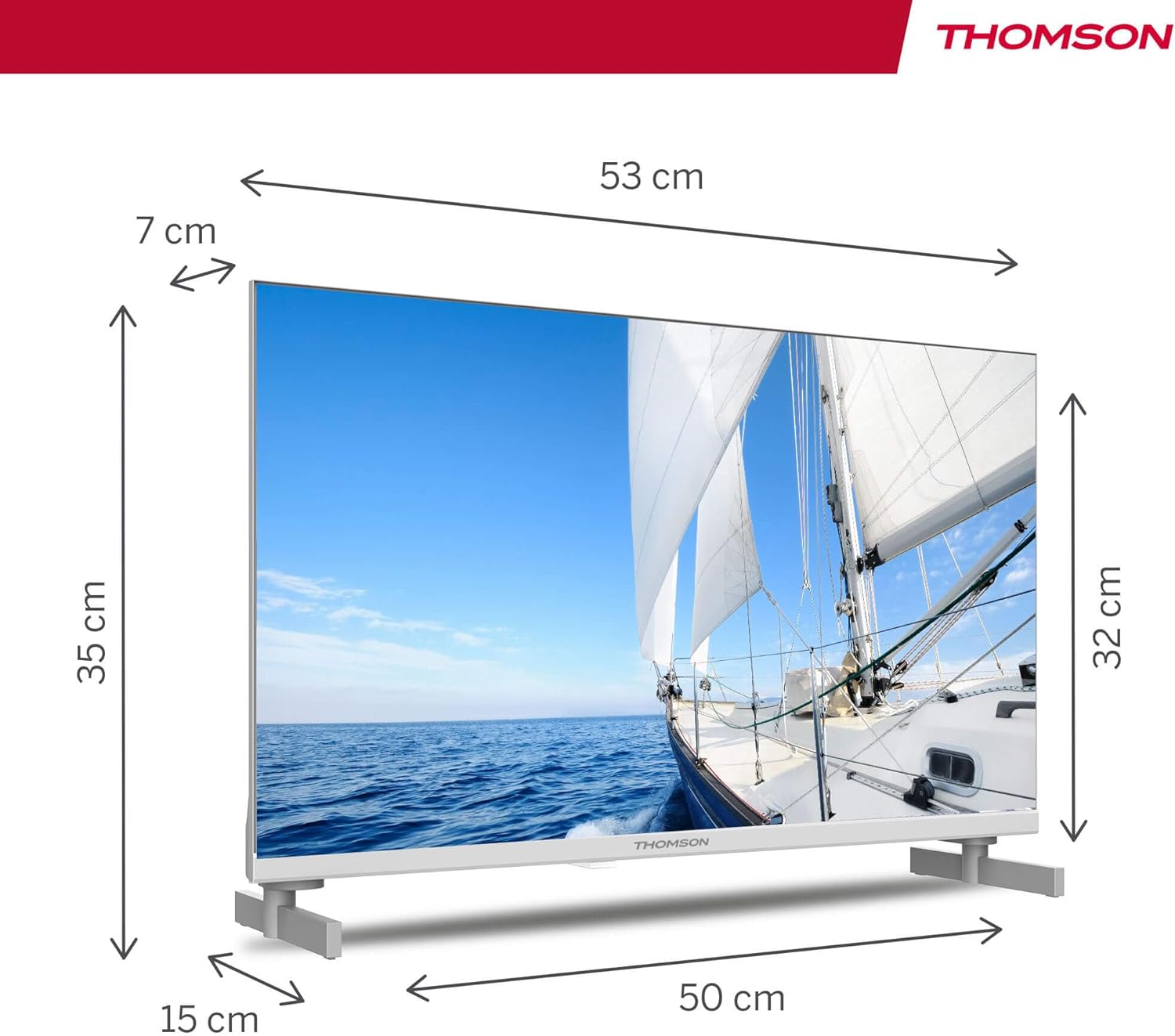
The TV offers two stand positions to fit various furniture widths. Refer to the image below for guidance.

Piestiprināšana pie sienas (pēc izvēles):
If you plan to wall mount your TV, please consult a professional installer. Ensure the wall mount is compatible with the TV's VESA mounting pattern and weight.
4.2 Strāvas pieslēgšana
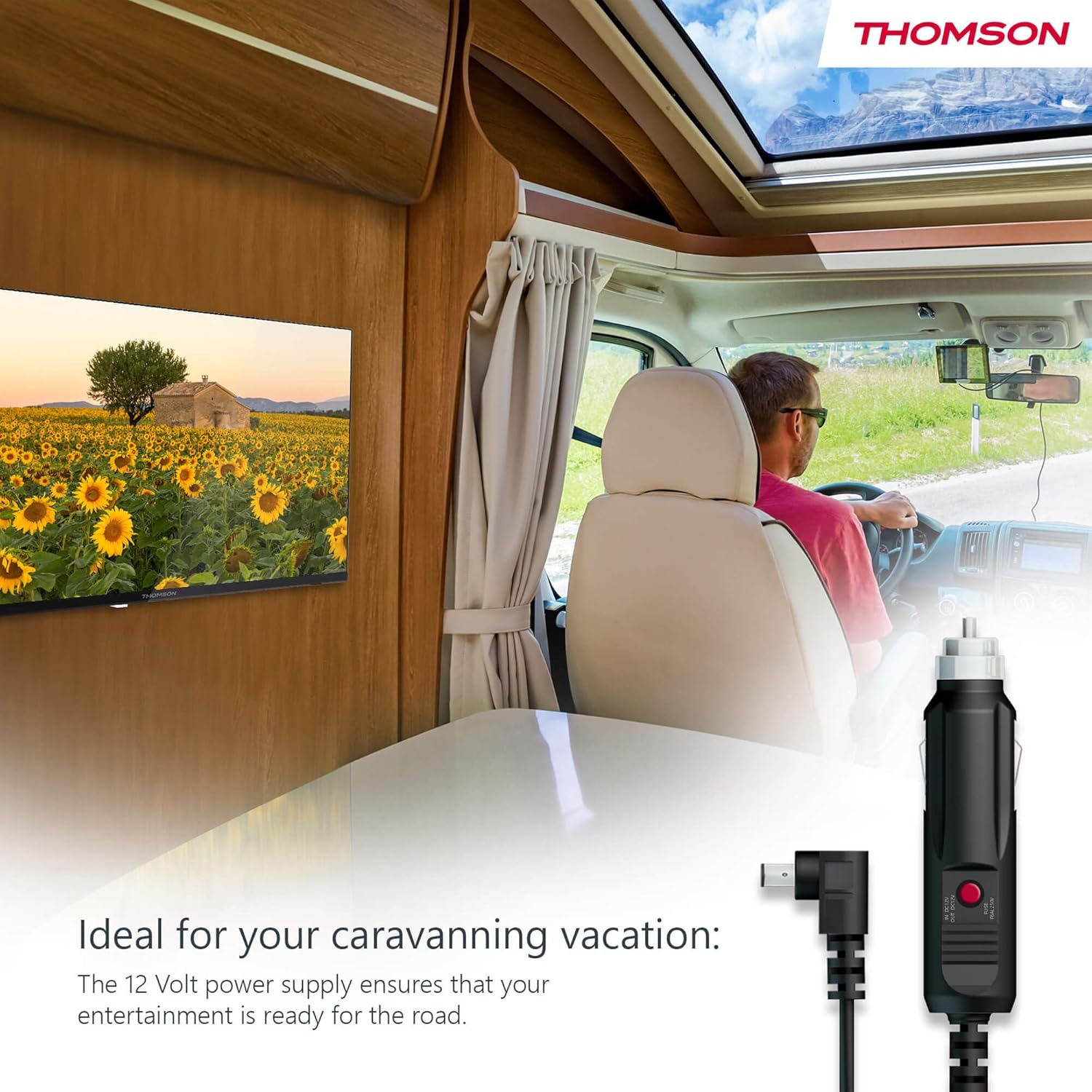
Your THOMSON TV supports both standard AC power and 12V DC power, making it ideal for camping or caravan use.
- Standard AC Power: Connect the provided power adapter to the TV's power input and then plug it into a standard wall outlet.
- 12V DC Power (Camping): For mobile use, connect the 12V power cable to the TV's power input and then to a compatible 12V power source in your vehicle or caravan.
4.3 Connecting Antennas/Cables
The integrated triple tuner allows reception via DVB-T (terrestrial antenna), cable, or satellite antenna.
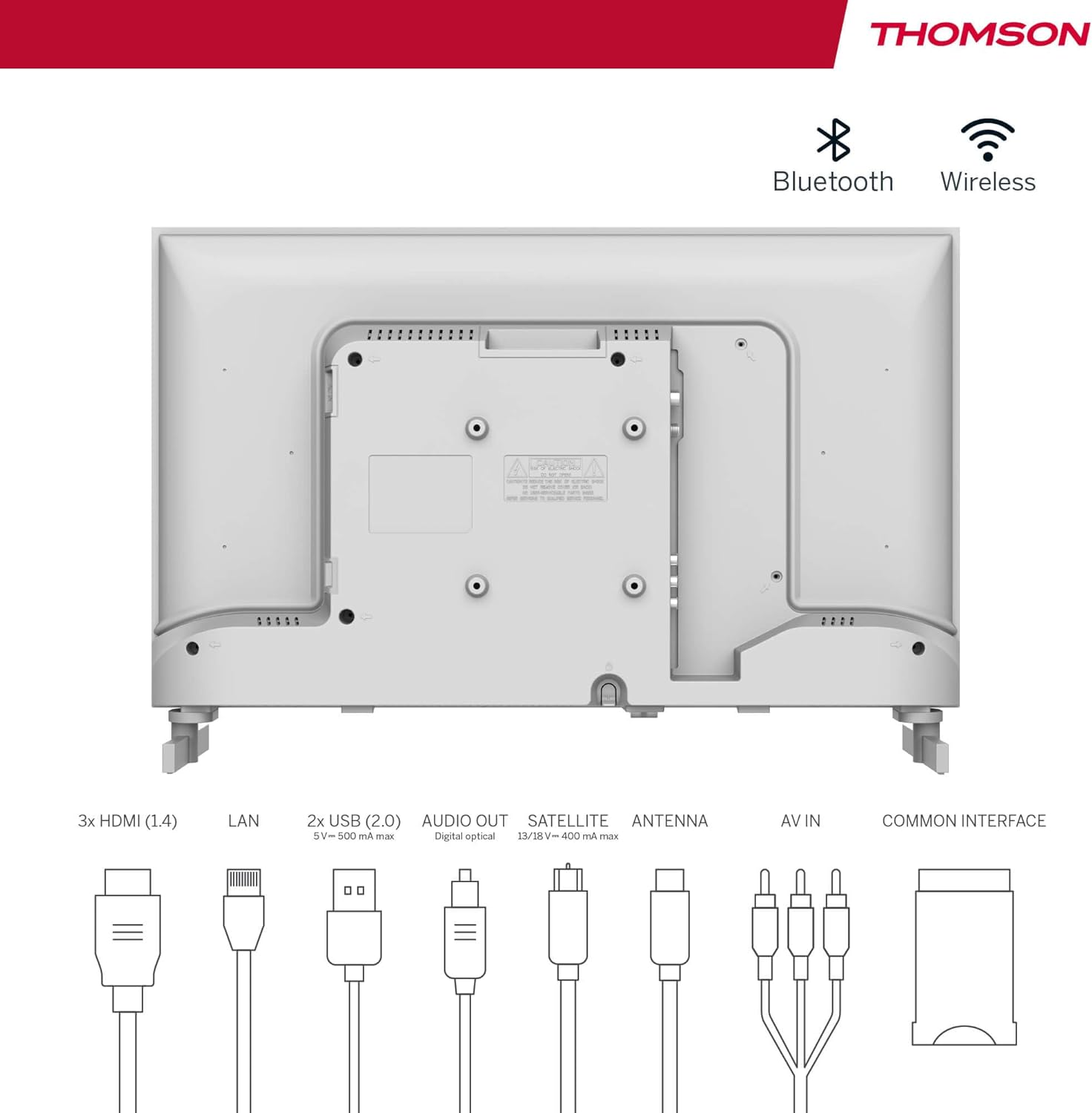
- Zemes antena: Connect a DVB-T/T2 antenna cable to the 'ANTENNA' input on the TV.
- Kabeļtelevīzija: Connect your cable TV coaxial cable to the 'ANTENNA' input on the TV.
- Satelītantena: Connect your satellite dish cable to the 'SATELLITE' input on the TV.
4.4 Ārējo ierīču pievienošana
- HDMI ierīces: Connect Blu-ray players, game consoles, or other HDMI devices to the HDMI ports (3 available).
- USB ierīces: Connect USB drives for media playback or software updates to the USB ports (2 available).
- Audio izeja: Use the digital optical audio output to connect to a soundbar or home theater system.
- AV ieeja: For older devices, use the AV In ports.
- LAN: Lai izveidotu vadu interneta savienojumu, pievienojiet Ethernet kabeli LAN portam.
- CI+ Module: Insert a CI+ module and smart card (if required by your service provider) into the Common Interface slot.
4.5 Sākotnējā iestatīšana (Google TV)
- Power on the TV. The initial setup wizard will guide you through the process.
- Izvēlieties vēlamo valodu.
- Connect to a Wi-Fi network or use a wired LAN connection.
- Pierakstieties ar savu Google kontu, lai piekļūtu Google TV funkcijām, lietotnēm un personalizētiem ieteikumiem.
- Follow the on-screen prompts to set up Google Assistant and tune channels (for antenna/cable/satellite).
5. Televizora lietošana
5.1 tālvadības pults
The included remote control is designed for intuitive navigation of your Google TV.

- Izgaismotas pogas: The remote features backlighting for easy use in dark environments.
- Balss vadība: Press the Google Assistant button and speak into the remote to control your TV, search for content, or ask questions.
- Favorite App Button: Use the star button to quickly access your most frequently used application.
- Profile Slēdzis: Viegli pārslēgties starp dažādiem lietotāju profiliemfiles set up on your Google TV.

5.2 Google TV saskarne
Google TV organizes content from your streaming services and apps into a single, easy-to-navigate interface.

- Personalizēti ieteikumi: The 'For You' tab provides content suggestions based on your viewing habits across all your streaming services.
- Lietotnes: Access a wide range of applications from the Google Play Store, including popular streaming platforms.
- Bibliotēka: Find your purchased movies and shows from Google Play.
- Profiles: Izveidot atsevišķu lietotāja profilufiles for each family member to get personalized content and recommendations.
5.3. Google Cast
Integrated Google Cast allows you to wirelessly stream movies, music, and videos from compatible devices (smartphones, tablets, computers) directly to your TV screen.
- Ensure your device and TV are connected to the same Wi-Fi network.
- Open a Cast-enabled app on your device (e.g., YouTube, Netflix).
- Pieskarieties apraides ikonai (▶) within the app and select your THOMSON TV.
5.4 Dolby Audio
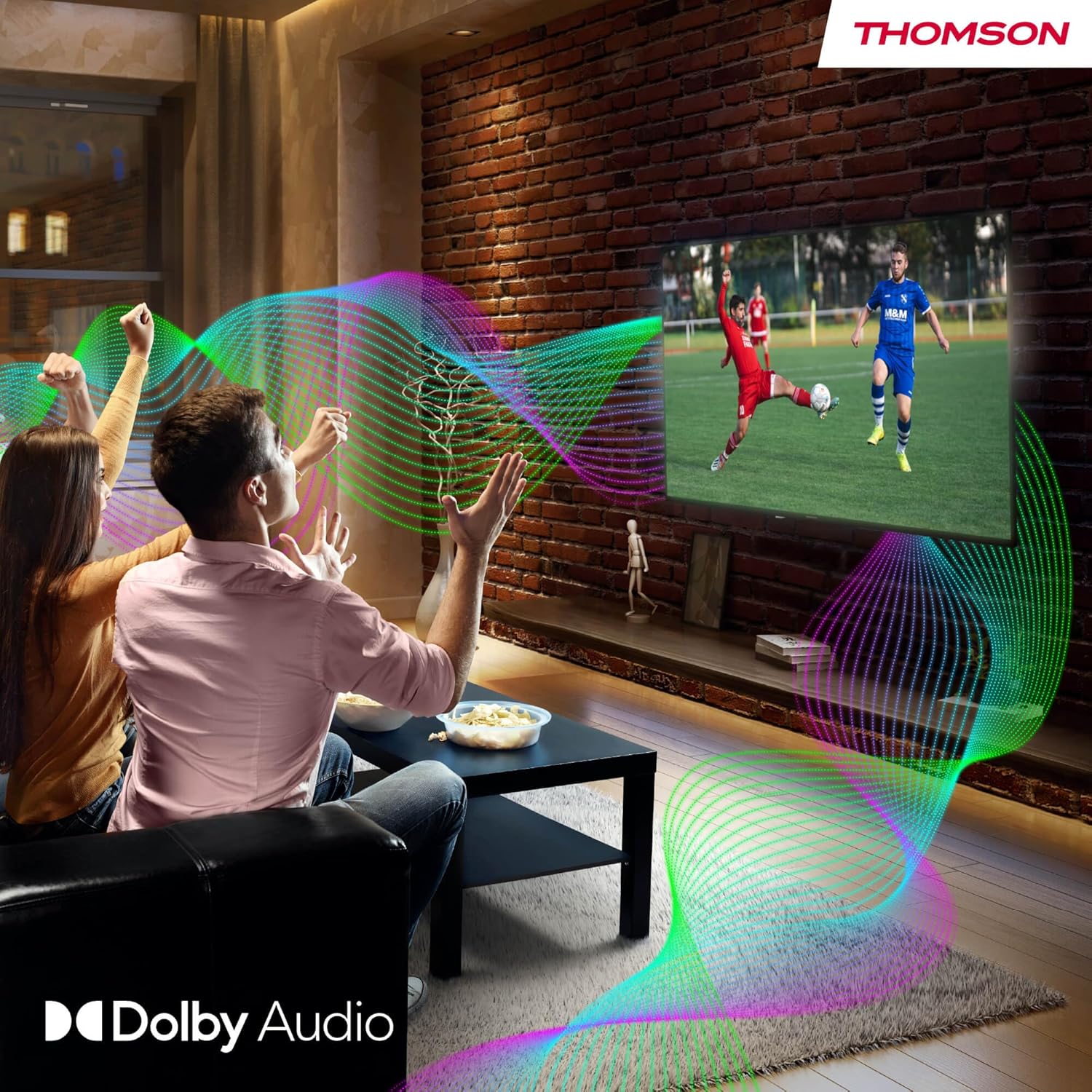
Your TV features Dolby Audio technology for an enhanced sound experience, delivering clear dialogue and immersive audio.
6. Apkope
- Ekrāna tīrīšana: Viegli noslaukiet ekrānu ar mīkstu, nepūkošu drānu. Noturīgu traipu gadījumā nedaudz noslaukietampen the cloth with water or a specialized screen cleaner (ensure it's safe for LED screens). Never spray liquid directly onto the screen.
- Televizora korpusa tīrīšana: Use a soft, dry cloth to wipe the exterior of the TV.
- Programmatūras atjauninājumi: Your Google TV will periodically check for and install software updates. Ensure your TV is connected to the internet for these updates.
- Kabeļu vadība: Keep cables tidy and organized to prevent damage and ensure proper ventilation.
7. Traucējummeklēšana
If you encounter any issues with your TV, refer to the following common problems and solutions:
| Problēma | Iespējamais risinājums |
|---|---|
| Nav jaudas | Check if the power cable is securely connected to the TV and the power outlet. Ensure the outlet is working. Try a different power source. |
| Nav attēla, bet ir skaņa | Pārbaudiet ievades avotu. Pārliecinieties, vai ārējās ierīces ir pareizi pievienotas un ieslēgtas. |
| Nav skaņas, bet attēls ir | Check the volume level. Ensure mute is not activated. Check audio output settings and external audio device connections. |
| Tālvadības pults nedarbojas | Check and replace batteries. Ensure there are no obstructions between the remote and the TV. |
| Nevar izveidot savienojumu ar Wi-Fi | Pārliecinieties, vai maršrutētājs ir ieslēgts un darbojas. Atkārtoti ievadiet Wi-Fi paroli. Mēģiniet restartēt televizoru un maršrutētāju. |
| Slikta attēla kvalitāte | Check antenna/cable connections. Adjust picture settings. For streaming content, check internet speed. |
8. Specifikācijas
| Funkcija | Detaļas |
|---|---|
| Zīmols | Tomsons |
| Modeļa numurs | 24HG2S14CW |
| Ekrāna izmērs | 24 collas (60 cm) |
| Izšķirtspēja | HD (1366 x 768) |
| Displeja tehnoloģija | LED |
| Atsvaidzināšanas biežums | 60 Hz |
| Operētājsistēma | Google TV |
| Balss vadība | Google palīgs |
| Audio tehnoloģija | Dolby Audio |
| HDR atbalsts | HDR10 |
| Savienojamība | Wi-Fi, Bluetooth 5.1, HDMI (3 ports), USB (2 ports), LAN, Digital Optical Audio Out, AV In, CI+ |
| Uztvērēja tips | Triple Tuner (DVB-T/T2, DVB-C, DVB-S/S2) |
| Barošanas avots | 12V DC / Standard AC |
| Krāsa | Balts |
| Produkta izmēri (G x P x A) | 53.48 x 15.05 x 35.32 cm |
| Svars | 3.5 kg |
| Energoefektivitātes klase | E |
| Power Consumption (1000h) | 18 kWh |

9. Garantija un atbalsts
THOMSON products are designed and manufactured to the highest quality standards. This product is covered by a manufacturer's warranty. Please refer to the warranty card included in your package for specific terms and conditions, including the warranty period and coverage details.
For technical support, troubleshooting assistance, or warranty claims, please contact THOMSON customer service through their official webvietni vai kontaktinformāciju, kas norādīta jūsu garantijas dokumentācijā.


