Ievads
This manual provides essential information for the safe and efficient use of your Samsung Galaxy A35 5G smartphone. Please read this manual thoroughly before operating the device to ensure proper functionality and to prevent damage. Keep this manual for future reference.
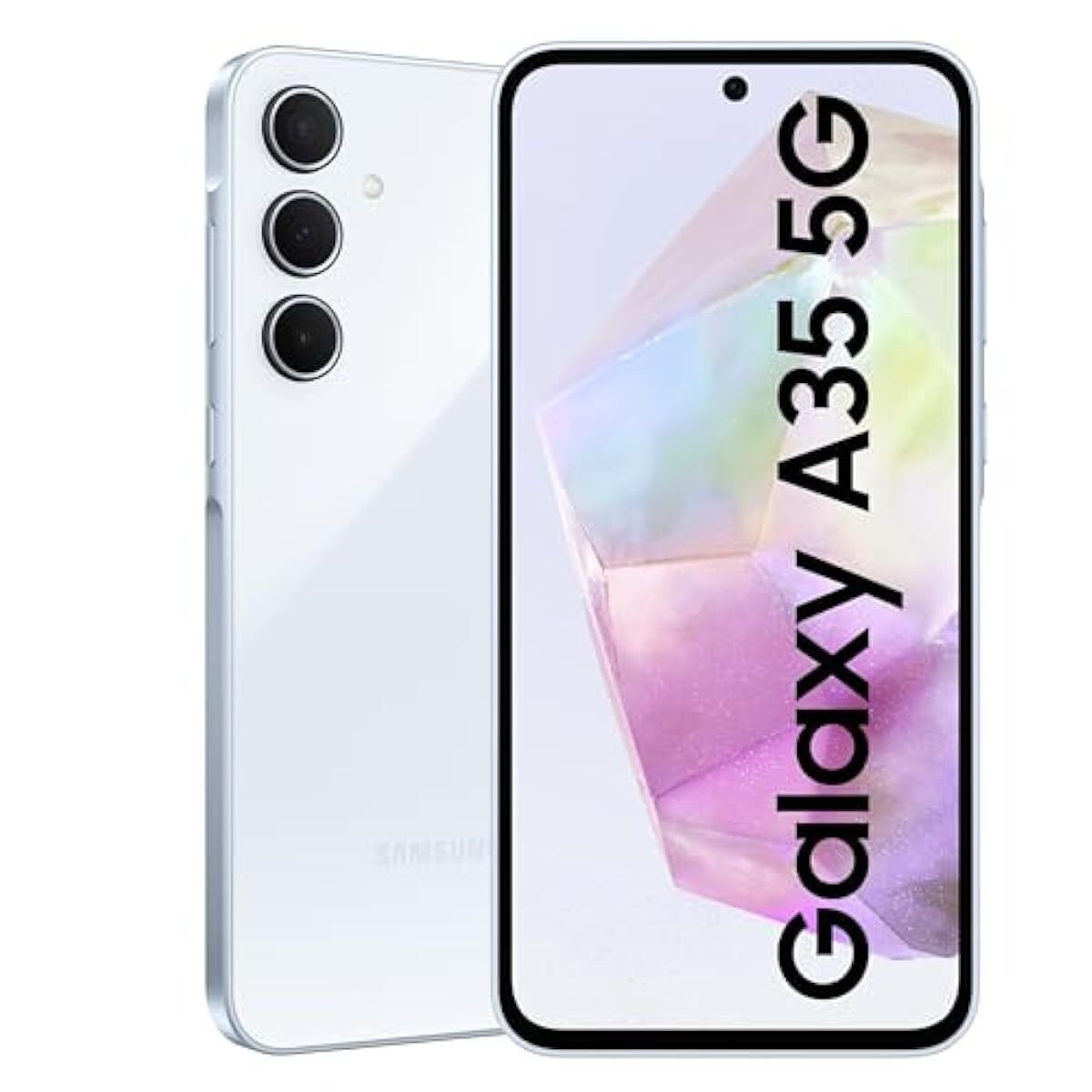
Attēls: priekšpuse view Samsung Galaxy A35 5G viedtālruņa demonstrējumsasing tā displeju.
Iestatīšana
1. Izpakošana un sākotnējā pārbaude
Carefully remove all items from the packaging. Verify that all components are present: Samsung Galaxy A35 5G smartphone, USB-C cable, and documentation. Inspect the device for any signs of physical damage.
2. SIM kartes uzstādīšana
- Atrodiet SIM kartes paliktni ierīces sānos.
- Insert the provided SIM ejection tool into the small hole on the tray to open it.
- Place your Nano-SIM card(s) into the tray with the gold contacts facing down. The Galaxy A35 5G supports Dual SIM (DS).
- Viegli iespiediet paplāti atpakaļ slotā, līdz tā noklikšķ savā vietā.
3. Akumulatora uzlāde
Before first use, fully charge the device battery. Connect the USB-C cable to the phone's charging port and the other end to the included 25W wall charger. The charging indicator will appear on the screen. A full charge typically takes approximately 80 minutes with the 25W charger.
4. Ieslēgšana un sākotnējā konfigurācija
Press and hold the Power button (located on the right side) until the Samsung logo appears. Follow the on-screen prompts to complete the initial setup, including language selection, Wi-Fi connection, Google account setup, and security settings.
Ierīces darbība
1. Pamata navigācija
The Galaxy A35 5G features a 6.6-inch FHD+ Super AMOLED Infinity-O display with a 120Hz refresh rate for smooth interaction. Use touch gestures such as tap, swipe, pinch-to-zoom, and long-press to navigate the interface.
2. Kameras funkcijas
Your device is equipped with a 50MP high-resolution Wide-angle camera. To open the camera, tap the Camera icon on the home screen or lock screen. Key features include:
- Naktogrāfija: Enhanced sensor and NPU for clear photos in low-light conditions.
- Super HDR: Captures rich colors and clear videos in various lighting.
- OIS (Optical Image Stabilization) & VDIS (Video Digital Image Stabilization): Provides smooth and steady videos while moving.
- Rediģēt ieteikumu: Utilize features like Background blur, Remaster, and Erase shadows to enhance your photos.
3. Savienojamība
The Galaxy A35 5G supports 5G and 4G LTE networks for high-speed mobile data. It also includes Wi-Fi, Bluetooth, and NFC for wireless connections. To manage these, go to Iestatījumi > Savienojumi.
4. Audio izvade
For wired audio accessories, connect them via the USB-C port. The device does not feature a traditional 3.5mm audio jack.
Apkope
1. Ierīces tīrīšana
To clean the screen and body of your phone, use a soft, lint-free cloth. For stubborn marks, slightly dampen the cloth with distilled water. Avoid using harsh chemicals, abrasive materials, or aerosol sprays, as these can damage the screen coating and finish.
2. Programmatūras atjauninājumi
Regulāri pārbaudiet un instalējiet programmatūras atjauninājumus, lai nodrošinātu, ka jūsu ierīcē ir jaunākās funkcijas, drošības ielāpi un veiktspējas uzlabojumi. Dodieties uz Iestatījumi > Programmatūras atjauninājums > Lejupielādēt un instalēt.
3. Akumulatora kopšana
To prolong battery life, avoid exposing your device to extreme temperatures. It is recommended to keep the battery charge between 20% and 80% for optimal long-term health. The 5000 mAh battery provides up to 24 hours of talk time.
Problēmu novēršana
1. Ierīce neieslēdzas
Ensure the battery is sufficiently charged. Connect the device to the charger and wait a few minutes before attempting to power it on again. If the issue persists, perform a forced restart by pressing and holding the Volume Down button and the Power button simultaneously for more than 7 seconds.
2. Tīkla savienojamības problēmas
If you experience problems with calls, messages, or mobile data, check the following:
- Verify that your SIM card is correctly inserted.
- Ensure Airplane mode is disabled (Iestatījumi > Savienojumi > Lidmašīnas režīms).
- Restartējiet ierīci.
- Check with your network provider for service outages jūsu reģionā.
3. Displejs nereaģē
If the screen is unresponsive, try restarting the device using the forced restart method (Volume Down + Power button for 7+ seconds). If the problem continues, contact Samsung support.
4. Device Performance Issues
If your device is slow or apps are crashing, try clearing the cache of problematic apps (Iestatījumi > Lietotnes > [Lietotnes nosaukums] > Krātuve > Notīrīt kešatmiņu). Regularly restart your device to clear temporary memory. As a last resort, consider a factory data reset (Iestatījumi > Vispārīgā pārvaldība > Atiestatīt > Rūpnīcas datu atiestatīšana), but be aware this will erase all data on your device. Back up important data before proceeding.
Specifikācijas
| Funkcija | Specifikācija |
|---|---|
| Modeļa nosaukums | Samsung Galaxy A35 |
| Modeļa numurs | SM-A356E/DS |
| Operētājsistēma | Android |
| RAM | 8 GB |
| Iekšējā krātuve | 128 GB |
| Ekrāna izmērs | 6.6 collas (168.3 mm) |
| Displeja izšķirtspēja | 1080x2340 pikseļi |
| Atsvaidzināšanas biežums | 120 Hz |
| Galvenā kamera | 50 MP (Triple Camera System) |
| Akumulatora ietilpība | 5000 mAh |
| Sarunu laiks | Līdz 24 stundām |
| Savienojamība | 5G, 4G LTE, Wi-Fi, Bluetooth, NFC, USB-C |
| Izmēri (iepakojumā) | 7 x 3.7 x 1 collas |
| Preces svars | 11.2 unces |
Garantija un atbalsts
1. Preču garantija
The Samsung Galaxy A35 5G typically comes with a 1-year limited warranty from the date of purchase, covering manufacturing defects. Please refer to the warranty card included in your product packaging or visit the official Samsung webvietni, lai iepazītos ar detalizētiem noteikumiem un nosacījumiem, kas attiecas uz jūsu reģionu.
2. Klientu atbalsts
For technical assistance, troubleshooting beyond this manual, or warranty claims, please contact Samsung customer support. You can find contact information (phone numbers, chat support, service center locations) on the official Samsung webvietne jūsu valstij vai reģionam.
Tiešsaistes resursi: Apmeklējiet www.samsung.com/support for FAQs, software downloads, and additional user guides.