1. Ievads
This manual provides detailed instructions for the iTOMA Retro Alarm Clock Model 138. Please read thoroughly before use to ensure proper functionality and to maximize your product experience. This device combines time display, alarm functions, Bluetooth connectivity, and media playback options in a compact, vintage-ispirms dizains.
2. Iepakojuma saturs
Atverot iepakojumu, pārliecinieties, vai ir iekļauti visi tālāk norādītie priekšmeti:
- 1 x iTOMA Retro Alarm Clock (Model 138)
- 1 x Type-C Charge Cable
- 1 x Lietotāja rokasgrāmata
Piezīme: An AC adapter is not included and must be supplied separately for power.
3. Produkta īpašības
The iTOMA Retro Alarm Clock Model 138 offers a range of functionalities:
- Laika displejs: Clear LED display with 12/24-hour format options.
- Signalizācijas funkcija: Multiple alarm settings with adjustable volume (1-16 levels) and a 9-minute snooze feature.
- Trauksmes režīmi: Choose between everyday, weekdays only, or weekends only alarm activation.
- Bluetooth savienojums: Bluetooth 5.1 for stable wireless audio streaming from compatible devices.
- Multivides atskaņošana: Supports TF (MicroSD) card slot and AUX jack for direct music playback.
- Brīvroku zvani: Integrated microphone for hands-free phone calls when connected via Bluetooth.
- Skaņas vadība: Option to turn off the display and reactivate it by sound (tapping or clapping).
- Displeja spilgtums: Adjustable display brightness for optimal viewdažādos apgaismojuma apstākļos.
- Atmiņas akumulators: Internal battery to retain time and alarm settings during power outages (not for powering the device).

Figure 1: Key features of the iTOMA Retro Alarm Clock, including Bluetooth, AUX, hands-free calling, and TF card support.
4. Iestatīšana
- Strāvas pieslēgums: Connect the provided Type-C charge cable to the DC 5V port on the back of the alarm clock. Plug the other end of the cable into a compatible USB AC adapter (not included) and then into a power outlet. The display should illuminate.
- Sākotnējais laika iestatījums:
- Press and hold the "TIME" button on the back of the clock for 3 seconds. The year display will start flashing.
- Use the scroll wheel (or +/- buttons if applicable) to adjust the year.
- Press "TIME" again to move to month, then day, then hour, then minute. Adjust each setting using the scroll wheel.
- After setting the minute, press "TIME" one more time to select 12-hour or 24-hour format.
- Press "TIME" again to confirm and exit time setting mode.
- Memory Battery Activation: To ensure settings are saved during power interruptions, locate the memory battery switch on the back of the clock and slide it to the "ON" position.
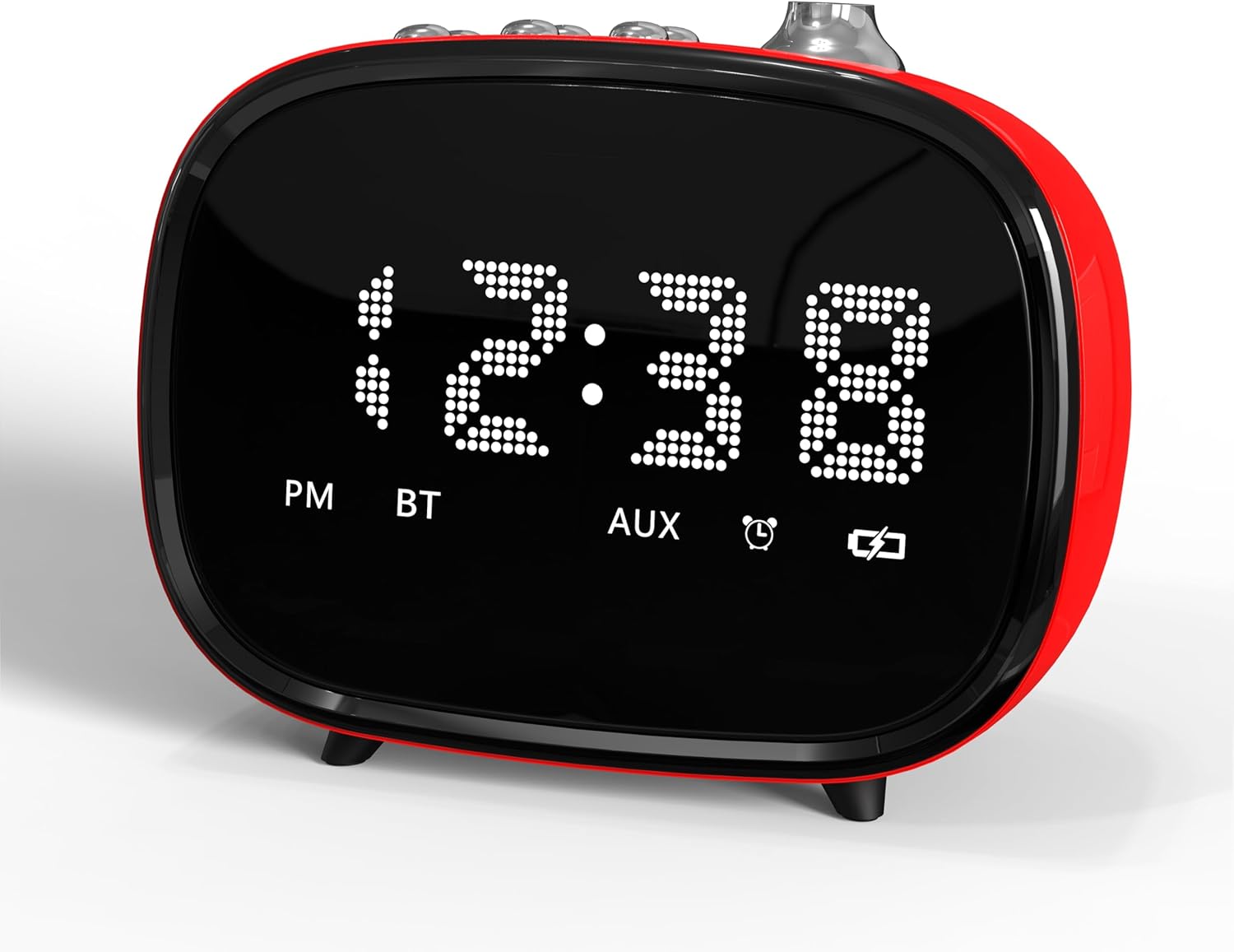
2. attēls. Priekšpuse view of the iTOMA Retro Alarm Clock, showing the LED time display.
5. Lietošanas instrukcijas
5.1. Modinātāju iestatīšana
- Press and hold the "ALARM" button on the back of the clock for 3 seconds. "A1" (Alarm 1) will appear on the display.
- Press "ALARM" repeatedly to cycle through Alarm 1, Alarm 2, and Alarm 3 settings.
- When the desired alarm (e.g., A1) is displayed, use the scroll wheel to set the hour, then press "ALARM" to set the minute.
- After setting the minute, press "ALARM" again to choose the alarm mode:
- "--E": Alarm rings every day.
- "oNE": Alarm rings on weekdays only (Monday-Friday).
- "E": Alarm rings on weekends only (Saturday-Sunday).
- Press "ALARM" again to set the alarm volume (1-16 levels) using the scroll wheel.
- Press "ALARM" one last time to confirm and exit alarm setting.
- To activate/deactivate an alarm, use the corresponding ON/OFF switch on the bottom of the clock.
5.2. Atlikšanas funkcija
When an alarm sounds, press the large "SNOOZE" button on the top of the clock to temporarily silence it for 9 minutes. The alarm will sound again after 9 minutes. This can be repeated up to 6 times.

Figure 3: The snooze function allows for an additional 9 minutes of rest after the alarm sounds.
5.3. Bluetooth savienošana pārī
- Pārliecinieties, vai modinātājs ir ieslēgts.
- Aktivizējiet Bluetooth savā mobilajā ierīcē vai citā audio avotā.
- Meklēt "iTOMA 138" (or similar) in your device's Bluetooth settings.
- Atlasiet ierīci, lai savienotu pārī. Apstiprinājuma skaņa norādīs uz veiksmīgu savienošanu pārī.
- You can now stream audio to the alarm clock or use it for hands-free calling.
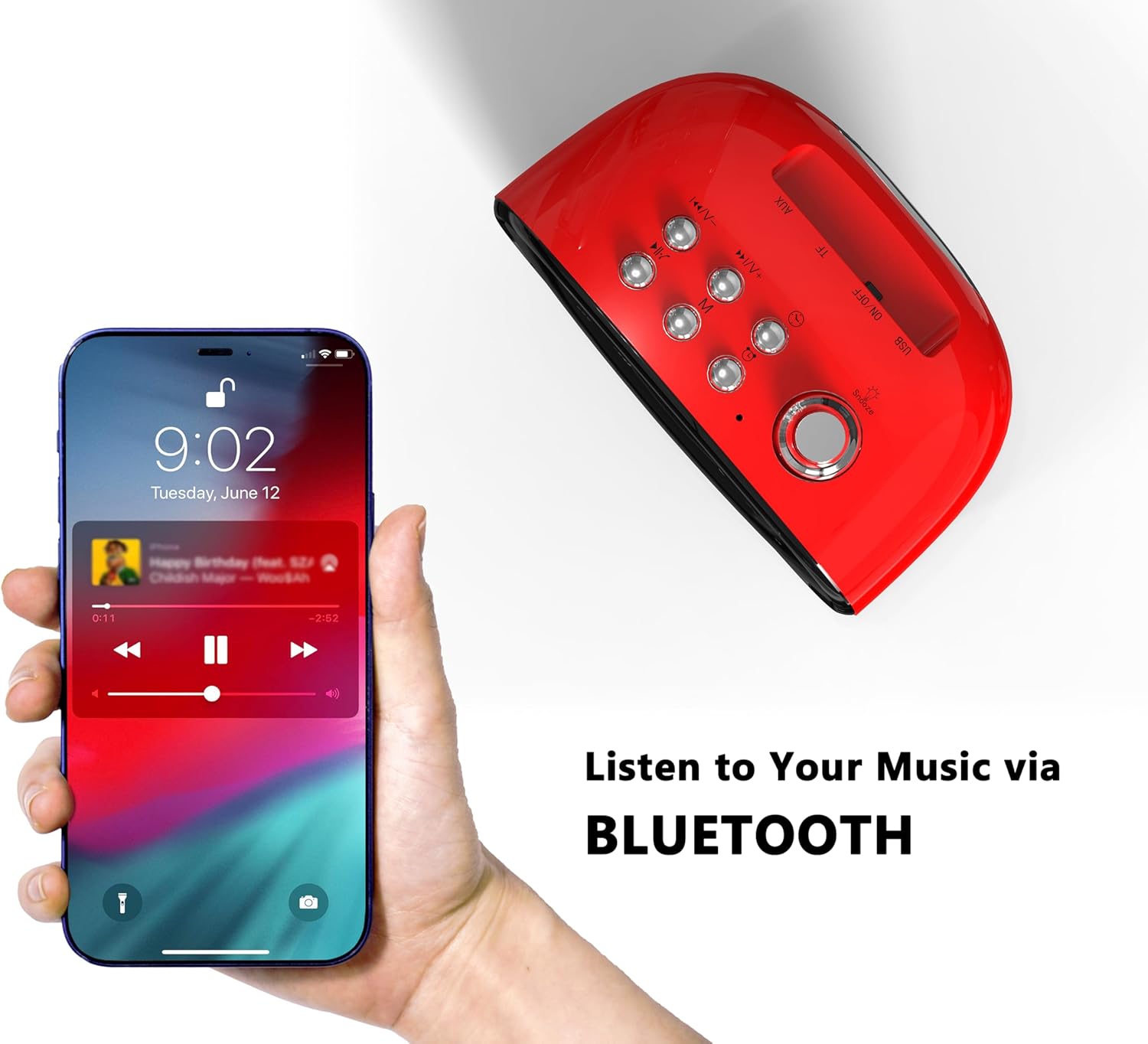
Figure 4: Connect your smartphone via Bluetooth to play music through the alarm clock's speaker.
5.4. TF Card and AUX Playback
- TF karte: Ievietojiet TF (MicroSD) karti ar audio files into the designated slot on the back of the clock. The clock should automatically switch to TF card playback mode.
- AUX ligzda: Connect an audio device using a 3.5mm AUX cable to the AUX jack on the back of the clock. The clock should automatically switch to AUX input mode.
5.5. Sound Control (Display On/Off)
To enable or disable the sound control feature, use the "SOUND CONTROL" ON/OFF switch on the back of the clock. When "ON", the display will turn off after a few seconds of inactivity. To reactivate the display, simply tap the clock, click a button, or make a sound (e.g., clap your hands).
5.6. Displeja spilgtuma regulēšana
The display brightness can be adjusted using the dedicated switch on the back of the clock. Slide the switch to your preferred brightness level (Off, Dim, Bright).
6. Apkope
- Tīrīšana: Use a soft, dry cloth to clean the surface of the alarm clock. Avoid using abrasive cleaners or solvents.
- Izvietojums: Place the device on a stable, flat surface away from direct sunlight, heat sources, and moisture.
- Jauda: Always use the provided Type-C cable. Ensure the AC adapter used is compatible (DC 5V).
7. Traucējummeklēšana
- Nav displeja/barošanas: Ensure the Type-C cable is securely connected to both the clock and a working power outlet via a compatible AC adapter.
- Signalizācija neskan: Check if the alarm is activated using the ON/OFF switch on the bottom. Verify the alarm time and mode are correctly set. Ensure the alarm volume is not set to 0.
- Bluetooth savienošanas pārī problēmas: Ensure the clock is not already paired with another device. Turn off and on Bluetooth on your device and the clock, then try pairing again.
- Iestatījumi tiek zaudēti pēc strāvas izslēgšanastage: Ensure the memory battery switch on the back is in the "ON" position.
- Resetting the Clock: If the clock malfunctions or settings are incorrect, locate the "RST" (Reset) button on the back. Use a thin object (like a toothpick) to press and hold the button for a few seconds to reset the device to factory defaults.
8. Specifikācijas
| Zīmols | iTOMA |
| Modeļa numurs | 138 |
| Displeja veids | LED |
| Barošanas avots | Type-C cable (AC Adapter not included) |
| Produkta izmēri | 4.72 cm platums x 3.74 cm augstums |
| Preces svars | 13.1 unces |
| Materiāls | Akrilnitrila butadiēna stirols (ABS) |
| Savienojamības tehnoloģija | USB-C, Bluetooth 5.1 |

Figure 5: Dimensions of the iTOMA Retro Alarm Clock.
9. Garantija un atbalsts
The iTOMA Retro Alarm Clock Model 138 comes with a 365 dienu garantija. For any questions, missing accessories, or other issues, please contact iTOMA customer support.
Saziņas e-pasts: ThreeDucksDirect@outlook.com
Please include your order ID when contacting support for warranty claims.


