Ievads
This manual provides detailed instructions for the installation, operation, and maintenance of your aigo AF12 3-in-1 ARGB Fan Kit. Please read this manual thoroughly before use to ensure proper functionality and longevity of the product.
Produkta īpašības
The aigo AF12 3-in-1 ARGB Fan Kit offers efficient cooling and customizable lighting for your computer system. Key features include:
- Modelis: AF123IN1-BK
- Ventilatora daudzums: 3 x 120mm fans
- Ventilatora ātrums: 800–2000 apgr./min (±10%)
- Fan Noise Level: ≤30 dBA
- Gaisa plūsma: 86.6 CFM
- Statiskais spiediens: 1.27mm-H²O
- Working Current (Motor): ≤0.2A (12V)
- Working Current (Light): ≤0.48A (5V)
- Izmēri: 120 x 120 x 25 mm
- ARGB apgaismojums: Addressable RGB lighting for customizable effects.
Iepakojuma saturs
Pārliecinieties, vai jūsu iepakojumā ir visi tālāk norādītie priekšmeti:
- 3 x aigo AF12 ARGB Fans
- Montāžas Skrūves
- ARGB Controller (if included in kit)
- Cables (Power, ARGB Sync)
Uzstādīšanas rokasgrāmata
Follow these steps to properly install your aigo AF12 ARGB fans into your computer case.
- Sagatavojiet savu sistēmu: Power off your computer and disconnect it from the power source. Open your computer case.
- Nosakiet montāžas vietas: Determine the desired locations for your fans (e.g., front, top, rear, bottom of the case). Ensure proper airflow direction.
- Ventilatoru uzstādīšana: Position each fan in its chosen location. Use the provided mounting screws to secure the fans to the case. Ensure the fan blades are not obstructed.
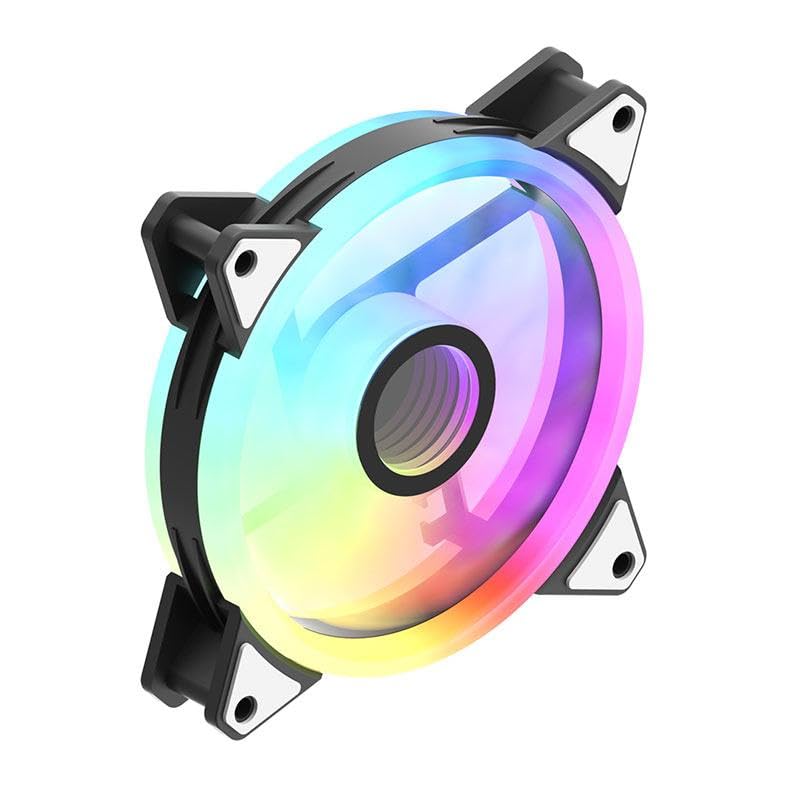
Image: An aigo AF12 fan viewed from an angle, highlighting the mounting points on its corners. This illustrates how the fan is secured.
- Pievienojiet strāvas kabeļus: Connect the 3-pin power connector from each fan to an available fan header on your motherboard or fan controller.
- Pievienojiet ARGB kabeļus: Connect the ARGB cable from each fan to the ARGB controller (if applicable) or directly to a compatible 5V 3-pin ARGB header on your motherboard. Ensure correct pin orientation to avoid damage.
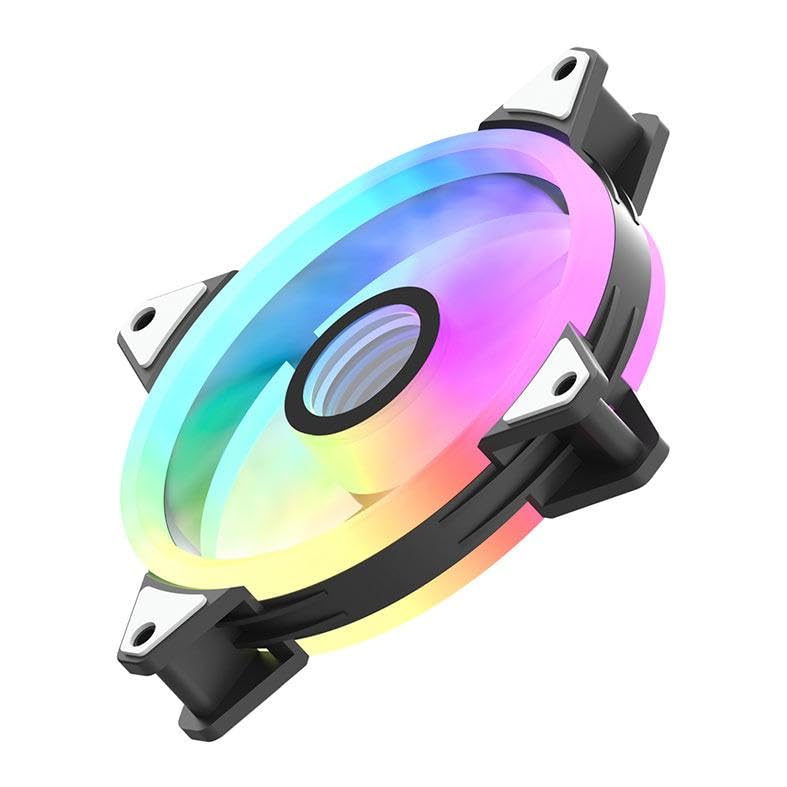
Attēls: blakusprofesionālisfile of the aigo AF12 fan, illustrating the thickness and potential locations for cable connections on the frame.
- Kabeļu vadība: Route cables neatly to prevent interference with other components and to improve airflow.
- Aizveriet korpusu un ieslēdziet ierīci: Aizveriet datora korpusu, pievienojiet strāvas padevi un ieslēdziet sistēmu.
Lietošanas instrukcijas
Once installed, your aigo AF12 ARGB fans will operate automatically based on your system's fan control settings. The ARGB lighting can be controlled via your motherboard's software or a dedicated ARGB controller.
Ventilatora ātruma kontrole
Fan speed can typically be adjusted through your motherboard's BIOS/UEFI settings or through fan control software provided by your motherboard manufacturer. Refer to your motherboard manual for specific instructions.
ARGB apgaismojuma vadība
If connected to a 5V 3-pin ARGB header on your motherboard, use your motherboard's ARGB synchronization software (e.g., ASUS Aura Sync, MSI Mystic Light Sync, GIGABYTE RGB Fusion, ASRock Polychrome Sync) to customize lighting effects, colors, and patterns.
If using a dedicated ARGB controller (often included with fan kits), refer to the controller's specific instructions for lighting adjustments.
Apkope
Regulāra apkope nodrošina optimālu veiktspēju un pagarina ventilatoru kalpošanas laiku.
- Putekļu tīrīšana: Periodically clean dust from the fan blades and housing using compressed air or a soft brush. Ensure the system is powered off before cleaning.
- Kabeļa pārbaude: Verify that all cables are securely connected and free from damage.
- Noise Monitoring: Listen for unusual noises, which may indicate a fan bearing issue or obstruction.
Problēmu novēršana
If you encounter issues with your aigo AF12 ARGB fans, refer to the following common solutions:
Ventilatori negriežas
- Pārbaudiet strāvas savienojumu: Ensure the fan's 3-pin power connector is securely plugged into the motherboard or controller.
- Check BIOS Settings: Verify that fan headers are enabled in your motherboard's BIOS/UEFI settings.
- Test Another Header: Try connecting the fan to a different fan header to rule out a faulty header.
ARGB gaismas nedarbojas
- Pārbaudiet ARGB savienojumu: Ensure the 5V 3-pin ARGB connector is correctly and securely plugged into the motherboard or controller. Verify the pin orientation.
- Pārbaudiet programmatūru: Pārliecinieties, vai jūsu mātesplates ARGB programmatūra ir pareizi instalēta un konfigurēta.
- Saderība: Ensure your motherboard has a compatible 5V 3-pin ARGB header. This product is not compatible with 12V 4-pin RGB headers.
Pārmērīgs troksnis
- Pārbaudiet, vai nav šķēršļu: Ensure no cables or other components are touching the fan blades.
- Montāžas skrūves: Verify that all mounting screws are tightened to prevent vibrations.
- Putekļu uzkrāšanās: Notīriet ventilatora lāpstiņas no putekļiem.
Tehniskās specifikācijas
| Funkcija | Specifikācija |
|---|---|
| Zīmols | Aigo |
| Modelis | AF123IN1-BK |
| Ventilatora daudzums | 3 x 120 mm |
| Ventilatora ātrums | 800 ± 2000 ± 10% RPM |
| Ventilatora troksnis | ≤ 30 dBA |
| Gaisa plūsma | 86.6 CFM |
| Statiskais spiediens | 1.27mm-H²O |
| Working Current (Motor) | ≤ 0.2A (12V) |
| Working Current (Light) | ≤ 0.48A (5V) |
| Izmēri | 120 x 120 x 25 mm |
| Barošanas savienotāja tips | 3-Pin |
| Voltage | 12 volts |
| Dzesēšanas metode | Gaiss |
| Saderīgas ierīces | Darbvirsma |
| Preces svars | 10.6 unces |
Garantija un atbalsts
This aigo product comes with a 12 mēnešu garantija no iegādes datuma, sedzot ražošanas defektus.
For technical support, warranty claims, or further assistance, please visit the official aigo store or contact their customer service through the details provided on their webvietne.
Official aigo Store: aigo Store on Amazon