Ievads
Thank you for choosing the ToughTested Dual 10,000 mAh Solar Power Portable Charger. This device is designed to provide reliable power on the go, featuring a high-capacity power bank, an integrated LED flashlight, and solar recharging capabilities. Its rugged, waterproof design makes it ideal for outdoor activities and emergency situations.
This manual provides essential information on setting up, operating, maintaining, and troubleshooting your power bank. Please read it thoroughly before use to ensure optimal performance and longevity of your device.
Kas atrodas kastē
- ToughTested Dual 10,000 mAh Solar Power Bank (Model: TT-PBW-LED10)
- Heavy Duty USB-A to USB-C Fast Charge Cable
- Lietotāja rokasgrāmata (šis dokuments)

The ToughTested power bank and its included heavy-duty USB-A to USB-C fast charge cable.
Produkts beidziesview

Priekšpuse un aizmugure view of the ToughTested Dual 10,000 mAh Solar Power Bank, highlighting the solar panel on one side and the 18-LED flashlight panel on the other.
- 1. Barošanas poga: Activates the power bank and controls the flashlight modes.
- 2. LED indikatori: Displays battery charge level.
- 3. Solar Panel: For emergency solar recharging.
- 4. USB-C Port (PD 18W): For fast charging the power bank and compatible devices.
- 5. USB-A Port (Quick Charge 3.0): For charging other devices.
- 6. 18-LED Flashlight Panel: Provides bright illumination with multiple modes.
- 7. Integrated Carabiner Loop: For easy attachment and portability.
Iestatīšana un sākotnējā lietošana
Power Bank uzlāde
Before first use, fully charge your ToughTested power bank using the included USB-C cable and a wall adapter (not included). A full charge ensures optimal performance and battery longevity.
- Connect the USB-C end of the included cable to the USB-C port on the power bank.
- Connect the USB-A end of the cable to a compatible USB wall adapter or computer USB port.
- The LED indicators will illuminate to show charging progress. All four LEDs will be solid when fully charged.
Piezīme: While the solar panel provides emergency charging, it is significantly slower than wall charging and is intended for maintaining charge or emergency power in direct sunlight, not as a primary charging method.

The solar panel on the ToughTested power bank, designed for emergency recharging when conventional power sources are unavailable.
Lietošanas instrukcijas
Jūsu ierīču uzlāde
The power bank features both USB-C (Power Delivery) and USB-A (Quick Charge 3.0) ports for versatile device charging.
- Pievienojiet ierīces uzlādes kabeli atbilstošajam portam (USB-C vai USB-A) uz pārnēsājamā akumulatora.
- Pievienojiet kabeļa otru galu ierīcei.
- Press the power button once to begin charging. The LED indicators will show the remaining battery level.
- Disconnect your device once charging is complete. The power bank will automatically turn off after a period of inactivity.

The two charging ports on the ToughTested power bank: a USB-C 18W Power Delivery port and a USB Quick Charge 3.0 port, offering versatile charging options.
Izmantojot LED lukturīti
The integrated 18-LED flashlight offers multiple lighting modes for various situations.
- Lai ieslēgtu lukturīti: Divreiz nospiediet ieslēgšanas/izslēgšanas pogu.
- To cycle through modes: Once the flashlight is on, single-press the power button to switch between:
- Steady (Full Brightness)
- SOS (Morse Code for distress)
- Strobe (Flashing light)
- Lai izslēgtu lukturīti: Vēlreiz divreiz nospiediet ieslēgšanas/izslēgšanas pogu.

The 18-LED light panel of the ToughTested power bank, providing 550 lumens of high-output illumination.
Apkope
- Tīrīšana: Noslaukiet ārējo akumulatoru ar mīkstu, sausu drānu. Nelietojiet spēcīgas ķīmiskas vielas vai abrazīvus materiālus.
- Uzglabāšana: Store the power bank in a cool, dry place away from direct sunlight and extreme temperatures. For long-term storage, ensure the battery is charged to at least 50% to preserve battery health.
- Ūdens izturība: The device has an IP44 waterproof rating, meaning it is protected against solid objects larger than 1mm and splashing water from any direction. Do not submerge the device in water. Ensure all ports are dry before charging.
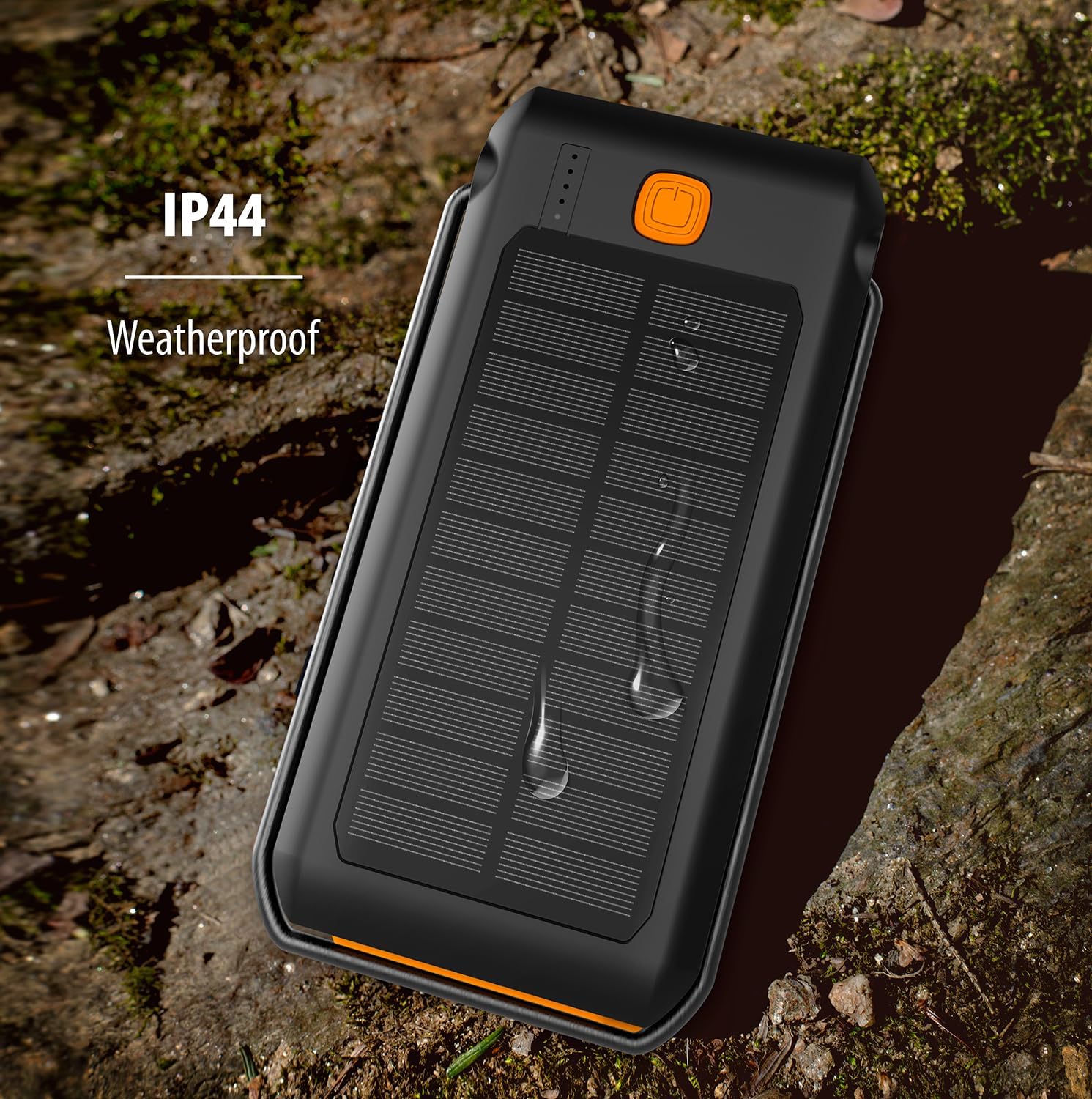
The ToughTested power bank demonstrating its IP44 weatherproof rating, indicating protection against splashing water.
Problēmu novēršana
| Problēma | Iespējamais cēlonis | Risinājums |
|---|---|---|
| Strāvas banka neuzlādējas | Kabelis nav pareizi pievienots; bojāts kabelis/adapteris; pārnēsājamais akumulators ir pilnībā izlādējies. | Ensure cable is securely connected. Try a different cable or wall adapter. Allow a few minutes for the power bank to respond if fully discharged. |
| Ierīce netiek uzlādēta no strāvas bankas | Power bank low on charge; cable not connected properly; device not compatible; power bank in standby. | Recharge the power bank. Ensure cables are securely connected. Press the power button once to activate charging. Verify device compatibility. |
| Lukturis nedarbojas | Ārējā akumulatorā ir zems uzlādes līmenis; nepareiza pogas nospiešana. | Recharge the power bank. Double-press the power button to turn on/off the flashlight. |
| Saules uzlāde notiek lēni | Solar charging is supplementary; insufficient direct sunlight. | Solar charging is designed for emergency use and is slower than wall charging. Ensure the solar panel is exposed to direct, strong sunlight. |
Specifikācijas
| Funkcija | Detaļas |
|---|---|
| Modeļa numurs | TT-PBW-LED10 |
| Akumulatora ietilpība | 10,000 mAh (litija polimērs) |
| Ievades porti | USB-C (ārējā akumulatora uzlādēšanai) |
| Izvades porti | USB-C (18W Power Delivery), USB-A (Quick Charge 3.0) |
| Saules paneļa izeja | 275mA (for emergency/supplementary charging) |
| Lukturis | 18 LED, 550 Lumen, 3 Modes (Steady, SOS, Strobe) |
| Ūdensizturīgs vērtējums | IP44 (aizsargāts pret ūdens šļakatām) |
| Izmēri | 6.5 x 3.5 x 1 collas |
| Svars | 10.4 unces |
| Krāsa | Melns/oranžs |
Garantija un atbalsts
The ToughTested Dual 10,000 mAh Solar Power Bank is backed by ToughTested's exclusive 5 gada garantija. Šī garantija attiecas uz materiālu un ražošanas defektiem normālas lietošanas apstākļos.
For warranty claims, technical support, or any inquiries regarding your product, please refer to the official ToughTested webjaunāko kontaktinformāciju skatiet tīmekļa vietnē vai produkta iepakojumā.


