Ievads
Thank you for choosing the Homsee 63" L-Shaped Electric Standing Desk. This manual provides essential information for the safe assembly, operation, and maintenance of your new desk. Please read it thoroughly before use and retain it for future reference.
This versatile L-shaped desk is designed to enhance your home office or workspace with its electric height adjustment, ample storage, and durable construction. The reversible design allows for flexible configuration to suit your needs.
Svarīga drošības informācija
- Ensure the desk is fully assembled before use.
- Nepārsniedziet maksimālo svara ierobežojumu 330 mārciņas (150 kg) uz darbvirsmas.
- Use the height adjustment buttons carefully to avoid collisions with objects or persons.
- Ensure the desk is stable and anchored to the wall if necessary, especially when extended to higher positions.
- Darbības laikā turiet bērnus un mājdzīvniekus prom no galda.
- Nesēdiet un nestāviet uz galda.
- Pirms tīrīšanas vai apkopes atvienojiet strāvas padevi.
Galvenās iezīmes
- Apgriežams L formas dizains: Konfigurējiet file cabinet and shelves to either the right or left side.
- Elektriskā augstuma regulēšana: Smoothly adjust desk height from 29.5" to 43.3" with 3 programmable preset buttons and a collision-avoiding feature.
- Spacious Workspace & Storage: Features a wide desktop, 3 drawers, 2-tier shelves, and 1 compartment behind a door for organized storage.
- Cieta konstrukcija: Made of engineered MDF with a sleek, water-resistant, anti-scratch finish and an industrial-grade steel frame.
Uzstādīšana un montāža
The Homsee L-Shaped Electric Standing Desk comes with detailed installation instructions and all necessary parts and hardware packed in two boxes. We recommend two people for assembly.
Montāža beigusiesview Video
Šis video sniedz visaptverošu pārskatuview of the assembly process for the Homsee Home Office L-Shaped Electric Standing Desk, demonstrating key steps and features.
Detailed Assembly Steps (General)
- Izpakojiet un identificējiet detaļas: Uzmanīgi izpakojiet visas sastāvdaļas un aparatūru. Skatiet iekļauto detaļu sarakstu, lai pārliecinātos, ka visas detaļas ir klāt un nav bojātas.
- Assemble the Cabinet Base: Follow the instructions to build the base of the L-shaped cabinet, including the drawer and shelf sections.
- Install Drawer Slides and Hinges: Attach the drawer slides to the cabinet panels and hinges to the door as per the manual.
- Konstrukcijas atvilktnes: Assemble the drawer boxes and attach the front panels.
- Salieciet galda rāmi: Attach the electric lifting columns to the desktop frame.
- Connect Desk Frame to Cabinet: Securely attach the adjustable desk frame to the cabinet structure.
- Install Desktop Panels: Place and secure the desktop panels onto the assembled frame and cabinet.
- Elektrisko komponentu pievienošana: Connect the motor and control panel cables as instructed.
- Pēdējās korekcijas: Ensure all screws are tightened and the desk is stable.
Visual Guides for Assembly

Attēls: Detailed dimensions of the Homsee L-Shaped Electric Standing Desk, showing overall length, width, and height of both the adjustable and fixed sections.

Attēls: Tuvplāns view of the electric lifting column and its connection points, illustrating the sturdy frame design.
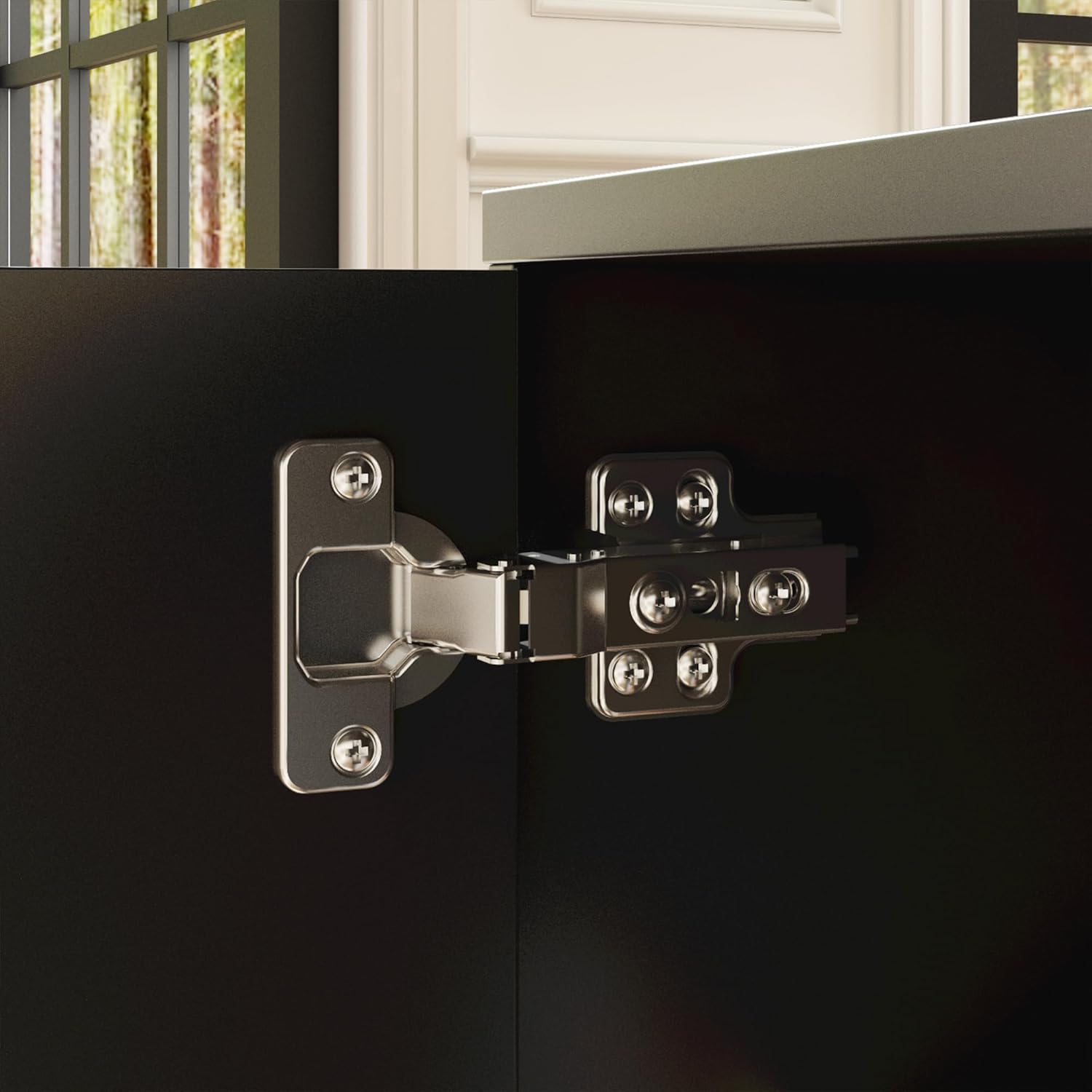
Attēls: Detalizēti view of a cabinet door hinge, showing its robust construction and attachment to the desk's storage unit.
Lietošanas instrukcijas
Elektriskā augstuma regulēšana
Your Homsee L-Shaped Electric Standing Desk features an intuitive control panel for seamless height adjustments. The desk can be adjusted from 29.5 inches (sitting height) to 43.3 inches (standing height).
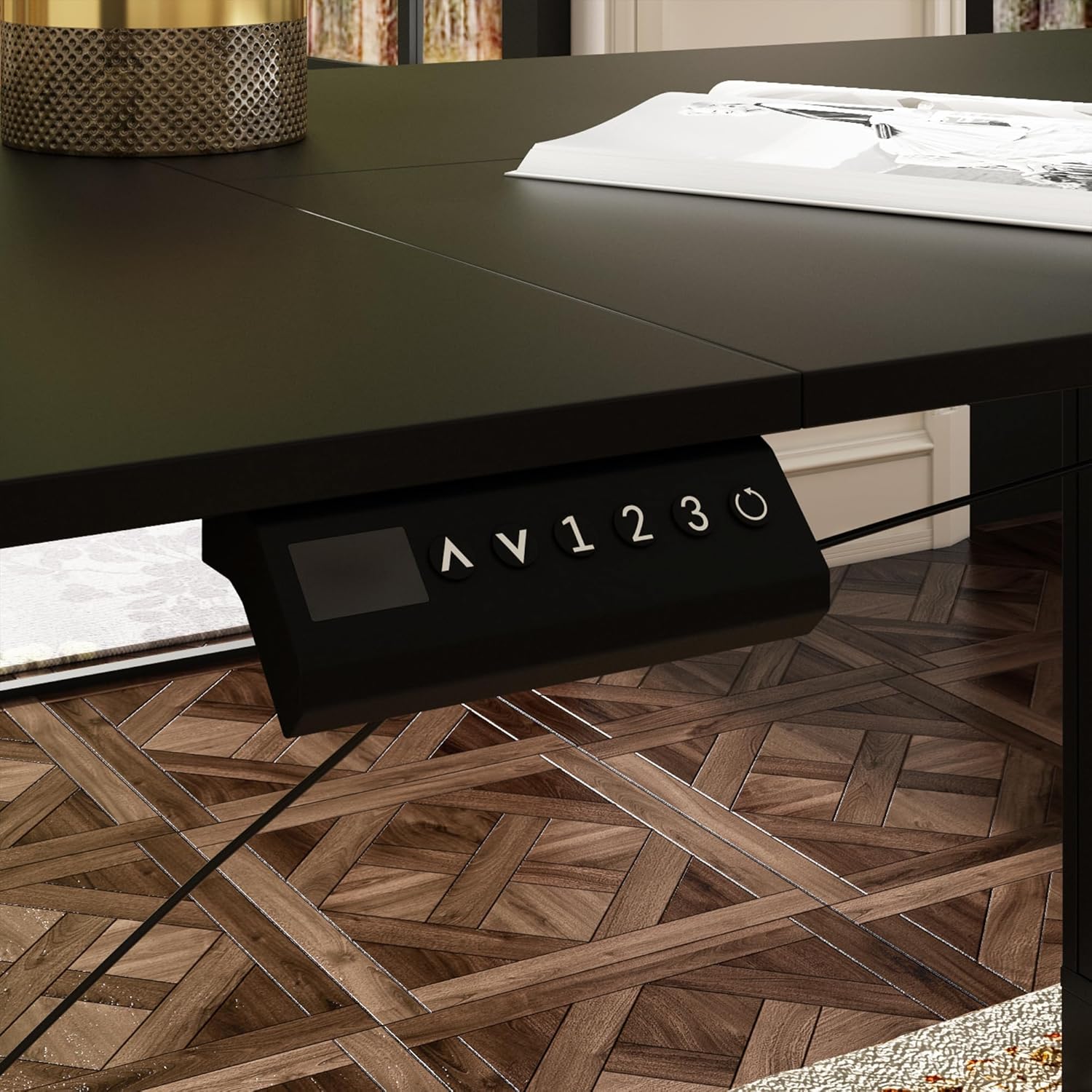
Attēls: Close-up of the desk's control panel, showing the up/down arrows, memory presets (1, 2, 3), and a reset button.

Attēls: Annotated control panel illustrating the height display, up and down height adjustment buttons, 1-3 gear memory buttons, and the resetting function.
- Augstuma regulēšana: Izmantojiet Augšup (^) un Lejā (v) arrow buttons to manually raise or lower the desk to your desired height. The current height will be displayed on the digital screen.
- Atmiņas iestatījumu iestatīšana: To save a preferred height, adjust the desk to the desired level, then press the M button followed by one of the numbered preset buttons (1, 2 vai 3). The height is now saved.
- Atmiņas iestatījumu izmantošana: Press a saved numbered preset button (1, 2 vai 3) to automatically move the desk to the corresponding saved height.
- Atiestatīšanas funkcija: If the desk encounters an error or needs to be recalibrated, press and hold the Reset (circle arrow) button until the desk moves to its lowest position and resets.
Height Adjustment Demonstration Video
This video demonstrates the electric height adjustment feature, including setting memory presets and the smooth transition between sitting and standing positions.
Uzglabāšanas funkcijas

Attēls: Tuvplāns view of the integrated cabinet, showcasing three drawers, two open shelves, and a closed compartment, providing diverse storage options.

Attēls: Illustrates the adjustable shelf within the cabinet, highlighting its flexibility to accommodate items of various sizes.
The cabinet features three smooth-gliding drawers, two open shelves, and a closed compartment, offering versatile storage for office supplies, files, and personal items. The shelves are adjustable to fit different item heights.
Apkope
- Tīrīšana: The desk surface is made of engineered MDF with a sleek finish that is water-resistant and anti-scratch. Wipe clean with a soft, damp Izvairieties no spēcīgām ķīmiskām vielām vai abrazīviem tīrīšanas līdzekļiem.
- Regulāras pārbaudes: Periodiski pārbaudiet visas skrūves un savienojumus, lai pārliecinātos, ka tie ir cieši pievilkti. Ja nepieciešams, pievelciet atkārtoti.
- Kabeļu vadība: Ensure all cables are neatly organized and not pinched or tangled to prevent damage and ensure smooth operation.
Problēmu novēršana
- Galds nekustas: Check if the power cable is securely plugged into both the desk and the wall outlet. Ensure the control panel cable is properly connected. Try the reset function.
- Nevienmērīgs augstums: If the desk legs appear uneven, perform a reset by holding the reset button until the desk moves to its lowest position and recalibrates.
- Kļūdu kodi: If the control panel displays an error code, refer to the full product manual for specific code meanings and solutions.
- Troksnis darbības laikā: A slight motor sound is normal. Excessive or unusual noise may indicate a loose connection or obstruction. Inspect the lifting mechanism and ensure no objects are interfering.
Specifikācijas
| Funkcija | Detaļas |
|---|---|
| Zīmols | Homsee |
| Modelis | B0DB7WL322 |
| Forma | L-forma |
| Kopējie izmēri (G x D x A) | 63"L x 55.1"D x 29.5"H-43.3"H |
| Regulējams augstuma diapazons | 29.5" līdz 43.3" |
| Svara ietilpība | 330 mārciņas (150 kg) |
| Materiāls | Inženierijas koksne (darbvirsma), leģētais tērauds (pamatne) |
| Krāsa | Melns |
| Uzglabāšanas iespējas | File Cabinet with 3 drawers, 2-tier shelves, 1 enclosed cabinet |
| Pacelšanas mehānisms | Elektriskā |
| Augstuma pozīciju skaits | 3 (Programmable Presets) |
| Nepieciešama montāža | Jā (ieteicams 2 cilvēkiem) |
Garantija un atbalsts
The Homsee L-Shaped Electric Standing Desk comes with a Ierobežota garantija. For specific details regarding warranty coverage, please refer to the warranty card included with your product or contact Homsee customer service.
If you have any questions, require assistance with assembly, or encounter any issues with your product, please do not hesitate to contact Homsee customer support. We are committed to providing solutions and ensuring your satisfaction.
Kontaktinformācija: Please refer to the contact details provided in your product packaging or visit the official Homsee webvietne atbalsta saņemšanai.


