1. Ievads
Paldies par pirkumuasing the AFK Portable Bluetooth Wireless Speaker. This manual provides detailed instructions on how to set up, operate, and maintain your speaker to ensure optimal performance and longevity. Please read this manual thoroughly before using the product.

Image: The AFK Portable Bluetooth Wireless Speaker, showcasing its sleek black cylindrical design and top-mounted control panel.
2. Produkts beidziesview
2.1. Iepakojuma saturs
Lūdzu, pārbaudiet iepakojuma saturu, to izpakojot:
- AFK Portable Bluetooth Wireless Speaker (Model: BT528) with built-in microphone
- USB-C uzlādes kabelis
- Lietotāja rokasgrāmata (šis dokuments)
2.2 Galvenās funkcijas
- Spēcīgs audio: Dual speaker drivers and a powerful amplifier module deliver up to 15W room-filling sound with punchy bass, strong midranges, and crisp highs.
- Bluetooth 5.3 savienojamība: Offers fast and stable wireless connections up to 100 feet (30 meters).
- Dinamiskais apgaismojums: Features 5 colorful light colors and 6 light modes, including mixed color flashes that sync with the beat, creating an immersive audio-visual experience.
- Pagarināts atskaņošanas laiks: Enjoy up to 18 hours of non-stop playback at 50% volume, or up to 4 hours at 100% volume. Lights can be turned off to conserve battery.
- Vairākas atskaņošanas iespējas: Supports wireless playback via Bluetooth, TF card, or USB.
- Iebūvēts mikrofons: Allows for clear hands-free calls within the Bluetooth range.
- Pārnēsājams dizains: Lightweight and easy to carry for indoor and outdoor use.
- USB-C uzlāde: Convenient and modern USB-C port for charging.
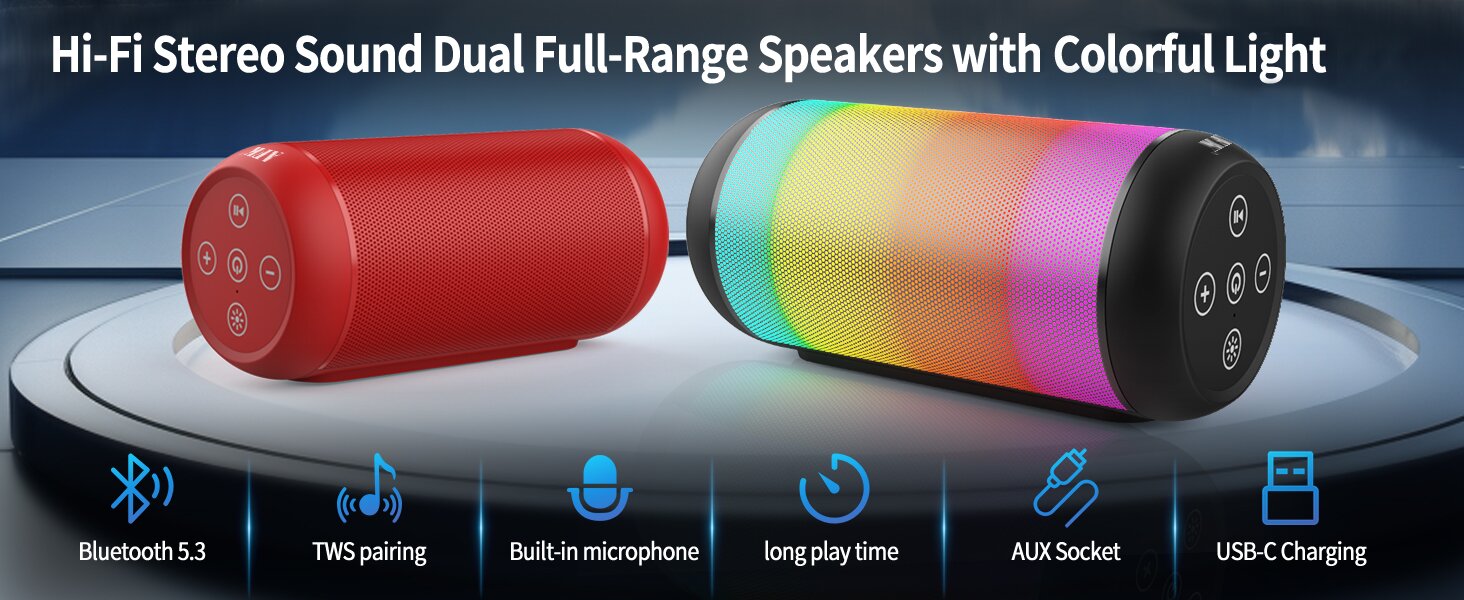
Image: An illustration highlighting key features such as Bluetooth 5.3, TWS pairing, built-in microphone, long playtime, AUX socket, and USB-C charging.

Attēls: Izgriezums view illustrating the dual speaker drivers responsible for deep bass stereo sound.

Image: The speaker positioned on a table, demonstrating its 360-degree stereo surround sound capability.
3. Iestatīšana
3.1 Skaļruņa uzlāde
Before first use, fully charge the speaker. Connect the provided USB-C charging cable to the speaker's USB-C port and the other end to a compatible USB power adapter (not included) or a computer's USB port. The charging indicator light will show the charging status and turn off when fully charged.
3.2 Ieslēgšana/izslēgšana
- Lai ieslēgtu: nospiediet un turiet ieslēgšanas/izslēgšanas pogu (⏻) for a few seconds until you hear an audible prompt and the indicator lights turn on.
- Lai izslēgtu: nospiediet un turiet ieslēgšanas/izslēgšanas pogu (⏻) again for a few seconds until you hear an audible prompt and the indicator lights turn off.
4. Lietošanas instrukcijas
4.1 Bluetooth savienošana pārī
Lai savienotu skaļruni ar Bluetooth iespējotu ierīci:
- Ensure the speaker is powered on and in Bluetooth pairing mode (indicated by a flashing blue light, or similar).
- Savā ierīcē (viedtālrunī, planšetdatorā, datorā) iespējojiet Bluetooth un meklējiet pieejamās ierīces.
- Select "AFK Speaker" (or similar name) from the list of found devices.
- Once paired, the speaker will indicate a successful connection (e.g., a solid blue light or an audible prompt).
The speaker will automatically attempt to reconnect to the last paired device when powered on, if the device is within range and Bluetooth is enabled.

Image: The speaker in an outdoor setting, demonstrating its stable Bluetooth connection range of up to 100 feet.
4.2 Mūzikas atskaņošana
- Bluetooth režīms: Once paired, play music from your connected device. Use the speaker's control buttons or your device to control playback (play/pause, next/previous track, volume).
- TF kartes/USB režīms: Insert a TF card or USB drive containing audio files into the respective port on the speaker. The speaker will automatically switch to the corresponding mode and begin playback. Use the speaker's control buttons for navigation.
4.3 Apgaismojumu vadība
The speaker features dynamic lighting modes. Press the Light button (💡) to cycle through the available light modes:
- Tarry Sky Light
- Elpošana
- Plūstošs
- Ātrais lēciens
- Rhythm Jump
- Gaisma izslēgta

Attēls: Pārākumsview of the six dynamic light modes available on the speaker, including options to turn the lights off.
4.4 Zvanu apstrāde
With the built-in microphone, you can manage calls when connected via Bluetooth:
- Atbildēt/beigt zvanu: Nospiediet pogu Atskaņot / Pauze (⏸) vienreiz.
- Noraidīt zvanu: Nospiediet un turiet nospiestu atskaņošanas/pauzes pogu (⏸) 2 sekundes.

Image: The speaker being used for a hands-free call, demonstrating the functionality of its built-in microphone.
5. Apkope
5.1. Tīrīšana
To clean your speaker, use a soft, dry, lint-free cloth. Do not use abrasive cleaners, alcohol, or chemical solvents, as these may damage the surface or internal components. Avoid getting moisture into any openings.
5.2. Uzglabāšana
Store the speaker in a cool, dry place away from direct sunlight, extreme temperatures, and humidity. If storing for an extended period, charge the battery periodically (e.g., every 3 months) to maintain battery health.
6. Traucējummeklēšana
If you encounter issues with your AFK Portable Bluetooth Wireless Speaker, please refer to the following common problems and solutions:
| Problēma | Iespējamais cēlonis | Risinājums |
|---|---|---|
| Skaļrunis neieslēdzas. | Zems akumulatora līmenis; Nav pareizi nospiesta ieslēgšanas/izslēgšanas poga. | Pilnībā uzlādējiet skaļruni. Nospiediet un dažas sekundes turiet nospiestu ieslēgšanas/izslēgšanas pogu. |
| Nav skaņas. | Skaļums ir pārāk zems; ierīce nav pievienota; nepareizs ievades režīms. | Increase speaker and device volume. Ensure Bluetooth is connected or TF/USB is inserted correctly. |
| Nevar savienot pārī, izmantojot Bluetooth. | Skaļrunis nav savienošanas pārī režīmā; Ierīces Bluetooth ir izslēgts; Pārāk tālu no skaļruņa; Traucējumi. | Ensure speaker is in pairing mode. Turn device Bluetooth off/on. Move device closer to speaker. Avoid strong electromagnetic interference. |
| Īss akumulatora darbības laiks. | High volume usage; Lights constantly on; Battery degradation. | Reduce volume. Turn off lights when not needed. Battery life naturally decreases over time. |
7. Specifikācijas
| Funkcija | Detaļas |
|---|---|
| Modeļa nosaukums | BT528-BLK-US |
| Skaļruņa tips | Divkāršais runātājs |
| Savienojamības tehnoloģija | Bluetooth 5.3 |
| Bezvadu sakaru tehnoloģija | Bluetooth |
| Maksimālais diapazons | 30 metri (100 pēdas) |
| Skaļruņa maksimālā izejas jauda | 11 Watts (RMS) / 15 Watts (Peak) |
| Frekvences reakcija | 20 KHz (Note: This is likely the upper limit, typical range is 20Hz-20kHz) |
| Audio izvades režīms | Stereo |
| Telpiskās skaņas kanālu konfigurācija | 2.0 |
| Īpaša iezīme | Built-in Microphone, Dynamic LED Lights |
| Ieteicamie lietojumi | Indoor/Outdoor, Sport, Outdoor Events, Parties, Camping, pārgājieni |
| Saderīgas ierīces | Desktop, Smartphone, Tablet, Television |
| Barošanas avots | Darbojas ar baterijām (iekļauts 1 litija jonu akumulators) |
| Kontroles metode | Pieskarieties Pogas |
| Krāsa | Melns |
| Produkta izmēri | 2.6 collas dziļums x 6.1 collas platums x 2.6 collas augstums (6.6 cm dziļums x 15.5 cm platums x 6.6 cm augstums) |
| Preces svars | 1.26 mārciņas (0.57 kilogrami) |
| Ir Ūdensizturīgs | FALSE |
8. Garantija un atbalsts
8.1. Ierobežotā garantija
This AFK Portable Bluetooth Wireless Speaker comes with a limited warranty. Please refer to the warranty card included in your package or contact AFK customer support for specific terms and conditions. The warranty typically covers manufacturing defects and malfunctions under normal use.
8.2 Klientu atbalsts
For further assistance, technical support, or warranty claims, please contact AFK customer service. Contact information can usually be found on the product packaging, the official AFK webvietnē vai izmantojot mazumtirgotāja atbalsta kanālus.


