1. Produkts beidziesview
The TESSAN Multiprise Cube (Model SL320-CU) is a versatile power solution designed for modern workspaces and homes. It combines 3 standard AC outlets with 4 USB charging ports (2 USB-A and 2 USB-C), offering a total of 7 power options in a compact cube design. This device features 20W Power Delivery (PD) fast charging via its USB-C ports, 18W max for USB-A, and a total power output of up to 3680W for AC devices. Its flat plug and 1.5-meter extension cord provide flexibility in placement, while the integrated on/off switch allows convenient control over the USB ports.

Video 1: A short demonstration of the TESSAN Multiprise Cube's features, including connecting devices to USB-A, USB-C, and AC outlets, highlighting its compact design and flat plug.
2. Drošības instrukcijas
- Nepārsniedziet maksimālo slodzi 3680 W.
- Šis produkts ir paredzēts lietošanai tikai iekštelpās.
- Sargāt no ūdens un augsta mitruma.
- Neizjauciet un nepārveidojiet ierīci.
- Pārliecinieties, vai kontaktdakša ir pilnībā ievietota sienas kontaktligzdā.
- Uzglabāt bērniem nepieejamā vietā.
3. Iepakojuma saturs
- 1 x TESSAN Multiprise Cube (Model SL320-CU)
- 1 x Lietotāja rokasgrāmata
4. Iestatīšana un instalēšana
- Unpack the TESSAN Multiprise Cube and ensure all components are present.
- Locate a suitable wall outlet. The flat plug design allows for installation in tight spaces, such as behind furniture.
- Plug the multiprise into the wall outlet. Ensure a secure connection.
- The 1.5-meter extension cord provides flexibility to position the cube conveniently on your desk or floor.

5. Lietošanas instrukcijas
5.1 maiņstrāvas kontaktligzdas
The multiprise features 3 standard AC outlets, distributed on three sides of the cube to prevent large adapters from blocking adjacent sockets. These outlets provide continuous power when the device is plugged in, regardless of the USB power switch status. They support a maximum power output of 3680W, suitable for various household appliances.
5.2 USB uzlādes porti
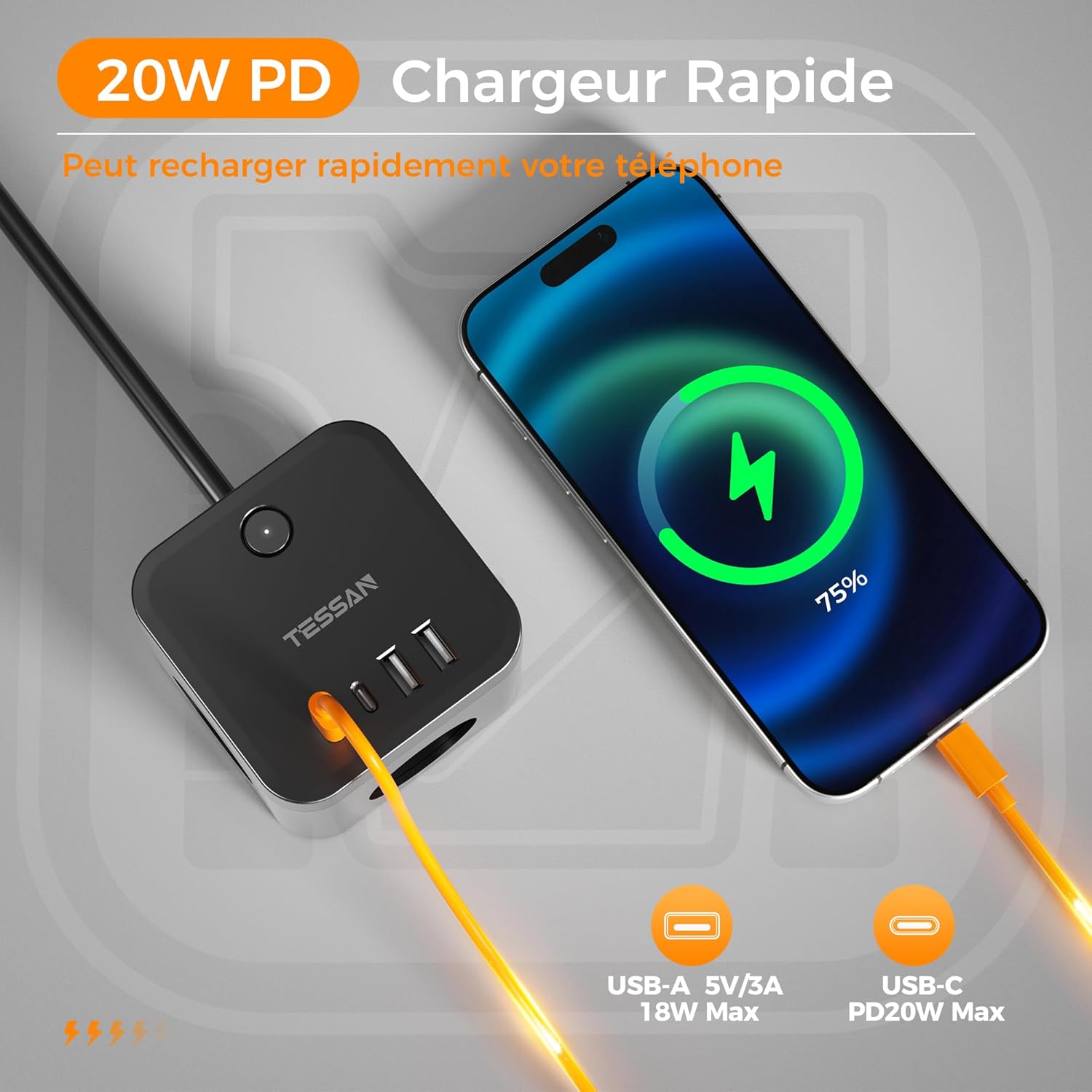
The device includes 2 USB-A ports and 2 USB-C ports for charging your electronic devices.
- USB-A porti: Each USB-A port provides up to 18W max output for fast charging compatible devices.
- USB-C porti: The USB-C ports support Power Delivery (PD) 20W fast charging, ideal for smartphones, tablets, and other USB-C compatible devices.
5.3 Strāvas slēdzis
The integrated on/off switch controls the power supply to the 4 USB ports only. The 3 AC outlets remain continuously powered as long as the multiprise is plugged into a wall socket. A soft white indicator light shows the operating status of the USB ports.

6. Specifikācijas
| Funkcija | Specifikācija |
|---|---|
| Zīmols | TESĀNA |
| Modeļa numurs | SL320-CU |
| Krāsa | Melns |
| Maiņstrāvas kontaktligzdas | 3 |
| USB-A porti | 2 (18W Max each) |
| USB-C porti | 2 (PD 20W Max each) |
| Max AC Power | 3680W |
| Maksimālā maiņstrāva | 16 A |
| Kabeļa garums | 1.5 metri |
| Spraudņa veids | Type E (France), Type F (Germany) |
| Īpašas funkcijas | USB C PD 20W Fast Charger, On/Off Switch (for USB ports), Flat Plug, Anti-slip pads |
| Izmēri | 8.0 × 8.0 × 9.5 cm (approximate cube size) |
7. Apkope un kopšana
- Clean the multiprise with a dry, soft cloth. Do not use liquid cleaners or aerosols.
- Pirms tīrīšanas pārliecinieties, ka ierīce ir atvienota no elektrotīkla.
- Nepakļaujiet ierīci ārkārtējai temperatūrai vai tiešiem saules stariem.
- Do not place heavy objects on the cable or the multiprise.
- Uzglabāt vēsā, sausā vietā, ja netiek lietots ilgāku laiku.
8. Traucējummeklēšana
- No power to AC outlets: Ensure the multiprise is securely plugged into a functioning wall outlet. Check the wall outlet with another device.
- No power to USB ports: Ensure the multiprise is plugged in and the on/off switch for the USB ports is in the 'ON' position (indicated by a soft white light). Try a different USB cable or device.
- Lēna uzlāde: Ensure your device and cable support fast charging. The charging speed may decrease if multiple devices are connected simultaneously, or if the device's battery is nearly full.
- Ierīce nav atpazīta: Ensure the USB cable is correctly inserted into both the multiprise and your device.
9. Garantija un atbalsts
TESSAN products are manufactured to high-quality standards. In the unlikely event of a problem, please contact TESSAN customer support for assistance. Please retain your proof of purchase for warranty claims. Warranty terms and conditions may vary by region.
For further support or inquiries, please visit the official TESSAN webvietnē vai sazinieties ar vietējo mazumtirgotāju.


