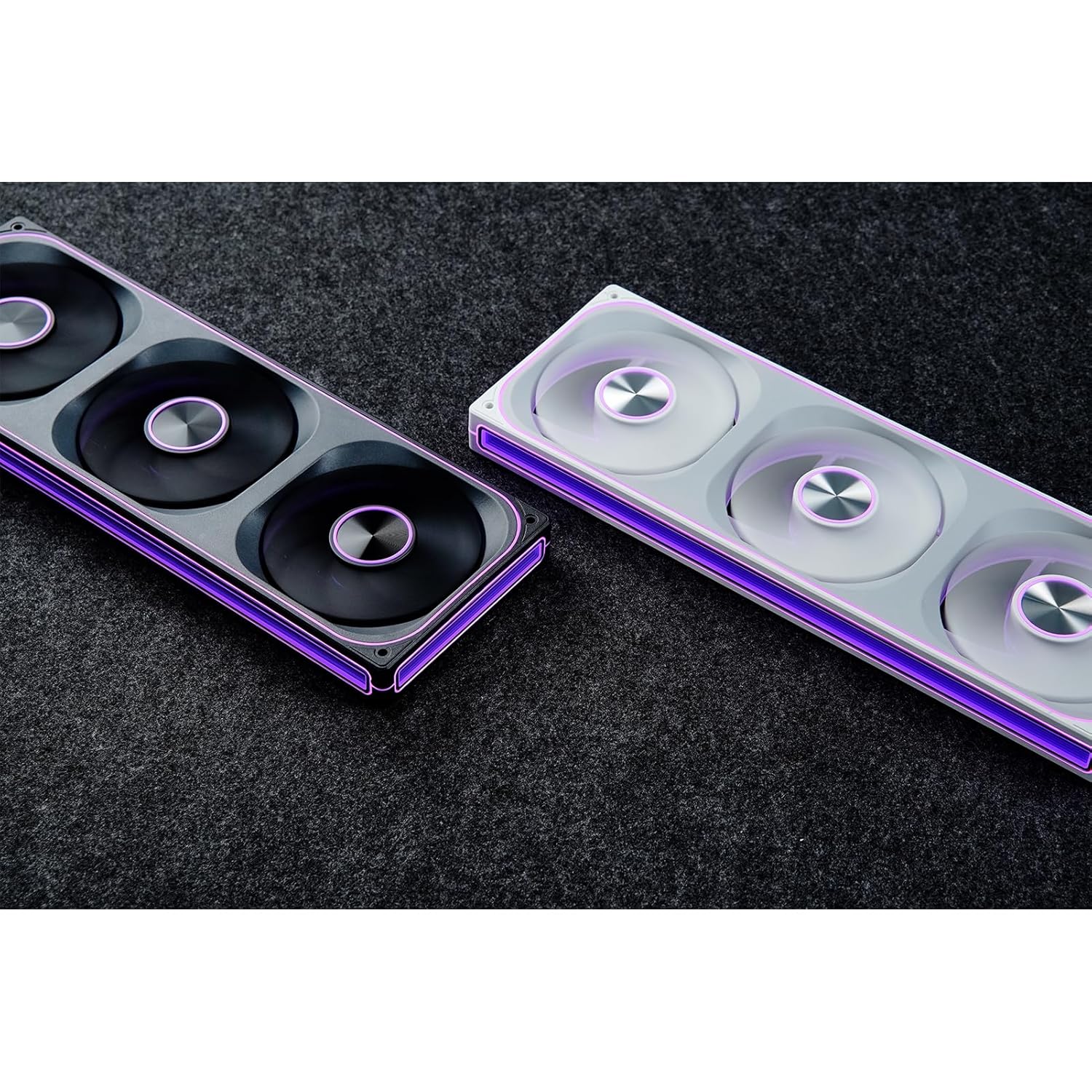
This manual provides detailed instructions for the installation, operation, and maintenance of your JONSBO ZA-240B PC Case Fan. Please read this manual thoroughly before installation and use to ensure proper function and longevity of the product. The JONSBO ZA-240B is an all-in-one unit featuring two 120mm ARGB fans, designed for efficient cooling and customizable lighting within a PC chassis.
2. Drošības informācija
Pirms instalēšanas vai apkopes pārliecinieties, vai datorsistēma ir izslēgta un atvienota no sienas kontaktligzdas.
Izvairieties pieskarties ventilatora lāpstiņām, kamēr ventilators darbojas.
Handle the fan unit carefully to prevent damage to components or wiring.
Nepakļaujiet produktu mitrumam vai ekstremālām temperatūrām.
Use only compatible power and ARGB connectors as specified. Incorrect connections may cause damage.
Uzglabāt bērniem nepieejamā vietā.
3. Iepakojuma saturs
Pārliecinieties, vai iepakojumā ir visi priekšmeti:
JONSBO ZA-240B PC Case Fan Unit (with 2x120mm ARGB Fans)
Montāžas Skrūves
Dokumentācija (šī rokasgrāmata)
Image: JONSBO ZA-240B fan unit with its integrated cables for power and ARGB connection.
4. Produkta īpašības
Viss vienā dizains: Single frame unit integrating two 120mm ARGB fans, simplifying installation and cable management.
ARGB Infinity Mirror: Features 4-sides thousand-layer mirror illusion with 52 lamp beads around the circumference and 18 in the axis for dynamic lighting effects.
Addressable RGB Sync: Direct 3-pin ARGB connection to compatible motherboards for synchronized lighting control and over 16 million color effects.
PWM vadība: Quiet and low-noise PWM fan operation with an integrated male/female head for speed regulation.
Aluminum Nameplate: Includes an aluminum CD pattern nameplate for enhanced aesthetics.
Simplified Cabling: One-line connection to the motherboard for both fan power and ARGB lighting.
Attēls: priekšpuse view of the JONSBO ZA-240B PC Case Fan showcasing its ARGB lighting and infinity mirror effect.
5. Iestatīšana un instalēšana
Follow these steps to install the JONSBO ZA-240B PC Case Fan into your computer chassis:
Sagatavojiet savu sistēmu: Izslēdziet datoru un atvienojiet to no strāvas kontaktligzdas. Atveriet datora korpusu, lai piekļūtu iekšpusei.
Montāžas vietas noteikšana: Determine the desired mounting location for the fan unit (e.g., top, front, bottom, or side of the case). Ensure there is sufficient clearance.
Secure the Fan Unit: Align the fan unit with the screw holes in your PC case. Use the provided mounting screws to firmly attach the fan unit to the chassis. Do not overtighten.
Image: JONSBO ZA-240B fan unit installed at the top of a PC case, demonstrating typical mounting.
Connect PWM Cable: Locate an available 4-pin PWM fan header on your motherboard. Connect the 4-pin PWM connector from the fan unit to this header. This allows the motherboard to control fan speed.
Pievienojiet ARGB kabeli: Locate an available 3-pin 5V Addressable RGB header on your motherboard. Connect the 3-pin ARGB connector from the fan unit to this header. Ensure the arrow on the connector aligns with the +5V pin on the motherboard header to prevent damage. Nepievienojiet 12 V RGB ligzdai.
Kabeļu vadība: Route the cables neatly to avoid interference with other components and to improve airflow.
Aizveriet korpusu un ieslēdziet ierīci: Once all connections are secure, close your PC case, plug in the power cable, and power on your system.
6. Darbība
Ventilatora ātruma kontrole (PWM)
The JONSBO ZA-240B fan unit utilizes Pulse Width Modulation (PWM) technology, allowing your motherboard to dynamically adjust fan speeds based on system temperature. This ensures optimal cooling performance while minimizing noise levels. You can configure fan curves through your motherboard's BIOS/UEFI settings or using compatible software provided by your motherboard manufacturer.
ARGB apgaismojuma vadība
The Addressable RGB (ARGB) lighting of the ZA-240B can be controlled via your motherboard's ARGB software (e.g., ASUS Aura Sync, MSI Mystic Light Sync, GIGABYTE RGB Fusion, ASRock Polychrome Sync). Ensure your motherboard supports 3-pin 5V ARGB headers. This software allows you to customize lighting effects, colors, and synchronization with other ARGB components in your system.
Image: The JONSBO ZA-240B fan unit displaying its customizable ARGB lighting within a computer system.
7. Apkope
Regular maintenance helps ensure optimal performance and extends the lifespan of your fan unit.
Putekļu noņemšana: Periodically clean dust from the fan blades and frame using compressed air or a soft brush. Ensure the system is powered off and unplugged before cleaning.
Pārbaude: Occasionally inspect the fan and its cables for any signs of wear, damage, or loose connections.
8. Traucējummeklēšana
Problēma
Iespējamais cēlonis
Risinājums
Ventilators negriežas
Loose or incorrect PWM cable connection. Insufficient power.
Check the 4-pin PWM cable connection to the motherboard. Ensure the motherboard is supplying power to the fan header.
ARGB apgaismojums nedarbojas
Loose or incorrect ARGB cable connection. Connected to 12V RGB header. Motherboard ARGB software not configured.
Verify the 3-pin ARGB cable is securely connected to a 5V ARGB header. Ensure it is not connected to a 12V RGB header. Check motherboard ARGB software settings.
Ventilators ir pārāk skaļš
Fan speed set too high. Obstruction.
Adjust fan speed settings in your motherboard's BIOS/UEFI or software. Ensure no cables or objects are obstructing the fan blades.
Slikta dzesēšanas veiktspēja
Insufficient airflow. Dust buildup. Incorrect fan orientation.
Ensure proper airflow within the case. Clean dust from fans. Verify fan is oriented to push or pull air in the desired direction.
9. Specifikācijas
Funkcija
Detaļas
Modeļa numurs
ZA-240B
Ventilatora izmērs
2 x 120mm (integrated unit)
Ventilatora biezums
28 mm
Rotācijas ātrums
700–2400 apgr./min (±10%)
Trokšņa līmenis
21.3-37.3 dB(A)
Strāvas savienotājs
4-Pin PWM
ARGB savienotājs
3 kontaktu 5 V ARGB
Voltage
DC 12 Volts (Fan), 5 Volts (LED)
Wattage
5.16 watts (Fan), 5.80 watts (LED)
Saderīgas ierīces
PC korpuss
Izmēri (paka)
29.97 x 15.75 x 4.19 cm
Svars (paka)
707.6 g
10. Garantija un atbalsts
For warranty information and technical support, please refer to the official JONSBO webvietnē vai sazinieties ar savu mazumtirgotāju. Saglabājiet pirkuma apliecinājumu garantijas prasību iesniegšanai.