Ievads
Welcome to the JLab Go Lux ANC Wireless Headphones instruction manual. These premium on-ear Bluetooth headphones are designed to provide an immersive audio experience with advanced features for comfort and connectivity.
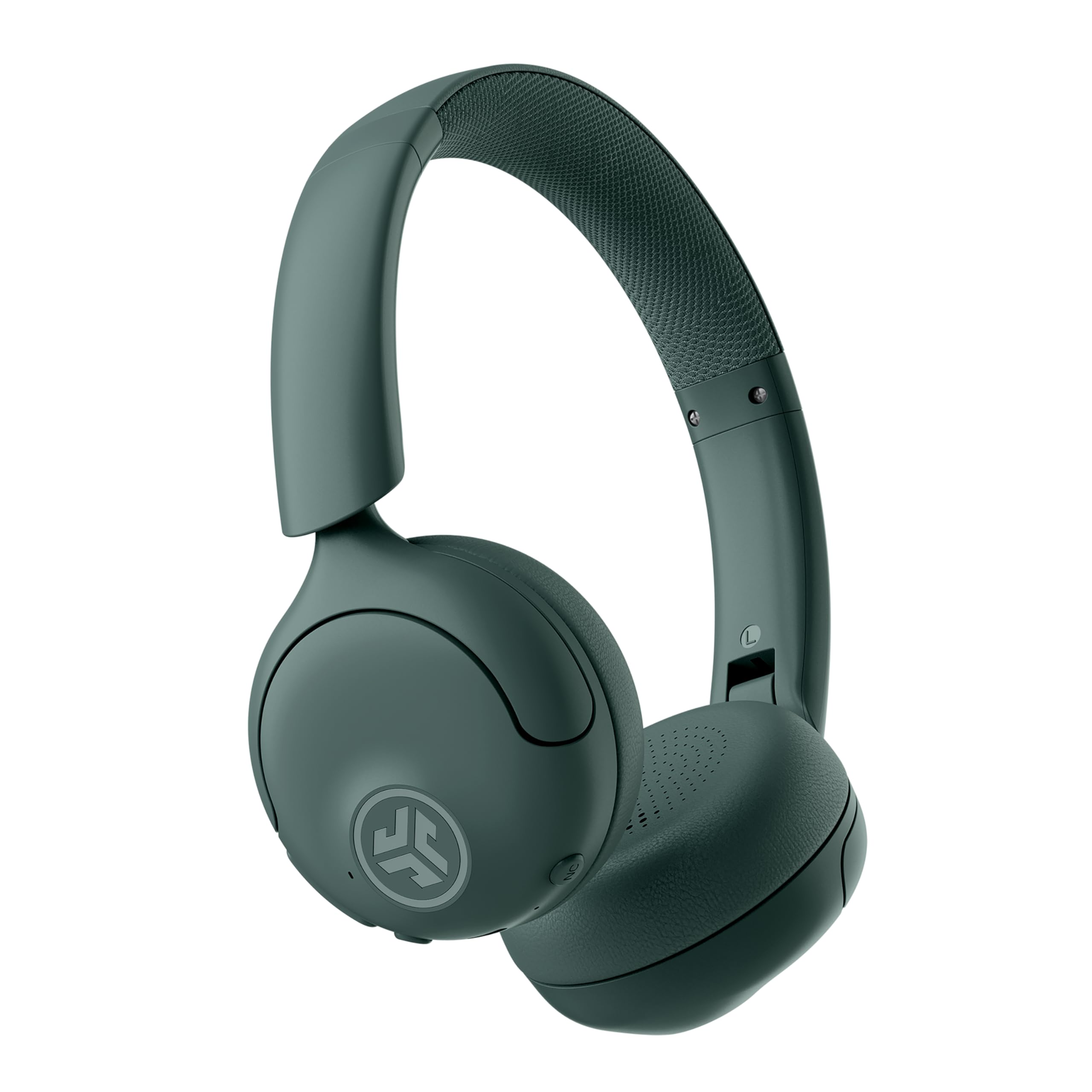
Image: JLab Go Lux ANC Wireless Headphones, showcasing kopējais dizains.
Galvenās iezīmes
- Hybrid Active Noise Cancelling (ANC) & Be Aware Mode: Eliminate distractions up to 30 dB or stay connected to your surroundings.
- Cloud Foam Comfort: Ergonomically shaped Form-Fit Earcups and adjustable hinges for ultimate comfort.
- Customizable Sound via JLab App: Personalize ANC/Be Aware settings, touch controls, and sound preferences.
- Kristāldzidri zvani: Noise-canceling microphones ensure clear communication.
- Viegli savienojumi: Bluetooth Multipoint for simultaneous connection to two devices, Wireless Share Mode, Google Fast Pair, and Microsoft Swift Pair.
- Google Find My Device: Locate your headphones easily.
Iestatīšanas rokasgrāmata
1. Sākotnējā uzlāde
Before first use, fully charge your JLab Go Lux ANC headphones using the provided USB-C charging cable. The charging port is located on one of the earcups.

Image: JLab Go Lux ANC headphones folded, showing the USB-C charging cable.
2. Bluetooth savienošana pārī
Lai austiņas savienotu pārī ar ierīci:
- Pārliecinieties, vai austiņas ir izslēgtas.
- Nospiediet un turiet ieslēgšanas/izslēgšanas pogu, līdz LED indikators mirgo zilā un sarkanā krāsā, norādot savienošanas pārī režīmu.
- On your device (smartphone, tablet, computer), go to Bluetooth settings and select "JLab Go Lux ANC" from the list of available devices.
- Kad savienojums ir izveidots, LED indikators deg nepārtraukti zilā krāsā.
3. Daudzpunktu savienojums
The headphones support Bluetooth Multipoint, allowing connection to two devices simultaneously:
- Pair with the first device as described above.
- Atspējojiet Bluetooth pirmajā ierīcē. Austiņas atkārtoti pārslēgsies pārī savienošanas režīmā.
- Savienojiet pārī ar otro ierīci.
- Re-enable Bluetooth on the first device. The headphones will automatically connect to both devices.
4. JLab App Installation
Download the JLab App from the App Store or Google Play Store to customize settings and access additional features.

Image: JLab App interface on a smartphone, demonstrating sound customization options.
Lietošanas instrukcijas
1. Ieslēgšana/izslēgšana
- Ieslēgšana: Nospiediet un 3 sekundes turiet barošanas pogu.
- Izslēgt: Nospiediet un 5 sekundes turiet barošanas pogu.
2. Hybrid ANC & Be Aware Mode
Toggle between Hybrid Active Noise Cancelling and Be Aware Mode using the dedicated NC button on the earcup.
- Hibrīds ANC: Samazina ārējo troksni, nodrošinot iespaidīgāku klausīšanās pieredzi.
- Uzmanības režīms: Ļauj apkārtējām skaņām iziet cauri, tādējādi ļaujot jums apzināties apkārtējo vidi.

Image: A person wearing JLab headphones, illustrating the Hybrid ANC and Be Aware Mode features.
3. Pamata vadības ierīces
The headphones feature intuitive touch controls on the earcups:
- Skaļuma palielināšana/ samazināšana: Izmantojiet speciālās skaļuma pogas.
- Atskaņot/pauzēt: Vienreiz pieskarieties daudzfunkciju pogai.
- Nākamais ieraksts: Double tap the multi-function button.
- Iepriekšējais ieraksts: Triple tap the multi-function button.
- Atbildēt/beigt zvanu: Zvana laikā vienreiz pieskarieties daudzfunkciju pogai.
- Noraidīt zvanu: Ienākošā zvana laikā nospiediet un turiet daudzfunkciju pogu.
4. Wireless Share Mode
Share audio wirelessly between two JLab Lux headphones. Refer to the JLab App or JLab website for detailed instructions on activating and using Wireless Share Mode.
5. Google Find My Device
Utilize Google Find My Device to locate your headphones if misplaced. Ensure your headphones are connected to a compatible Android device.
Apkope
1. Uzlāde
Charge the headphones using the provided USB-C cable. A full charge provides up to 70+ hours of playtime (40+ hours with ANC on).
2. Tīrīšana
Wipe the headphones with a soft, dry cloth. Avoid using harsh chemicals or abrasive materials. Ensure the charging port is dry before charging.
3. Uzglabāšana
Kad austiņas netiek lietotas, uzglabājiet tās vēsā, sausā vietā. Salokāmais dizains nodrošina kompaktu uzglabāšanu.

Image: JLab Go Lux ANC headphones folded for compact storage, alongside the charging cable.
Problēmu novēršana
- Nav jaudas: Pārliecinieties, vai austiņas ir pilnībā uzlādētas.
- Nevar savienot pārī: Make sure Bluetooth is enabled on your device and the headphones are in pairing mode. Try forgetting the device on your phone and re-pairing.
- Skaņas problēmas: Check volume levels on both headphones and connected device. Ensure headphones are within Bluetooth range.
- ANC nedarbojas: Pārliecinieties, vai ir aktivizēts ANC režīms.
For further assistance, refer to the JLab App or contact JLab customer support.
Specifikācijas
| Modeļa nosaukums | Go Lux ANC |
| Savienojamības tehnoloģija | Bezvadu (Bluetooth 5.0) |
| Ausu novietojums | Uz auss |
| Trokšņa kontrole | Hybrid Active Noise Cancelling, Be Aware Mode |
| Audio draivera tips | Hibrīda skaļrunis (40 mm) |
| Akumulatora darbības laiks | Up to 70+ Hours (40+ Hours with ANC) |
| Kontroles metode | Pieskāriens, skaļuma kontrole |
| Saderīgas ierīces | Android devices, Windows PCs |
| Materiāls | Plastic, Metal, Faux Leather |
| Preces svars | 0.704 unces (0.02 kilogrami) |
| Produkta izmēri | 2.95 x 6.1 x 7.48 collas |
Garantija un atbalsts
Your JLab Go Lux ANC Wireless Headphones come with a JLab 2 Year Warranty.
For warranty claims, technical support, or additional product information, please visit the official JLab Store or contact JLab customer service.


