1. Beigāsview
The Amazon Basics USB Flash Drive is a versatile storage solution designed for seamless data transfer between various devices. Featuring both USB-C and USB-A dual ports, this 128GB thumb drive offers broad compatibility and efficient performance for your storage needs. Its durable metal construction and rotating design ensure protection and convenience.
2. Galvenās iezīmes
- 128 GB Storage Capacity: Nodrošina ample space for documents, photos, videos, and other files. Note: Actual usable capacity may be slightly less due to formatting and system files.
- Divu portu dizains: Equipped with both USB-C and USB-A connectors for universal compatibility with a wide range of devices.
- Efektīva veiktspēja: Offers reliable data transfer with a default exFAT format, ensuring lower power consumption and broad device support.
- High Read Speed: Capable of read speeds up to 400 Megabytes Per Second. Actual speeds may vary based on device, file size, and type.
- Premium konstrukcija: Features a robust metal exterior casing with a rotating open/close design to protect the connectors, and a hanging hole for convenient attachment to keychains or lanyards.
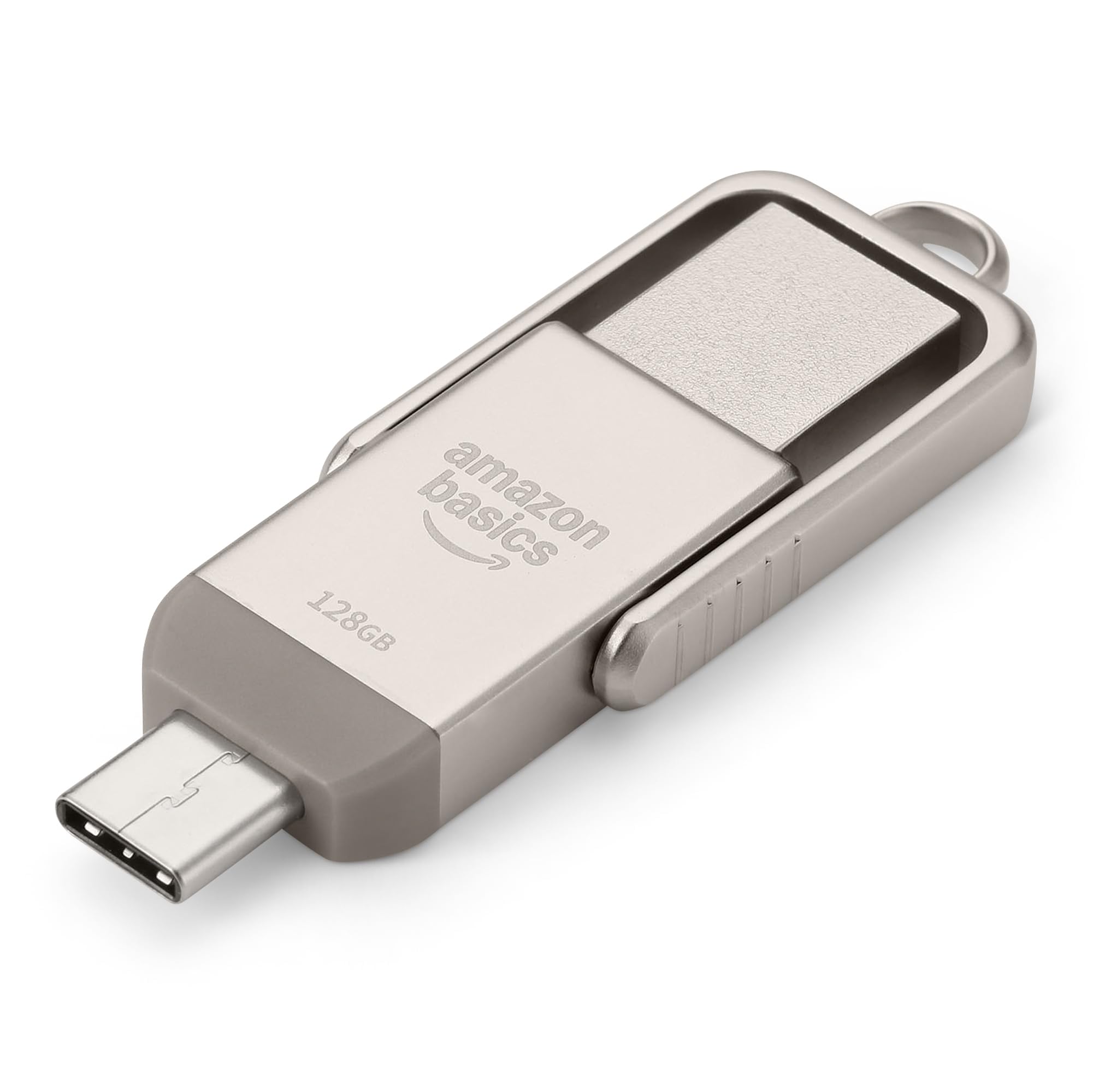
Figure 1: Amazon Basics 128GB USB Flash Drive, showcasing its compact design and dual connectors.
3. Iestatīšana
- Identificējiet ierīces portu: Determine whether your device (phone, tablet, computer) uses a USB-A or USB-C port.
- Select Correct Connector: Rotate the metal casing of the flash drive to expose the appropriate connector (USB-A or USB-C).
- Insert Flash Drive: Carefully insert the exposed connector into the corresponding port on your device. Ensure a secure connection.
- Ierīces atpazīšana: Your device should automatically detect the flash drive. On most operating systems, a notification will appear, or the drive will be accessible through your file vadītājs (piemēram, File Explorer operētājsistēmā Windows, Finder operētājsistēmā macOS, Files lietotne mobilajās ierīcēs).

Figure 2: USB Flash Drive connected to a laptop's USB-A port.
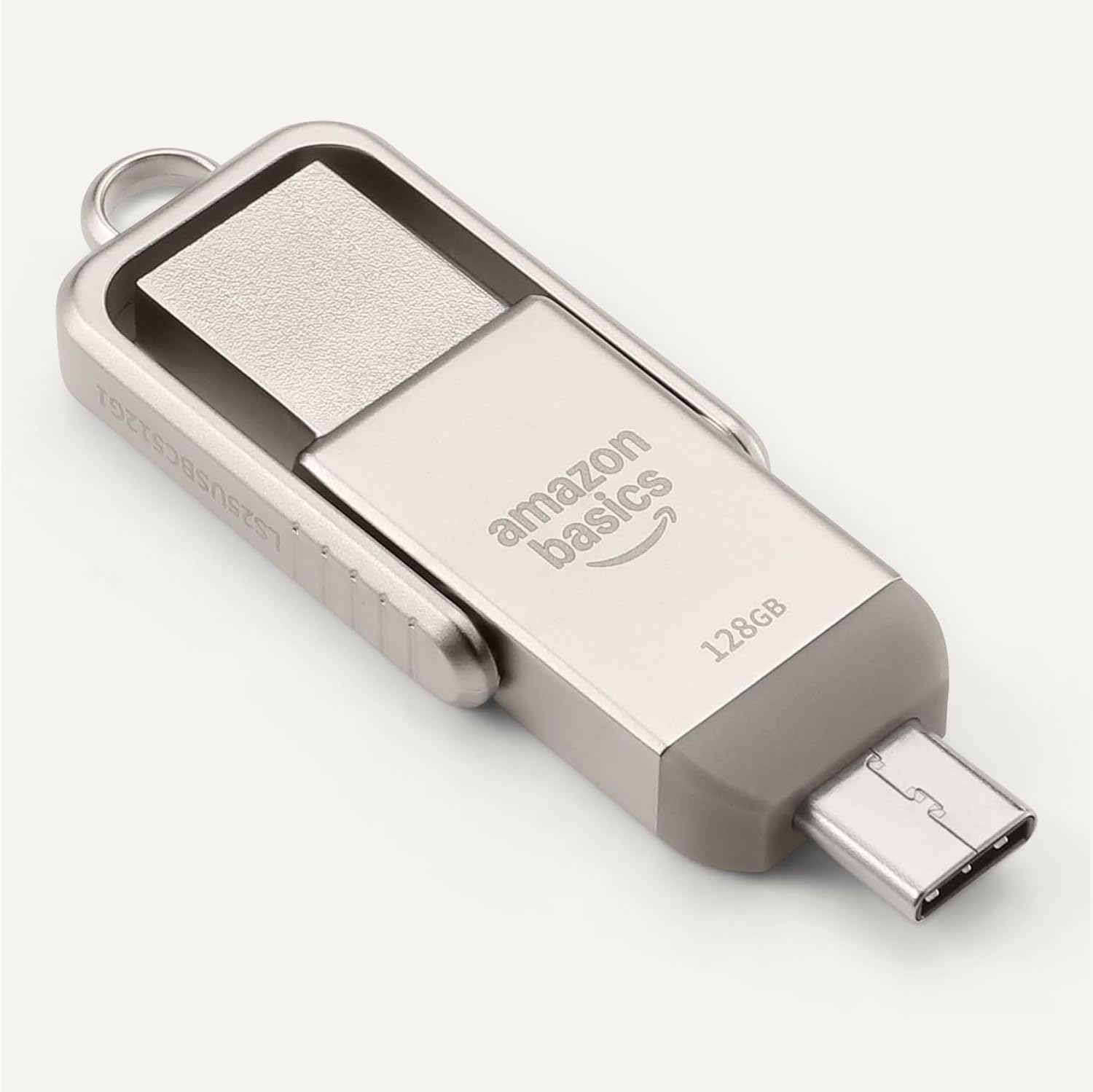
Figure 3: USB Flash Drive connected to a smartphone's USB-C port.
4. Lietošanas instrukcijas
4.1. Nodošana Files
- Kopēt ielīmēt: Dodieties uz files you wish to transfer. Select them, then right-click (or long-press on touch devices) and choose 'Copy'. Navigate to the flash drive's directory, right-click (or long-press), and select 'Paste'.
- Velciet un nometiet: Atveriet savu file manager and arrange windows so you can see both the source folder and the flash drive's folder. Click and drag the desired files from the source folder to the flash drive's folder.
4.2. Safe Removal
To prevent data corruption, always safely remove the flash drive before physically disconnecting it.
- Windows: Click the 'Safely Remove Hardware and Eject Media' icon in the taskbar, then select the flash drive.
- MacOS: Drag the flash drive icon from your desktop to the Trash, or right-click the icon and select 'Eject'.
- Android/iPadOS: Look for an 'Eject' or 'Unmount' option within the file manager app or notification panel.
5. Saderība
The Amazon Basics USB Flash Drive is designed for broad compatibility:
- Operētājsistēmas: Compatible with Windows, macOS, Linux, Android, and iPadOS devices that support USB mass storage.
- Ierīču veidi: Works with computers, laptops, tablets, and smartphones featuring USB-A or USB-C ports.
- File Sistēma: Pre-formatted with exFAT for maximum compatibility across different operating systems and larger file izmēriem.
- Svarīga piezīme: This flash drive is incompatible with Lightning ports found on some Apple devices.
5.1. Compatibility Demonstration
Video 1: Demonstration of the Amazon Basics USB Flash Drive's compatibility with various phone cases and devices, highlighting successful and unsuccessful fits.
Video 2: Demonstration of using a thumb drive with a mini projector, showing file format requirements (FAT32) for video, audio, and image playback.
6. Performance
The Amazon Basics USB Flash Drive is engineered for efficient data handling:
- Lasīšanas ātrums: Up to 400 Megabytes Per Second.
- Rakstīšanas ātrums: Varies depending on the device, file izmērs, file types, and other environmental factors.
- Mazāks enerģijas patēriņš: Designed for energy efficiency, contributing to longer battery life on connected mobile devices.
For optimal performance, ensure your device's USB port supports USB 3.2 Gen 1 or higher standards.
7. Apkope un kopšana
- Aizsargājiet savienotājus: Always rotate the metal casing to cover the unused connector when not in use to prevent dust and physical damage.
- Rīkojieties uzmanīgi: Avoid dropping the drive or subjecting it to excessive force.
- Temperatūra: Store the drive in a cool, dry place away from extreme temperatures.
- Tīrīšana: Use a soft, dry cloth to clean the exterior. Avoid liquid cleaners or solvents.
8. Traucējummeklēšana
- Disks nav atpazīts:
- Ensure the drive is fully inserted into the correct USB port.
- Izmēģiniet citu USB portu savā ierīcē.
- Restartējiet ierīci un mēģiniet vēlreiz.
- Pārbaudiet savas ierīces file manager or disk management utility to see if the drive is listed.
- Lēns pārsūtīšanas ātrums:
- Ensure you are using a USB 3.0 (or higher) compatible port for optimal speeds. USB 2.0 ports will result in slower transfers.
- Daudzu mazu lietu pārsūtīšana files can be slower than transferring a single large file vienāda kopējā izmēra.
- Aizveriet citas lietojumprogrammas, kas varētu izmantot sistēmas resursus.
- "Unsupported File" Error:
- This error typically occurs when the device you are connecting the flash drive to (e.g., a projector or smart TV) does not support the file format (e.g., .mov, .mp4, .txt, .png) or the file system (e.g., NTFS vs. FAT32/exFAT).
- Nodrošināt files are formatted to FAT32 or exFAT for broad compatibility.
- Konvertēt files to a format supported by your playback device. Common formats include .mp4 for video, .mp3 or .wav for audio, and .jpeg for images.
- Drive Gets Warm:
It is normal for the metal casing of the flash drive to become warm during prolonged use or heavy data transfers. This does not indicate a malfunction.
9. Specifikācijas
| Funkcija | Specifikācija |
|---|---|
| Modeļa nosaukums | LS25USBC128G1 |
| Atmiņas krātuves ietilpība | 128 GB (Nominal) |
| Savienojamības tehnoloģija | USB |
| Aparatūras saskarne | USB 3.2 1. paaudze |
| Aparatūras savienojamības tehnoloģija | A tipa USB, C tipa USB |
| Lasīšanas ātrums | 400 megabaiti sekundē |
| Īpaša iezīme | Divkāršs USB savienotājs |
| Krāsa | Champagne Sudraba |
| Preces svars | 2.11 unces |
| Iepakojuma izmēri | 9.21 x 7.01 x 0.71 collas |
10. Garantija un atbalsts
This Amazon Basics product is backed by Amazon's customer service and return policies.
- Atgriešanas politika: Typically 30 days for refunds or replacements. Please refer to Amazon's current return policy for specific details.
- Papildu aizsardzības plāni: Additional photo and data recovery plans are available for purchase (e.g., 2-year or 3-year plans).
- Klientu atbalsts: For assistance, please visit the Amazon Basics Store or contact Amazon Customer Service directly through your Amazon account.


