1. Ievads
The MCHOSE G75 Pro is a versatile 75% layout wireless mechanical keyboard designed for optimal performance and user experience. It features a gasket-mounted structure with 5 layers of sound and shock-absorbing dampening, vibrant RGB backlighting, and tri-mode connectivity (2.4GHz wireless, Bluetooth, and wired USB-C). The keyboard also supports hot-swappable switches, allowing for easy customization and maintenance.
2. Iepakojuma saturs
Lūdzu, pārliecinieties, vai jūsu iepakojumā ir visas preces:
- MCHOSE G75 Pro Wireless Mechanical Keyboard
- USB-C uz USB-A kabelis
- 2.4 GHz bezvadu uztvērējs
- Taustiņu vāciņa novilcējs
- Lietotāja rokasgrāmata (šis dokuments)
3. Produkts beidziesview
The MCHOSE G75 Pro features a compact 75% layout, which includes function keys, arrow keys, and a navigation cluster, while minimizing desk space. Its robust construction incorporates a gasket-mounted design for a flexible and comfortable typing feel.

Image: The MCHOSE G75 Pro keyboard showcasing its compact 75% layout.
Internally, the keyboard utilizes a 5-layer dampening system, including Poron foam, IXPE foam, and a PET film, to enhance typing acoustics and reduce vibrations, providing a satisfying sound profile.

Image: Diagram illustrating the 5-layer gasket-mounted dampening structure of the keyboard.
The keyboard offers flexible connectivity options through a mode switch located on the side, allowing seamless transitions between wired, 2.4GHz wireless, and Bluetooth modes.
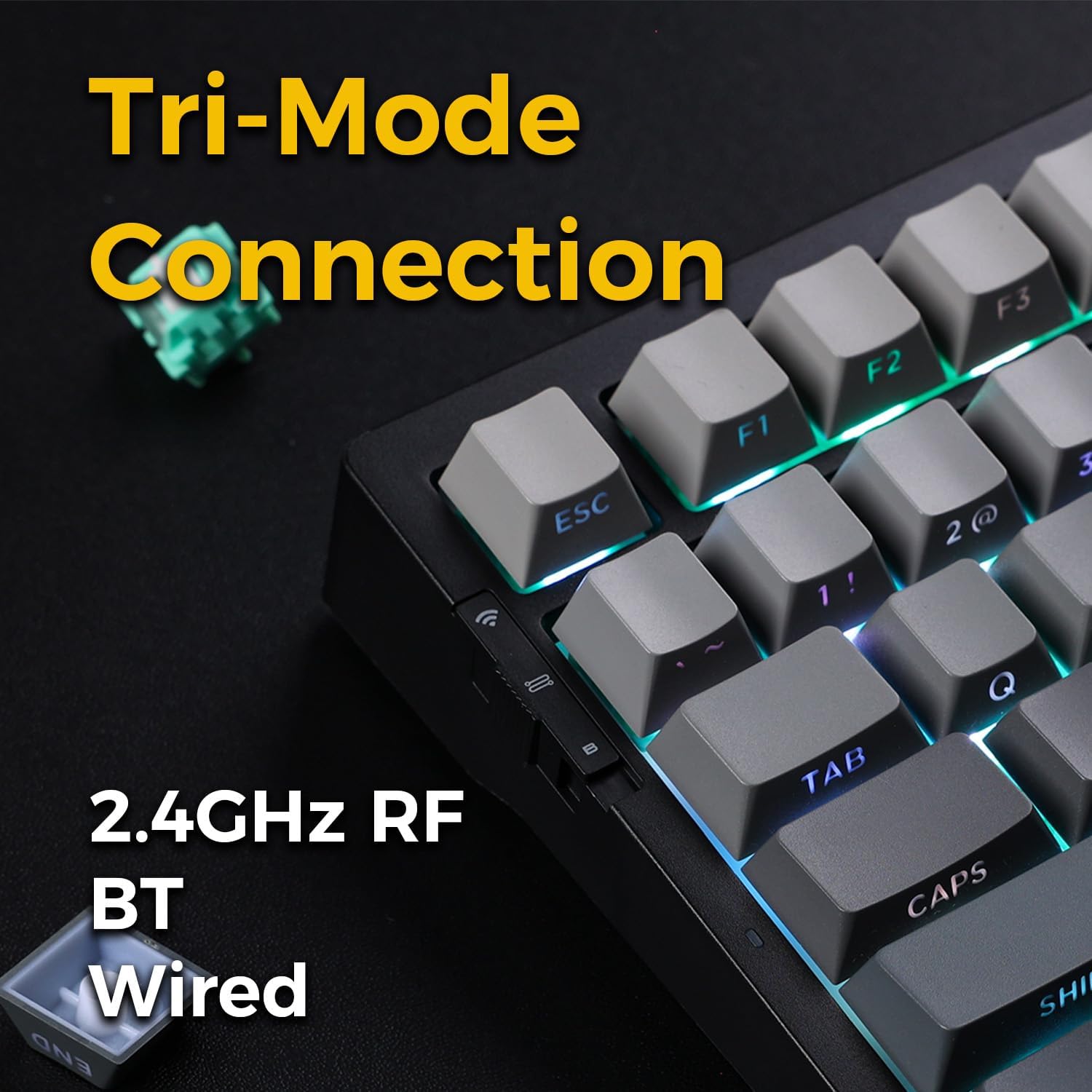
Image: Close-up of the tri-mode connection switch and USB-C port on the keyboard's side.
4. Iestatīšana
4.1. Sākotnējā uzlāde
Before first use, connect the keyboard to a USB power source using the provided USB-C cable. The keyboard is equipped with 2 Lithium Polymer batteries. A full charge ensures optimal wireless performance.
4.2 Savienojamības režīmi
The MCHOSE G75 Pro supports three connection modes: Wired, 2.4GHz Wireless, and Bluetooth. Use the switch on the side of the keyboard to select your desired mode.
4.2.1 Vadu savienojums
- Iestatiet tastatūras režīma slēdzi pozīcijā “Vadu”.
- Connect the USB-C end of the cable to the keyboard and the USB-A end to your computer.
- The keyboard will be recognized automatically by your operating system.
4.2.2 2.4 GHz bezvadu savienojums
- Iestatiet tastatūras režīma slēdzi pozīcijā “2.4G”.
- Ievietojiet 2.4 GHz bezvadu uztvērēju pieejamā datora USB portā.
- The keyboard should connect automatically. If not, press and hold the Fn key + the 2.4G key (usually indicated by a wireless icon) for 3 seconds to initiate pairing.
4.2.3 Bluetooth savienojums
- Pārslēdziet tastatūras režīma slēdzi pozīcijā “BT”.
- Datorā vai ierīcē iespējojiet Bluetooth un meklējiet jaunas ierīces.
- Uz tastatūras nospiediet un turiet Fn+1, Fn+2, vai Fn+3 for 3 seconds to enter pairing mode for one of the three available Bluetooth channels. The indicator light will flash rapidly.
- Select 'MCHOSE G75 Pro' from the list of available devices on your computer.
- Kad pārī savienošana būs pabeigta, indikatora lampiņa pārtrauks mirgot. Varat pārslēgties starp pārī savienotajām Bluetooth ierīcēm, nospiežot Fn+1, Fn+2, vai Fn+3 īsi.
5. Lietošanas instrukcijas
5.1. Galvenās funkcijas
The MCHOSE G75 Pro utilizes an Fn (Function) key for accessing secondary key functions, including multimedia controls, lighting adjustments, and system shortcuts. Refer to the keycap legends for specific Fn combinations.
Common Fn Key Combinations:
- Fn+F1-F12: Access multimedia controls or system functions (e.g., volume, play/pause, brightness).
- Fn + Arrow Keys: Adjust RGB lighting effects (e.g., brightness, speed, direction).
- Fn + BackspaceDzēst.
- Fn+Win: Bloķēt/atbloķēt Windows taustiņu.
5.2 RGB apgaismojums
The keyboard features customizable RGB backlighting with south-facing LEDs for enhanced visibility and compatibility with various keycap profiles. You can adjust lighting modes, colors, and brightness.
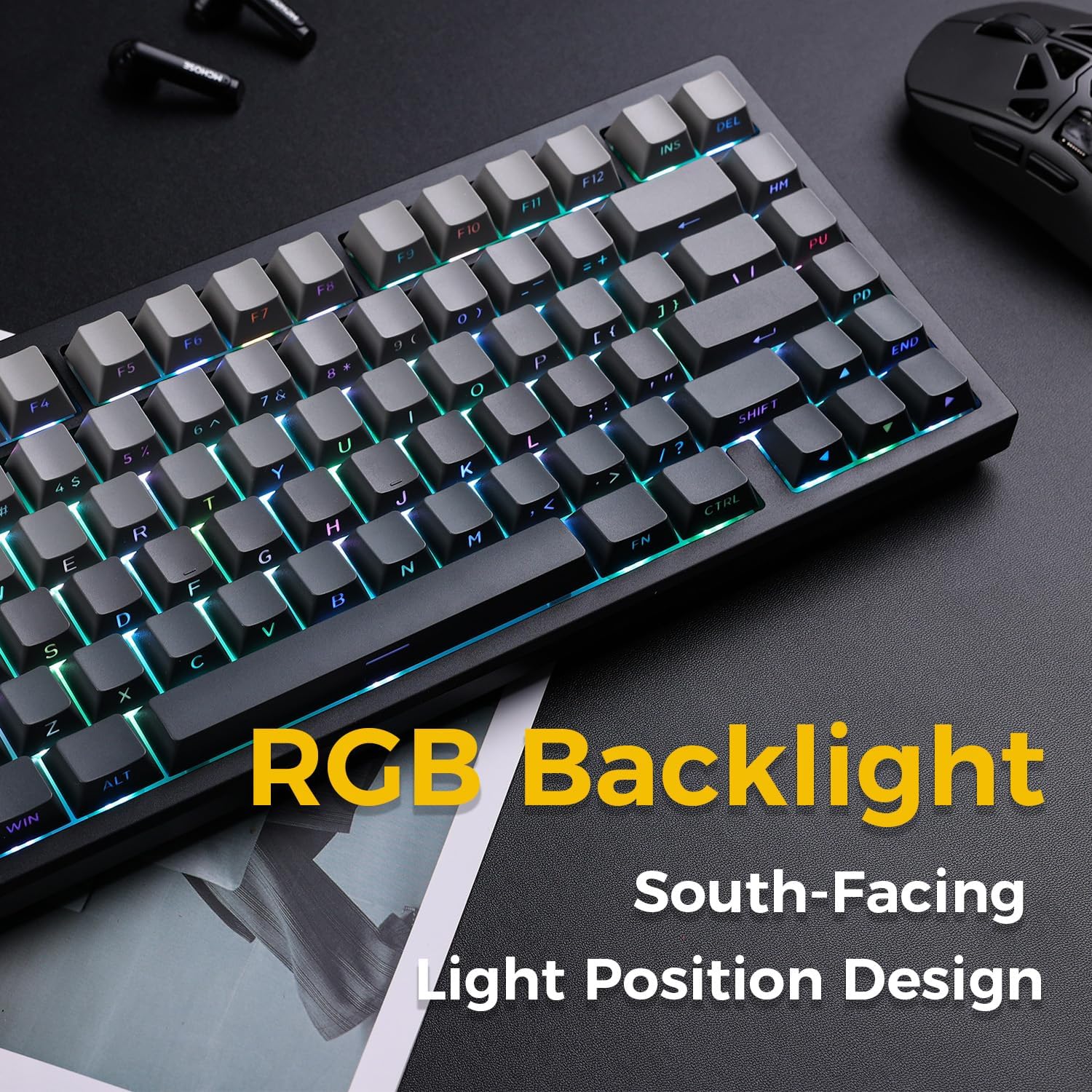
Image: The MCHOSE G75 Pro keyboard displaying its vibrant RGB backlighting.
Adjusting RGB Effects:
- Fn + \|: Cycle through different lighting effects.
- Fn +: Samaziniet apgaismojuma ātrumu.
- Fn + >: Palieliniet apgaismojuma ātrumu.
- Fn + augšupvērstā bultiņa: Palieliniet spilgtumu.
- Fn + lejupvērstā bultiņa: Samazināt spilgtumu.
5.3 Karstās nomaiņas slēdži
The MCHOSE G75 Pro is equipped with hot-swappable sockets, allowing you to easily change mechanical switches without soldering. This feature enables customization of typing feel and sound.

Image: The keyboard with several keycaps and switches removed, demonstrating the hot-swappable feature.
Slēdža specifikācijas:
The keyboard may come with Matcha Latte Switch V2 or Cabbage Tofu Switch V2, depending on the variant.
- Matcha Latte Switch V2:
Darbības spēks: 45±8gf
Priekšgājiens: 2.0 ± 0.4 mm
Kopējais gājiens: 3.6 ± 0.2 mm - Cabbage Tofu Switch V2:
Darbības spēks: 45±5gf
Pirms pārvietošanās: 1.9±0.3 mm
Travel distance: 4.0±0.5mm
6. Apkope
6.1. Tīrīšana
Lai saglabātu tastatūras izskatu un funkcionalitāti:
- Pirms tīrīšanas atvienojiet tastatūru no datora.
- Izmantojiet mīkstu, neplūksnu drānu nedaudz dampar ūdeni vai maigu tīrīšanas šķīdumu, lai noslaucītu taustiņu vāciņus un casing.
- Lai notīrītu putekļus un gružus starp taustiņu vāciņiem, izmantojiet saspiestu gaisu vai komplektā iekļauto taustiņu vāciņu noņēmēju, lai tos noņemtu, un rūpīgi notīriet tos.
- Izvairieties no spēcīgu ķīmisku vielu vai abrazīvu materiālu izmantošanas.
6.2 Tastatūras vāciņa un slēdža nomaiņa
The included keycap puller can be used to carefully remove keycaps. For switch replacement, use a switch puller (not included unless specified) to gently remove the existing switch. Align the new 3-pin or 5-pin mechanical switch with the hot-swap socket and press firmly until it clicks into place. Ensure pins are not bent during installation.
7. Traucējummeklēšana
7.1 Tastatūra nereaģē
- Pārliecinieties, vai tastatūra ir pietiekami uzlādēta.
- Check the mode switch to confirm it is set to the correct connection type (Wired, 2.4G, or BT).
- Vadu savienojumam izmēģiniet citu USB portu vai kabeli.
- For 2.4GHz wireless, ensure the receiver is securely plugged in and try re-pairing (Fn + 2.4G key).
- For Bluetooth, ensure Bluetooth is enabled on your device and try re-pairing (Fn + 1/2/3).
- Restartējiet datoru.
7.2 RGB Backlighting Not Working/Incorrect
- Pārliecinieties, vai tastatūra ir ieslēgta.
- Use Fn key combinations (e.g., Fn + Up/Down Arrow) to adjust brightness.
- Cycle through lighting effects using Fn + \|.
- If specific keys are not lighting up, check if the switch is properly seated or if the LED is damaged.
7.3 Software Compatibility (Windows/macOS)
While the keyboard functions plug-and-play, some advanced customization may require dedicated software. Please note that official software might have limited language support or compatibility issues, particularly with macOS. For optimal functionality, ensure you have the latest drivers or software from the MCHOSE official webvietne, ja tāda ir pieejama.
8. Specifikācijas
| Funkcija | Detaļas |
|---|---|
| Modeļa numurs | MC-G75 |
| Izkārtojums | 75% |
| Savienojamība | 2.4GHz Wireless, Bluetooth, Wired (USB-C) |
| Tastatūras veids | Mehāniski |
| Montāžas stils | Uzmontēts ar blīvi |
| Dampening Layers | 5 Layers (Poron Foam, IXPE Foam, PET Film) |
| Fona apgaismojums | RGB, dienvidu virzienā vērstas gaismas diodes |
| Taustiņu vāciņi | Divkāršās PBT |
| Slēdži | Hot-Swappable (3-pin/5-pin compatible) |
| Akumulators | 2 litija polimēru baterijas (iekļautas komplektā) |
| Saderīgas ierīces | PC |
| Preces svars | 3.05 mārciņas (aptuveni 1.38 kg) |
| Iepakojuma izmēri | 14.96 x 7.17 x 2.17 collas (aptuveni 38 x 18.2 x 5.5 cm) |
9. Garantija un atbalsts
Lai saņemtu informāciju par garantiju un tehnisko atbalstu, lūdzu, skatiet oficiālo MCHOSE vietni. webvietnē vai sazinieties ar savu mazumtirgotāju. Saglabājiet pirkuma čeku garantijas prasību gadījumā.