1. Ievads
This manual provides essential instructions for the safe operation, setup, maintenance, and troubleshooting of your ARRIS WPL C24-1 RC Rock Crawler. Please read this manual thoroughly before using the product to ensure proper function and longevity.

Image: The ARRIS WPL C24-1 RC Rock Crawler, showcasing its detailed design and robust tires.
2. Drošības informācija
Always operate the RC vehicle in a safe and responsible manner. Failure to follow these safety guidelines may result in injury or damage to the product or property.
- Turiet rokas, matus un vaļīgu apģērbu tālāk no kustīgajām daļām.
- Nedarbiniet ierīci cilvēku, mājdzīvnieku vai šķēršļu tuvumā.
- Avoid operating in wet conditions or near water unless the product is specifically designed for it.
- Pārliecinieties, vai baterijas ir pareizi uzlādētas un ar tām rīkojaties uzmanīgi.
- Lietotājiem, kas jaunāki par 15 gadiem, ieteicama pieaugušo uzraudzība.
3. Iepakojuma saturs
Pārliecinieties, vai jūsu iepakojumā ir iekļauti visi tālāk norādītie priekšmeti:
- ARRIS WPL C24-1 RC Rock Crawler (1 unit)
- Remote Control Transmitter (1 unit)
- Rechargeable Battery (1 unit, 7.4V 500mAh)
- Uzlādes kabelis (1 gab.)
- Lietošanas instrukcija (šis dokuments)
4. Iestatīšanas rokasgrāmata
4.1. Transportlīdzekļa akumulatora uzlāde
The vehicle battery (7.4V 500mAh) requires charging before first use. A full charge takes approximately 2 hours and provides about 30 minutes of operation.
- Locate the battery compartment on the underside of the RC crawler.
- Connect the rechargeable battery to the provided charging cable.
- Plug the charging cable into a suitable USB power source (e.g., computer USB port, USB wall adapter).
- The indicator light on the charging cable will show the charging status (refer to charger instructions for specific light patterns).
- Once fully charged, disconnect the battery from the charger and install it into the vehicle's battery compartment.
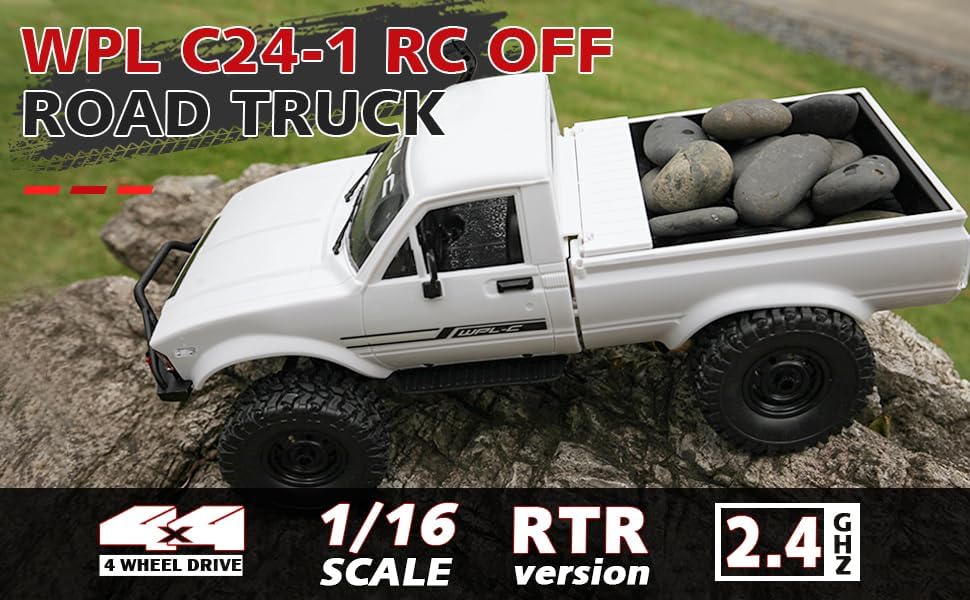
Image: Underside of the RC crawler, highlighting the battery and chassis components.
4.2. Tālvadības pults bateriju uzstādīšana
The remote control requires 1 C battery (included). Ensure correct polarity when installing.
- Atveriet bateriju vāciņu tālvadības pults aizmugurē.
- Insert the C battery according to the polarity markings (+/-).
- Droši aizveriet akumulatora vāciņu.
4.3. Tālvadības pults savienošana pārī
The RC crawler and remote control are typically pre-paired. If re-pairing is necessary:
- Turn on the RC crawler using the switch located on the chassis.
- Ieslēdziet tālvadības pulti.
- Tālvadības pults indikatora lampiņai jāpārstāj mirgot un jāpaliek degošai, norādot uz veiksmīgu savienojumu.
- If the connection fails, turn both devices off and repeat the process.
5. Lietošanas instrukcijas
5.1. Pamata vadības ierīces
- Droseles palaidējs: Velciet, lai pārvietotos uz priekšu, spiediet, lai bremzētu/brauktu atpakaļ.
- Stūre: Turn left to steer left, turn right to steer right.
- Apgriešanas pielāgojumi: Use the trim dials on the remote to fine-tune steering and throttle if the vehicle pulls to one side or moves without input.
5.2. Braukšanas padomi
The ARRIS WPL C24-1 is designed for off-road crawling. Its 4WD system and independent suspension allow it to navigate various terrains.
- For optimal crawling, use slow and controlled throttle inputs.
- Experiment with steering angles to overcome obstacles.
- The vehicle features highlight LED lights for improved visibility in low-light conditions.

Image: The RC crawler navigating a challenging rocky path, demonstrating its off-road capabilities.

Image: The RC crawler traversing sandy terrain, showcasing its 4WD design.
6. Apkope
6.1. Tīrīšana
After each use, especially in dusty or dirty conditions:
- Use a soft brush or compressed air to remove dirt and debris from the chassis, wheels, and suspension.
- Noslaukiet korpusu ar reklāmuamp audums. Neizmantojiet spēcīgas ķīmiskas vielas.
- Ensure no moisture enters electronic components.
6.2. Akumulatora kopšana un uzglabāšana
- Always disconnect the battery from the vehicle when not in use.
- Uzglabājiet baterijas vēsā, sausā vietā, pasargājot no tiešiem saules stariem un ekstremālām temperatūrām.
- Nepārlādējiet vai neizlādējiet akumulatorus.
6.3. Komponentu pārbaude
Regularly inspect the following components for wear or damage:
- Wheels and tires for damage or excessive wear.
- Suspension components (shocks, springs, linkages).
- Steering mechanism for smooth operation.
- All screws and fasteners for tightness.
7. Traucējummeklēšana
| Problēma | Iespējamais cēlonis | Risinājums |
|---|---|---|
| Transportlīdzeklis nereaģē. | Low vehicle battery; Low remote control battery; Not paired. | Charge vehicle battery; Replace remote control battery; Re-pair remote control. |
| Transportlīdzeklis pārvietojas lēni vai nevienmērīgi. | Low vehicle battery; Obstruction in drivetrain; Motor issue. | Charge vehicle battery; Clear obstructions; Contact support if motor issue persists. |
| Stūrēšana ir neregulāra vai nereaģē. | Steering trim incorrect; Damaged servo; Obstruction. | Adjust steering trim; Inspect servo for damage; Clear obstructions. |
| Īss darbības diapazons. | Interference; Low remote control battery. | Move to an area with less interference; Replace remote control battery. |
8. Produkta specifikācijas
| Funkcija | Detaļas |
|---|---|
| Modeļa numurs | WPL C24-1 |
| Zīmols | ARRIS |
| Mērogs | 1:16 |
| Produkta izmēri | 12.2 x 5.78 x 4.44 collas |
| Preces svars | 2.4 mārciņas |
| Materiāls | ABS + metāls |
| Motors | 180 matēts motors |
| Akumulators (transportlīdzekļa) | 7.4V 500mAh (included) |
| Uzlādes laiks | Apm. 2 stundas |
| Darbības laiks | Apm. 30 minūtes |
| Tālvadības pults frekvence | 2.4 GHz |
| Kontroles attālums | Vairāk nekā 35 metri |
| Maksimālais ātrums | 20 km/h |
| Ieteicamais vecums | 15 gadi un vairāk |
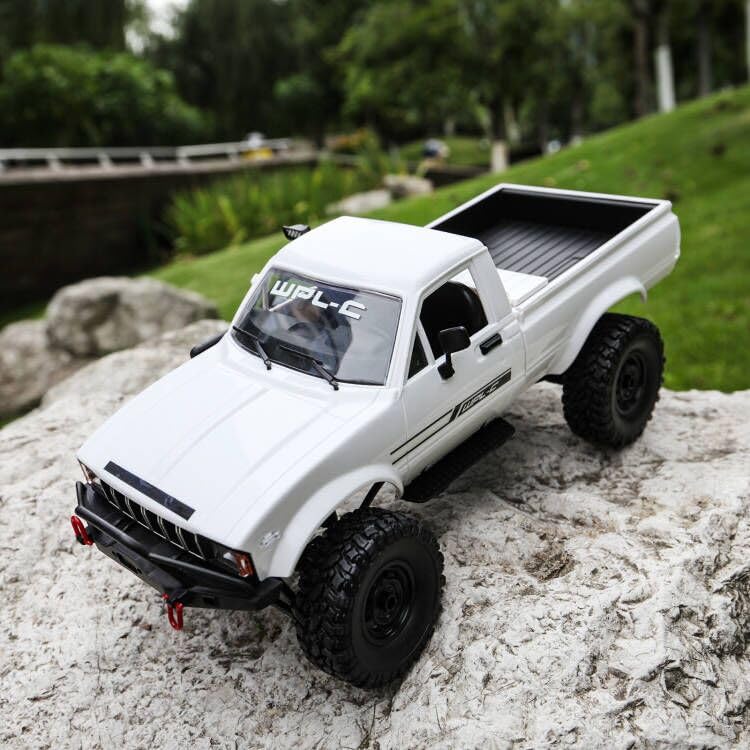
Attēls: Sāns view of the RC crawler with key dimensions indicated.

Attēls: Detalizēts view of the RC crawler's chassis, showing components like the motor, suspension, and drive shafts.
9. Garantija un atbalsts
ARRIS products are manufactured to high-quality standards. For warranty information or technical support, please refer to the official ARRIS webvietnē vai sazinieties ar klientu apkalpošanas dienestu, izmantojot savu pirkumu platformu.
Saglabājiet pirkuma čeku kā pirkuma apliecinājumu jebkādu garantijas prasību gadījumā.
Lai saņemtu papildu palīdzību, lūdzu, apmeklējiet ARRIS veikals vietnē Amazon.


