1. Ievads
The HUAWEI Band 10 is a lightweight and feature-rich smartwatch designed for all-day wear. It offers advanced fitness monitoring, comprehensive sleep analysis, and an emotional wellbeing assistant. This manual provides essential information for setting up, operating, and maintaining your device.
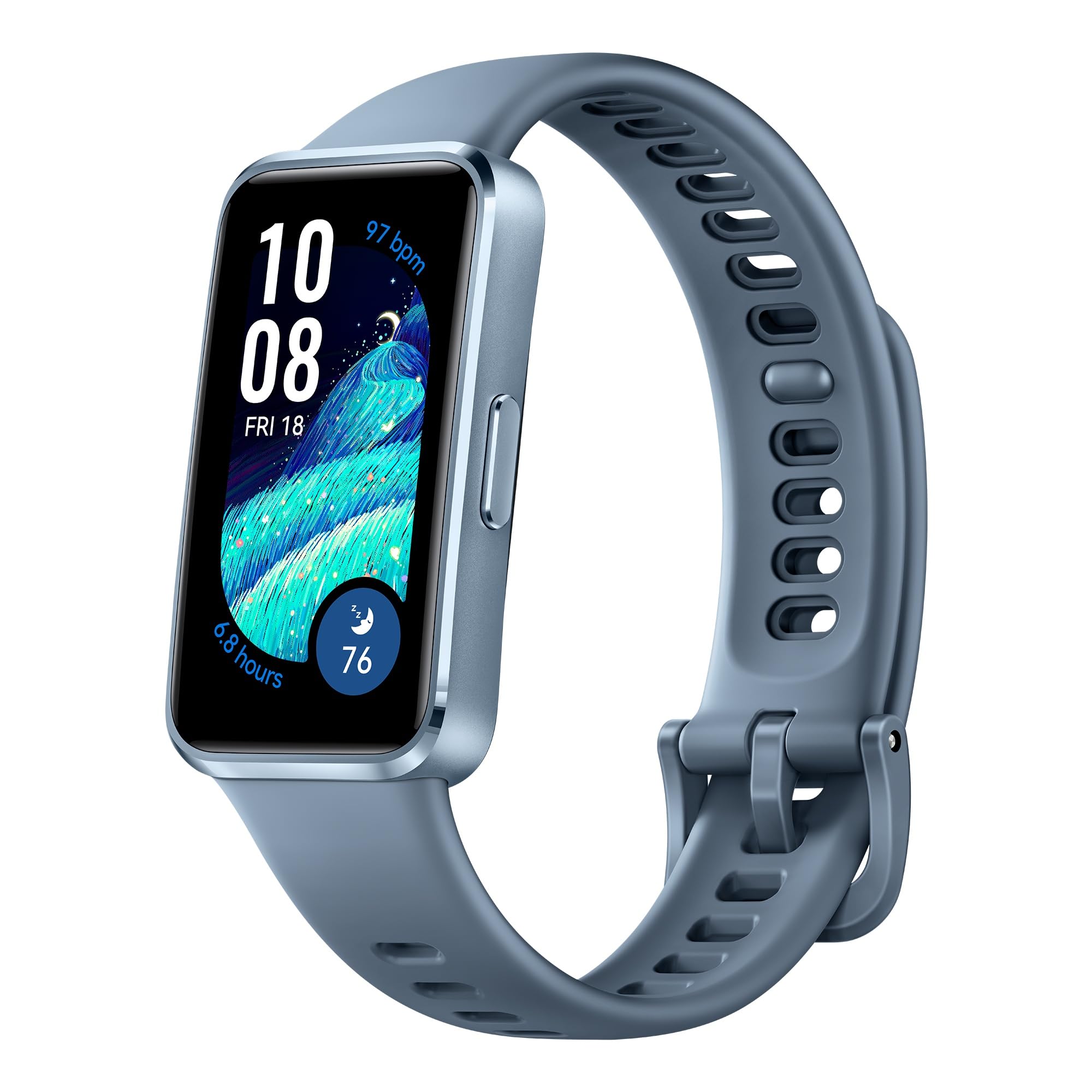
Figure 1: HUAWEI Band 10 Smartwatch
2. Kas ir kastē
Upon unboxing your HUAWEI Band 10, verify that the following items are included:
- HUAWEI Band 10 Smartwatch
- Uzlādes kabelis
Please inspect all components for any signs of damage. If any items are missing or damaged, contact customer support.
3. Iestatīšana
3.1 Sākotnējā uzlāde un ieslēgšana
Before first use, fully charge your HUAWEI Band 10. Connect the provided charging cable to the charging port on the back of the device and to a USB power source. The device will power on automatically once connected to power.

Figure 2: Fast charging capability of HUAWEI Band 10
3.2 Savienošana pārī ar viedtālruni
The HUAWEI Band 10 is compatible with both Android and iOS devices. To pair your device:
- Lejupielādēt Huawei veselības lietotne on your smartphone. You may need to visit the official HUAWEI website to download the app if it's not available on your device's app store.
- Open the Huawei Health App and navigate to the device pairing section.
- Follow the on-screen instructions to scan the QR code displayed on your HUAWEI Band 10 or manually select the device.
- Confirm the pairing request on both your smartphone and the Band 10.
- Review and accept the End User License Agreement and privacy policies within the app to complete the setup.

Figure 3: HUAWEI Band 10 compatibility and app interface
Video 1: HUAWEI Band 10 Unboxing and Setup Guide. This video demonstrates the initial unboxing, powering on, and pairing process of the HUAWEI Band 10 with a smartphone.
4. Ierīces darbība
4.1. Pamata navigācija
The HUAWEI Band 10 features a responsive touchscreen and a side button for navigation. Swipe up, down, left, or right on the screen to access different features and menus. Press the side button to return to the home screen or wake the device.
4.2 AI-Powered Fitness Monitoring
The device supports 100 sports modes, utilizing an advanced 9-axis sensor and AI-enhanced stroke identification technology for accurate data. This includes ultra-accurate swimming data.

Figure 4: AI-powered fitness monitoring with 100 workout modes
4.3 Pro-Level Sleep Analysis
The HUAWEI Band 10 tracks your sleep patterns, monitoring heart rate, SpO2, respiratory rate, and detecting abnormal breathing. It provides detailed insights into sleep duration, quality rating, and deep sleep ratio to help improve your sleep health.

Figure 5: Pro-level sleep analysis with average sleep HRV and insights
4.4 Emotional Wellbeing Assistant
The emotional wellbeing assistant provides timely tips to promote positive thinking and features perceptive pet-themed watch faces that reflect your mood. This feature aims to support your mental wellness.

Figure 6: Emotional wellbeing assistant with pet-themed watch faces
4.5. Akumulatora darbības laiks
The HUAWEI Band 10 offers robust battery performance. A full charge provides up to 8 days of typical use, and up to 14 days under specific conditions. With fast charging, a 5-minute charge can provide up to 2 days of use, while a full charge takes approximately 45 minutes.
5. Apkope
5.1 Ūdensizturība
The HUAWEI Band 10 has a water resistance rating of 50 meters (5 ATM), making it suitable for swimming and other shallow-water activities. It is not recommended for diving, hot showers, or saunas.
5.2 Tīrīšana un kopšana
To maintain your device, regularly clean the band and the sensor area on the back with a soft, damp audumu. Izvairieties no spēcīgu ķīmisku vielu vai abrazīvu materiālu lietošanas. Pirms uzlādes pārliecinieties, vai uzlādes kontakti ir tīri un sausi.

7. attēls. Aizmugure view of HUAWEI Band 10 with sensors
5.3 Strap Customization
The HUAWEI Band 10 features skin-friendly fluoroelastomer straps available in various colors. Straps can be interchanged to suit personal preference.

Figure 8: HUAWEI Band 10 available in multiple colors
6. Traucējummeklēšana
If you encounter issues with your HUAWEI Band 10, try the following steps:
- Restartējiet ierīci: Vienkārša restartēšana var novērst daudzas nelielas programmatūras problēmas.
- Pārbaudiet Bluetooth savienojumu: Ensure your smartphone's Bluetooth is enabled and the band is within range.
- Update the Huawei Health App: Make sure you have the latest version of the app installed.
- Re-pair the device: If connection issues persist, try unpairing and re-pairing the band with your smartphone.
- Rūpnīcas režīma iestatīšana: As a last resort, you may perform a factory reset through the device settings or the Huawei Health App. Note that this will erase all data on the band.
For further assistance, refer to the support information provided in Section 8.
7. Specifikācijas
| Modeļa nosaukums | HUAWEI Band 10 |
| Preces modeļa numurs | Nora-B29F |
| Produkta izmēri | 4.3 x 3 x 2.45 cm |
| Preces svars | 100 g (0.1 kilograms) |
| Ekrāna izmērs | 1.47 collas |
| Displeja veids | AMOLED |
| Operētājsistēma | HarmonyOS |
| Atmiņas krātuves ietilpība | 4 GB |
| Akumulatora ietilpība | 180 miljoniamp Stundas |
| Vidējais akumulatora darbības laiks | 8 dienas |
| Akumulatora uzlādes laiks | 45 minūtes |
| Savienojamības tehnoloģija | Bluetooth |
| Ūdensizturības līmenis | 50 metri (5 bankomāti) |
| Joslas materiāla veids | Fluorelastomērs |
| Korpusa materiāla tips | Alumīnijs |
| Atbalstītā lietojumprogramma | Fitnesa izsekotājs |
| Izmērītie rādītāji | Sleep Duration, Step Count, Stress |
| UPC | 194570002462 |
8. Garantija un atbalsts
8.1 Informācija par garantiju
The HUAWEI Band 10 comes with a 1 gada ierobežotā garantija no iegādes datuma. Lūdzu, saglabājiet pirkuma apliecinājumu garantijas prasību iesniegšanai. Garantija attiecas uz ražošanas defektiem un darbības traucējumiem normālas lietošanas apstākļos.
8.2 Klientu atbalsts
For technical support, service, or warranty inquiries, please contact HUAWEI Technologies Canada Co., Ltd. at the following address or visit their support webvietne:
Adrese: 19 Allstate Parkway, Markham, ON L3R 5A4
Atbalsts Webvietne: https://consumer.huawei.com/ca/support/