1. Produkts beidziesview
The HP OfficeJet Pro 9125e is a versatile All-in-One printer designed for office and hybrid workspace environments. This certified refurbished unit offers print, scan, copy, and fax functionalities, along with advanced features like a color touchscreen and HP Wolf Pro Security. It is engineered for professional-quality color documents and efficient operation.
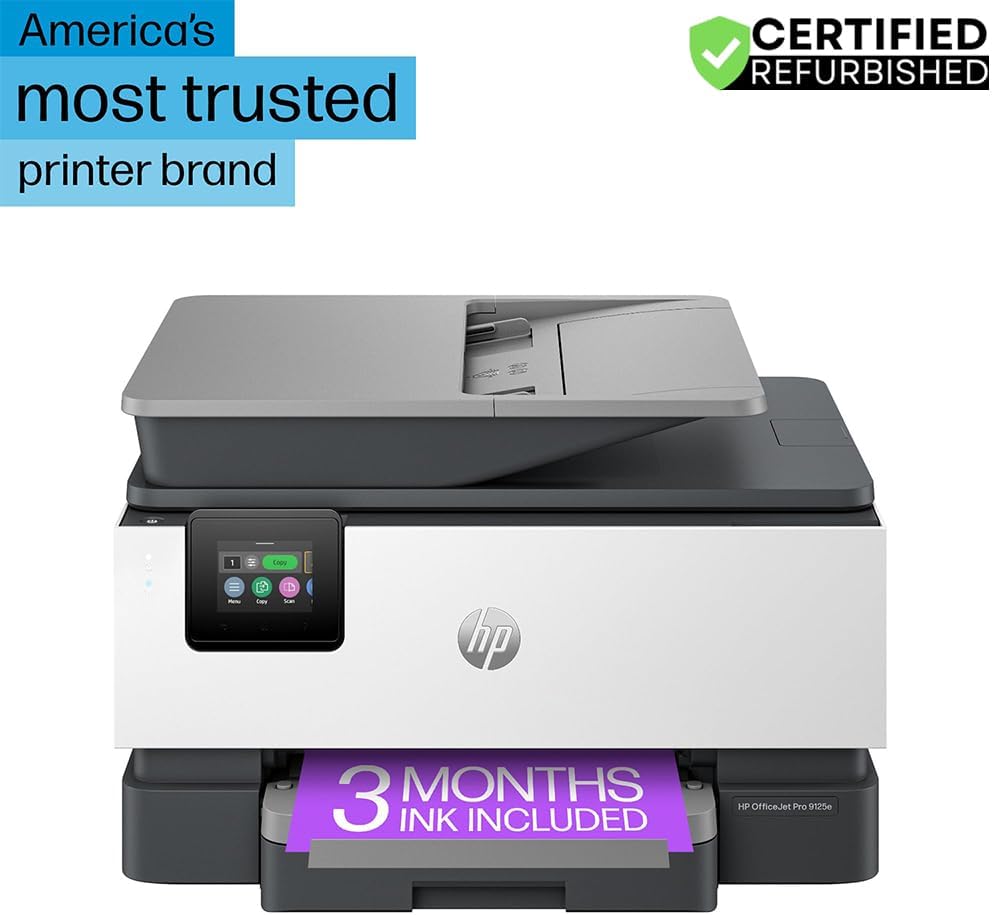
1. attēls. Priekšpuse view of the HP OfficeJet Pro 9125e All-in-One Printer.
Galvenās funkcijas:
- Viss vienā funkcionalitāte: Drukāšanas, kopēšanas, skenēšanas un faksa sūtīšanas iespējas.
- Ātrgaitas drukāšana: Līdz 22 lappusēm minūtē (lpp./min) melnbaltā režīmā un 18 lappusēm minūtē krāsu režīmā.
- Bezvadu savienojamība: Reliable dual-band Wi-Fi with automatic connection issue resolution.
- HP viedā lietotne: Enables printing, scanning, copying, and faxing directly from a smartphone.
- HP Wolf Pro drošība: Integrated security tools to protect data and networks.
- 2.7 collu krāsains skārienekrāns: Intuitīvs lietotāja interfeiss ērtai navigācijai.
- Automātiskais dokumentu padevējs (ADF): For efficient multi-page scanning and copying.
- Divpusējā drukāšana: Automatic two-sided printing.
- Ilgtspējīgs dizains: Constructed with over 40% recycled plastic.

2. Attēls: beidziesview of the HP OfficeJet Pro 9125e's primary functions and features.
2. Iestatīšanas instrukcijas
2.1 Izpakošana un saturs
Carefully unpack the printer and ensure all components are present. The package should contain the following:
- HP OfficeJet Pro 9125e daudzfunkcionālais printeris
- HP 936 iestatīšanas melnā tintes kasetne
- HP 936 iestatīšanas ciāna tintes kasetne
- HP 936 iestatīšanas fuksīna tintes kasetne
- HP 936 iestatīšanas dzeltenā tintes kasetne
- Strāvas vads
- Regulējošā skrejlapa
- Tintes brīdinājuma skrejlapa
- Iestatīšanas plakāts
- Uzziņu rokasgrāmata

Figure 3: Included items in the HP OfficeJet Pro 9125e package.
2.2 Initial Printer Setup
- Strāvas pieslēgums: Pievienojiet strāvas vadu printerim un pēc tam sienas kontaktligzdai.
- Ieslēgšana: Nospiediet barošanas pogu, lai ieslēgtu printeri.
- Tintes kasetnes uzstādīšana: Follow the on-screen instructions on the 2.7-inch touchscreen to install the HP 936 setup ink cartridges. Ensure each cartridge clicks into place.
- Papīra ievietošana: Load plain paper into the 250-sheet input tray. Adjust the paper guides to fit the paper size.
- Valoda un reģions: Select your preferred language and region on the touchscreen.
- Tīkla savienojums: Connect the printer to your wireless network using the touchscreen. The dual-band Wi-Fi will help ensure a stable connection.
- HP Smart App Installation: Download the HP Smart App on your smartphone or computer for guided setup and advanced features.
- HP+ Activation (Optional): If you wish to enroll in the Instant Ink delivery service and extend your warranty, activate HP+ during the setup process. This may include 3 months of Instant Ink.
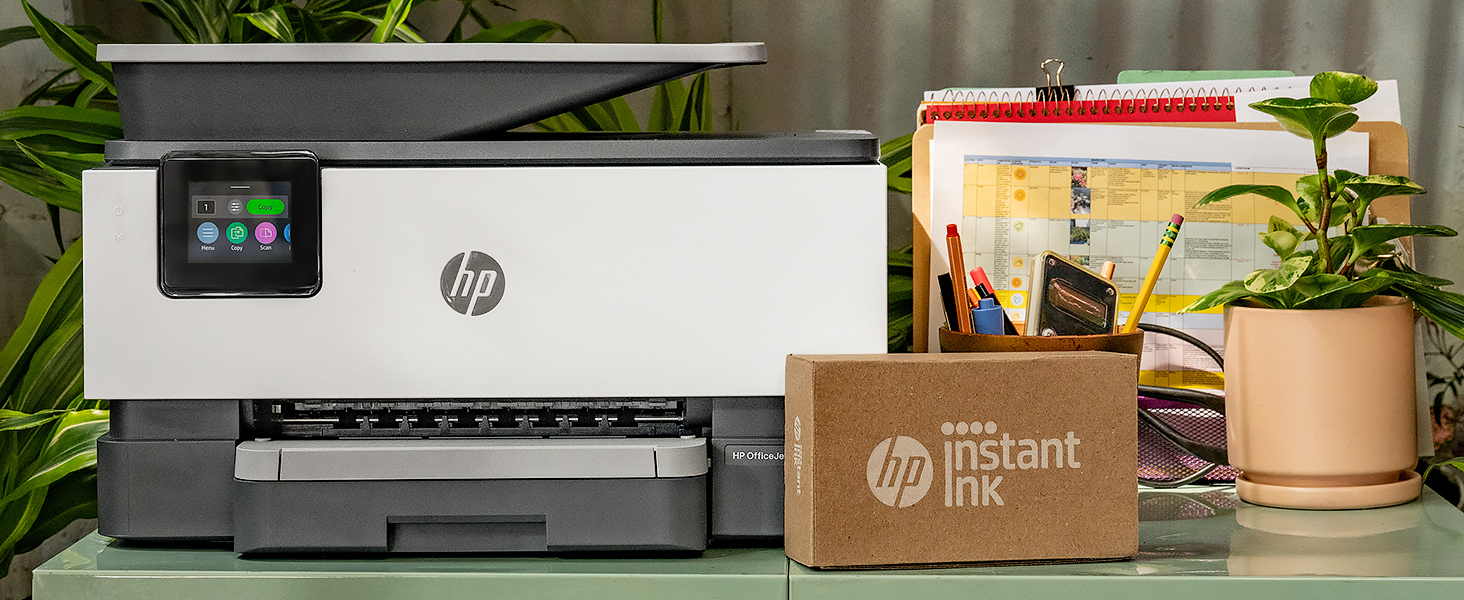
Figure 4: Printer ready for setup, showing the Instant Ink box.
3. Lietošanas instrukcijas
3.1 Dokumentu drukāšana
The HP OfficeJet Pro 9125e supports printing from various devices, including computers and smartphones.
- No datora: Ensure the printer drivers are installed. Select "Print" from your application, choose the HP OfficeJet Pro 9125e, and adjust settings as needed (e.g., color, black and white, duplex printing).
- From a Mobile Device (HP Smart App): Open the HP Smart App, select "Print Documents" or "Print Photos," choose the fileun nosūtiet to uz printeri.
- Drukas ātrums: Līdz 22 lpp./min melnbaltai drukāšanai un 18 lpp./min krāsainai drukāšanai.
- Divpusējā drukāšana: The printer supports automatic two-sided printing. This option can be selected in your print settings.
3.2 Dokumentu skenēšana
Documents can be scanned using the flatbed scanner or the Automatic Document Feeder (ADF).
- Izmantojot plakanvirsmu: Place a single document face down on the scanner glass. Close the lid. Select "Scan" on the printer's touchscreen or through the HP Smart App.
- Izmantojot ADF: Load multiple pages face up into the ADF. The ADF supports dual-pass 2-sided scanning. Select "Scan" on the printer's touchscreen or through the HP Smart App and choose the ADF option.
- Skenēšanas galamērķi: Scanned documents can be sent to a computer, email, or cloud services via the HP Smart App.
3.3 Dokumentu kopēšana
The printer allows for quick and efficient copying.
- Initiate Copy: Press the "Copy" icon on the printer's touchscreen.
- Vietas dokuments: Novietojiet dokumentu uz plakanvirsmas skenera vai automātiskā dokumentu padeves ierīcē (ADF).
- Pielāgojiet iestatījumus: Select the number of copies (up to 99), color or black and white, and other options like resizing or quality.
- Sākt kopēšanu: Skārienekrānā nospiediet pogu “Sākt kopēšanu”.
3.4 Dokumentu sūtīšana pa faksu
The HP OfficeJet Pro 9125e includes fax functionality.
- Ielādēt dokumentu: Novietojiet dokumentu uz plakanvirsmas skenera vai automātiskā dokumentu padeves ierīcē (ADF).
- Enter Number: Press the "Fax" icon on the touchscreen and enter the recipient's fax number.
- Send Fax: Apstipriniet iestatījumus un nosūtiet faksu.
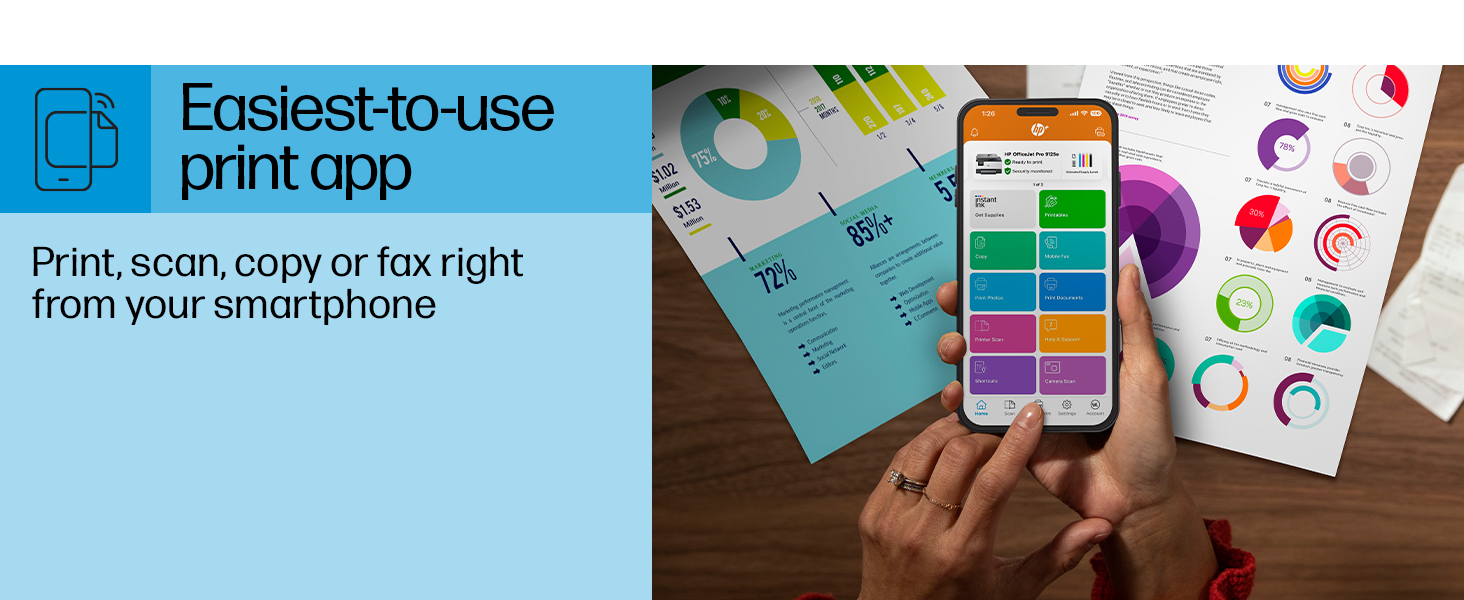
Figure 5: The HP Smart App allows control of print, scan, copy, and fax functions from a smartphone.
4. Apkope
4.1 Tintes kasetnes nomaiņa
The printer uses HP 936 series ink cartridges (Black, Cyan, Magenta, Yellow). The touchscreen will indicate when ink levels are low or when a cartridge needs replacement.
- Atveriet tintes kasetnes piekļuves vāku.
- Nospiediet vecās kasetnes mēlīti, lai to atbrīvotu, pēc tam izvelciet to ārā.
- Unpack the new HP 936 cartridge, being careful not to touch the electrical contacts or ink nozzles.
- Ievietojiet jauno kasetni atbilstošajā slotā, līdz tā noklikšķ savā vietā.
- Aizveriet tintes kasetnes piekļuves vāku.
4.2 Papīra apstrāde
- Ievades paplāte: The printer features a 250-sheet input tray. Ensure paper is loaded correctly and paper guides are adjusted to prevent jams.
- Izvades paplāte: The output tray has a capacity of 60 sheets.
- Atbalstītie mediji: The printer supports various paper types and sizes, including plain paper, photo paper, and envelopes. Supported sizes range from 3 x 5 inches to 8.5 x 14 inches.
- Envelope Stopper: Utilize the built-in envelope stopper to prevent jams when printing envelopes.
4.3. Tīrīšana
Regulāra tīrīšana palīdz uzturēt drukas kvalitāti un printera ilgmūžību.
- Ārpuse: Noslaukiet printera ārpusi ar mīkstu, damp, audums bez plūksnām.
- Skenera stikls: Notīriet skenera stiklu ar mīkstu drānu un neabrazīvu stikla tīrīšanas līdzekli.
- ADF veltņi: Skatiet HP atbalsta dienestu website or the HP Smart App for instructions on cleaning ADF rollers if paper feed issues occur.
5. Traucējummeklēšana
This section provides solutions to common printer issues. For more detailed troubleshooting, refer to the HP support website or the HP Smart App.
5.1 Savienojamības problēmas
- Printeris bezsaistē: Ensure the printer is powered on and connected to the correct Wi-Fi network. Restarting both the printer and your router can often resolve temporary network glitches.
- Wi-Fi atvienošana: The printer's dual-band Wi-Fi is designed to automatically resolve connection issues. If problems persist, try reconnecting through the printer's touchscreen or the HP Smart App.
- USB/Ethernet savienojums: If using a wired connection, ensure cables are securely plugged into both the printer and the computer/router.
5.2 Drukas kvalitātes problēmas
- Izbalējušas vai svītrainas izdrukas: Check ink levels and replace any low or empty cartridges. Perform a printhead cleaning cycle through the printer's maintenance menu.
- Nepareizas krāsas: Ensure you are using genuine HP ink cartridges. Run a printhead alignment from the printer's maintenance menu.
- Papīra iestrēgšana: Follow the on-screen instructions to clear any jammed paper. Ensure paper is loaded correctly and not overfilled in the input tray.
5.3 Scanning/Copying Issues
- Blank Scans/Copies: Ensure the document is placed correctly on the scanner glass or in the ADF.
- Lines on Scans/Copies: Clean the scanner glass and the ADF rollers.
6. Tehniskās specifikācijas
| Funkcija | Specifikācija |
|---|---|
| Modeļa nosaukums | HP OfficeJet Pro 9125e |
| Funkcijas | Drukāšana, kopēšana, skenēšana, fakss |
| Drukas tehnoloģija | Inkjet (Four-color inkjet cartridges) |
| Maksimālais drukas ātrums (melnbalts) | 22 ppm |
| Maksimālais drukas ātrums (krāsains) | 18 ppm |
| Maksimālā drukas izšķirtspēja (melnā krāsā) | 1200x1200 dpi |
| Maksimālā drukas izšķirtspēja (krāsa) | Līdz 4800 x 1200 optimizēta dpi |
| Dupleksā druka | Automātiski |
| Skenera tips | Viegli noņemams stikls, divkārša divpusēja automātiskā dokumentu padeve |
| Maksimālā kopēšanas izšķirtspēja | 600 x 600 dpi (melnbalts un krāsains) |
| Maksimālais kopiju skaits vienā palaišanas reizē | 99 |
| Savienojamība | Ethernet, USB, Wi-Fi (Dual-band) |
| Kontroles metode | Lietotne, skārienekrāns |
| Skārienekrāna izmērs | 2.7 collas |
| Ievades lapas ietilpība | 250 XNUMX loksnes |
| Izvades loksnes ietilpība | 60 XNUMX loksnes |
| Atbalstītie multivides izmēri | 3 x 5 collas līdz 8.5 x 14 collas |
| Atmiņas krātuves ietilpība | 512 MB |
| Produkta izmēri (D x P x A) | 13.48 cm x 17.3 cm x 10.94 cm |
| Preces svars | 20.5 mārciņas |
| Enerģijas patēriņš | 5.06 vati |

Figure 6: Physical dimensions of the HP OfficeJet Pro 9125e.
7. Garantija un atbalsts
7.1 Informācija par garantiju
- Certified Refurbished Warranty: This unit comes with a 90-day manufacturer warranty, ensuring reliable, like-new performance.
- Extended Protection Pack: The product bundle includes a 2-year CPS Enhanced Protection Pack.
- HP+ Offer Warranty: A one-year limited hardware warranty is provided, with an option to extend to two years upon acceptance of the HP+ Offer during setup.
For specific terms and conditions regarding your warranty, please refer to the documentation included with your product or visit the official HP support webvietne.
7.2 Klientu atbalsts
For further assistance, technical support, or to access detailed user guides and drivers, please visit the official HP support webvietne:
You can also utilize the HP Smart App for troubleshooting and accessing support resources directly from your mobile device.