Ievads
This manual provides essential information for the safe and efficient operation of your BE COOL BCPSN2L01 Pedestal Fan. Please read these instructions carefully before use and retain them for future reference. The BCPSN2L01 combines powerful airflow with an integrated mist function and ambient lighting to enhance your indoor environment.
Svarīgi drošības norādījumi
Lietojot elektriskās ierīces, vienmēr ievērojiet pamata drošības pasākumus, lai samazinātu ugunsgrēka, elektriskās strāvas trieciena un traumu risku.
- Nodrošiniet strāvas padeves apjomutage atbilst ierīces nominālvērtības uzlīmei.
- Do not immerse the fan, power cord, or plug in water or other liquids.
- Atvienojiet ventilatoru no kontaktligzdas, kad to nelietojat, pirms tīrīšanas vai pirms pārvietošanas.
- Glabājiet ventilatoru bērniem un mājdzīvniekiem nepieejamā vietā.
- Nedarbiniet ventilatoru ar bojātu vadu vai kontaktdakšu.
- Avoid placing the fan near curtains or other objects that could be drawn into the fan blades.
- Neievietojiet pirkstus vai citus priekšmetus caur režģi, kad ventilators darbojas.
- Use the fan only on a stable, level surface.
- Neaizsedziet gaisa atveres.
- Only use clean, distilled water in the water tank for the mist function.
Produkts beidziesview
The BE COOL BCPSN2L01 is a versatile pedestal fan designed to provide efficient cooling and air circulation with an integrated mist function and ambient lighting.
Sastāvdaļas
- Ventilatora galva ar režģi un lāpstiņām
- Regulējams statīvs
- Bāze
- Ūdens tvertne (2 litru tilpums)
- Control Panel (Touch-sensitive)
- Tālvadības pults
- Strāvas vads
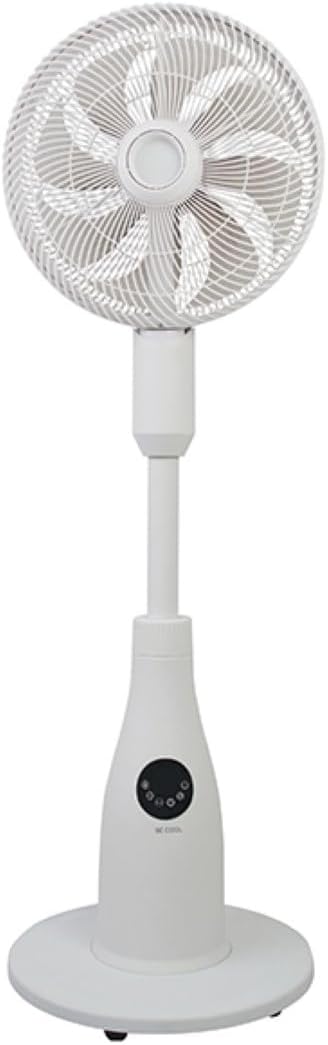
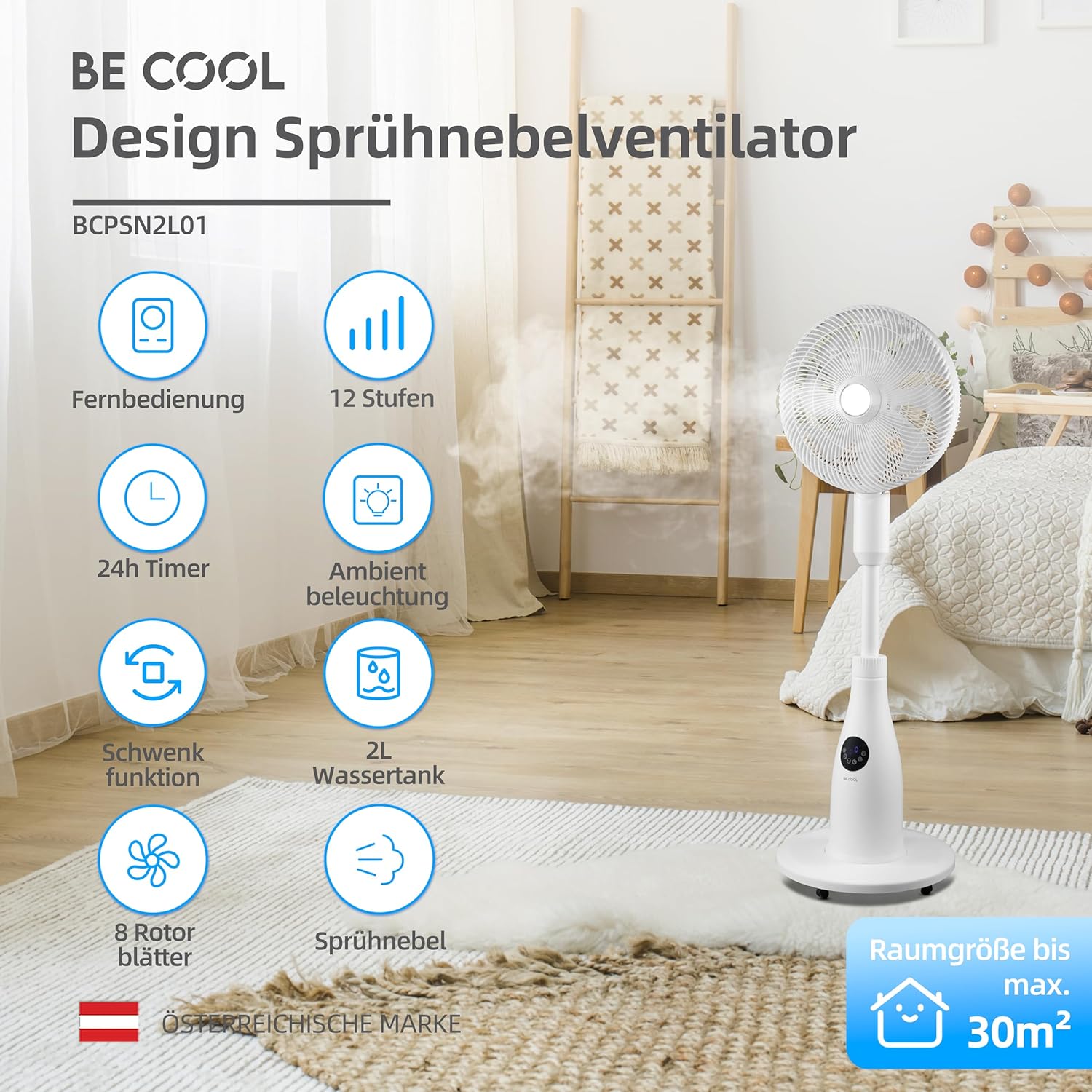
Vadības panelis un tālvadības pults
The fan can be operated using the touch-sensitive control panel on the unit or the included remote control.
Vadības paneļa funkcijas:
- Barošanas poga: Ieslēdz vai izslēdz ventilatoru.
- Ātruma poga: Adjusts fan speed (12 levels).
- Režīma poga: Cycles through Normal, Nature, and Sleep modes.
- Miglas poga: Aktivizē vai deaktivizē miglas funkciju.
- Svārstību poga: Toggles the oscillation feature.
- Taimera poga: Iestata automātiskās izslēgšanās taimeri (līdz 24 stundām).
- Gaismas poga: Controls the ambient lighting.


Iestatīšanas instrukcijas
Montāža
- Uzmanīgi izpakojiet visas sastāvdaļas no iepakojuma.
- Assemble the fan head, stand, and base according to the diagrams in the quick start guide (if provided separately). Ensure all connections are secure.
- Novietojiet ventilatoru uz stabilas, līdzenas virsmas.
Ūdens tvertnes uzpildīšana
- Locate the water tank at the rear of the fan's base.
- Uzmanīgi izvelciet ūdens tvertni.
- Fill the tank with clean, distilled water. Do not exceed the maximum fill line.
- Carefully reinsert the water tank into its position until it clicks securely.
- Ensure the water tank is properly seated before operating the mist function.

Lietošanas instrukcijas
Pievienojiet strāvas vadu piemērotai elektrības kontaktligzdai.
Ieslēgšana/izslēgšana
Nospiediet pogu Barošanas poga on the control panel or remote control to turn the fan on or off.
Ventilatora ātruma regulēšana
Nospiediet pogu Ātruma poga repeatedly to cycle through the 12 available fan speed levels.
Darbības režīma izvēle
Nospiediet pogu Režīma poga to switch between the following modes:
- Parastais režīms: Nodrošina pastāvīgu gaisa plūsmu izvēlētajā ātrumā.
- Dabas režīms: Imitē dabisku vēsmu, periodiski mainot ventilatora ātrumu.
- Miega režīms: Operates at a lower, quieter speed with reduced display brightness for undisturbed rest.

Activating Mist Function
Ensure the water tank is filled. Press the Miglas poga to activate or deactivate the refreshing mist function.
Using Oscillation
Nospiediet pogu Svārstību poga to start or stop the fan's oscillation, which distributes air across a wider area.

Taimera iestatīšana
Nospiediet pogu Taimera poga repeatedly to set the desired auto-off time, from 1 to 24 hours. The fan will automatically turn off after the set duration.
Apkārtējais apgaismojums
Nospiediet pogu Gaismas poga to turn the ambient lighting on or off. This feature provides a soft glow, particularly useful in Sleep Mode.
Apkope un tīrīšana
Regular cleaning helps maintain the fan's performance and extends its lifespan. Always unplug the fan before cleaning.
Ārpuses tīrīšana
Noslaukiet ventilatora ārējās virsmas ar mīkstu, damp audums. Neizmantojiet abrazīvus tīrīšanas līdzekļus vai šķīdinātājus.
Ūdens tvertnes tīrīšana
- Izņemiet ūdens tvertni no iekārtas.
- Izlejiet atlikušo ūdeni.
- Rinse the tank thoroughly with clean water. For deeper cleaning, use a mild detergent and a soft brush, then rinse completely.
- Allow the tank to air dry before refilling and reinserting.
Cleaning Fan Blades and Grille
Periodically, dust may accumulate on the fan blades and inside the grille. Refer to the product's specific instructions for safely removing the front grille to clean the blades. Use a soft cloth or vacuum cleaner with a brush attachment to remove dust.
Problēmu novēršana
Ja rodas problēmas ar ventilatoru, lūdzu, skatiet tālāk norādītās bieži sastopamās problēmas un risinājumus.
- Ventilators neieslēdzas:
- Pārliecinieties, vai strāvas vads ir droši pievienots darbojošai elektrotīkla kontaktligzdai.
- Pārbaudiet, vai ir nospiesta ieslēgšanas/izslēgšanas poga.
- Verify there is no power outage jūsu reģionā.
- Mist function is not working:
- Check if the water tank is filled with water.
- Ensure the water tank is correctly seated in the unit.
- Clean the mist nozzle if it appears blocked.
- Ventilators ir skaļš:
- Pārliecinieties, ka ventilators ir novietots uz stabilas, līdzenas virsmas.
- Check for any obstructions around the fan blades or grille.
- Dust accumulation on blades can cause imbalance; clean the blades if necessary.
- Tālvadības pults nereaģē:
- Check and replace the battery (1 CR2 battery included).
- Pārliecinieties, vai starp tālvadības pulti un ventilatora uztvērēju nav šķēršļu.
Specifikācijas
| Funkcija | Specifikācija |
|---|---|
| Zīmols | Esi foršs |
| Modeļa numurs | BCPSN2L01 |
| Jauda | 80 vati |
| Voltage | 230 volti (maiņstrāva) |
| Gaisa plūsmas jauda | 1500 m³/h |
| Ūdens tvertnes ietilpība | 2 litri |
| Iztvaikošanas ātrums | 0.25 L/h (approx.) |
| Ātrumu skaits | 12 |
| Svārstības | Jā |
| Taimeris | Līdz 24 stundām |
| Tālvadības pults | Jā (iekļauts 1 CR2 akumulators) |
| Produkta izmēri (D x P x A) | 42.9 x 42.9 x 114.5 cm |
| Preces svars | 6.9 kilogrami |
| Ieteicamais telpas izmērs | Līdz 30 m² |

Garantija un atbalsts
For warranty information, please refer to the documentation provided at the time of purchase or contact your retailer. For technical support or service inquiries, please contact the manufacturer's customer service department.
Ražotājs: ESI MIERĪGS


