1. Ievads
Thank you for choosing the Hama Ultimate Pro Portable Bluetooth Speaker. This manual provides essential information for the safe and efficient use of your device. Please read it carefully before use and keep it for future reference.
Iepakojuma saturs:
- 1x Hama Ultimate Pro Portable Bluetooth Speaker
- 1x USB-C lādēšanas kabelis
- 1x Carrying Strap
- 1x lietotāja rokasgrāmata
2. Drošības instrukcijas
- Do not open the device. Incorrect assembly can lead to electric shock, fire, or damage.
- Keep the device away from extreme temperatures, direct sunlight, and humidity.
- This speaker is rated IPX6, meaning it is protected against strong continuous rain and splashing water. Do not submerge the speaker in water.
- Uzlādei izmantojiet tikai komplektācijā iekļauto USB-C kabeli.
- Nelietojiet ierīci, ja tā ir redzami bojāta.
- Protect the battery from overheating.
3. Produkts beidziesview
Familiarize yourself with the speaker's features and connections.

The Hama Ultimate Pro speaker highlights its key features: 24-hour battery life, IPX6 waterproof rating, Bluetooth connectivity, and 120W sound output.
Vadības panelis:

Detalizēti view of the speaker's top control panel, showing buttons for power, volume adjustment, play/pause, mode selection, and equalizer settings.
- Barošanas poga: Press and hold to turn on/off. Short press to check battery status.
- Skaļums uz leju (-): Samaziniet skaļumu.
- Atskaņošanas/pauzes poga: Atskaņot vai pauzēt audio.
- Skaļuma palielināšana (+): Palieliniet skaļumu.
- Režīma poga (M): Pārslēgties starp ievades režīmiem (Bluetooth, AUX, USB).
- Equalizer Button (EQ): Cycle through equalizer presets (Bass Sound, Power Sound, Balanced Sound).
Porti un savienojumi:

The speaker's rear port panel includes a USB-C charging port, a USB-A port for external devices, a reset button, and a 6.3mm jack input.
- USB-C ports: For charging the speaker and for Power Bank output.
- USB-A ports: For playing music from USB storage devices or for Power Bank output.
- AUX ieeja (3.5 mm ligzda): Ārējo audioierīču pievienošanai, izmantojot 3.5 mm audio kabeli.
- Microphone/Guitar Input (6.3mm Jack): Mikrofona vai ģitāras pievienošanai.
- Atiestatīšanas poga: Use a thin object to press and reset the speaker if needed.
4. Iestatīšana
4.1 Skaļruņa uzlāde
- Connect the supplied USB-C charging cable to the USB-C port on the speaker.
- Connect the other end of the USB-C cable to a suitable USB power adapter (not included). A 30W charger is recommended for fast charging.
- The charging indicator will show the charging status. The speaker is fully charged in approximately 2.5 hours.
4.2 Ieslēgšana/izslēgšana
- To turn on: Press and hold the Power button for a few seconds until you hear an audible prompt.
- To turn off: Press and hold the Power button for a few seconds until you hear an audible prompt.
4.3 Bluetooth savienošana pārī
- Ensure the speaker is powered on and in Bluetooth mode (indicated by a flashing blue LED). If not, press the Mode button (M) to switch to Bluetooth mode.
- Savā ierīcē (viedtālrunī, planšetdatorā, klēpjdatorā) iespējojiet Bluetooth un meklējiet pieejamās ierīces.
- Select "Hama Ultimate Pro" from the list of devices.
- Once paired, the LED indicator will turn solid blue, and you will hear a confirmation sound.
4.4 Pievienošana, izmantojot AUX ieeju
- Pievienojiet vienu 3.5 mm audio kabeļa (nav iekļauts komplektā) galu skaļruņa AUX ieejas portam.
- Pievienojiet otru galu ārējās ierīces audio izejai.
- Press the Mode button (M) on the speaker to switch to AUX mode.
4.5 Connecting USB Storage
- Ievietojiet USB zibatmiņas disku, kurā ir audio files skaļruņa USB-A portā.
- Press the Mode button (M) to switch to USB mode. The speaker will automatically begin playing audio from the USB drive.
4.6 Connecting Microphone or Guitar
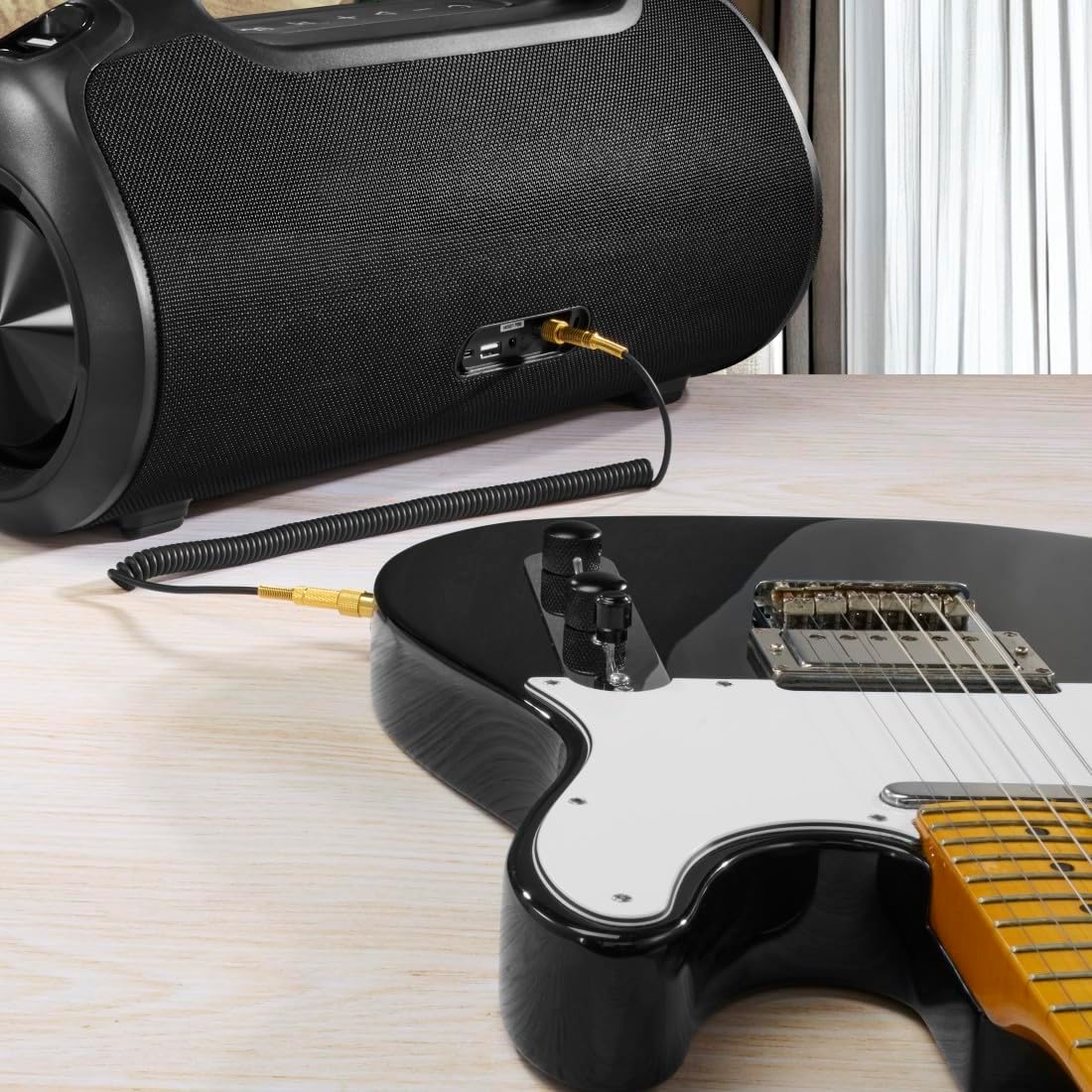
The speaker can be used as an amplifier by connecting an electric guitar via its 6.3mm jack input.
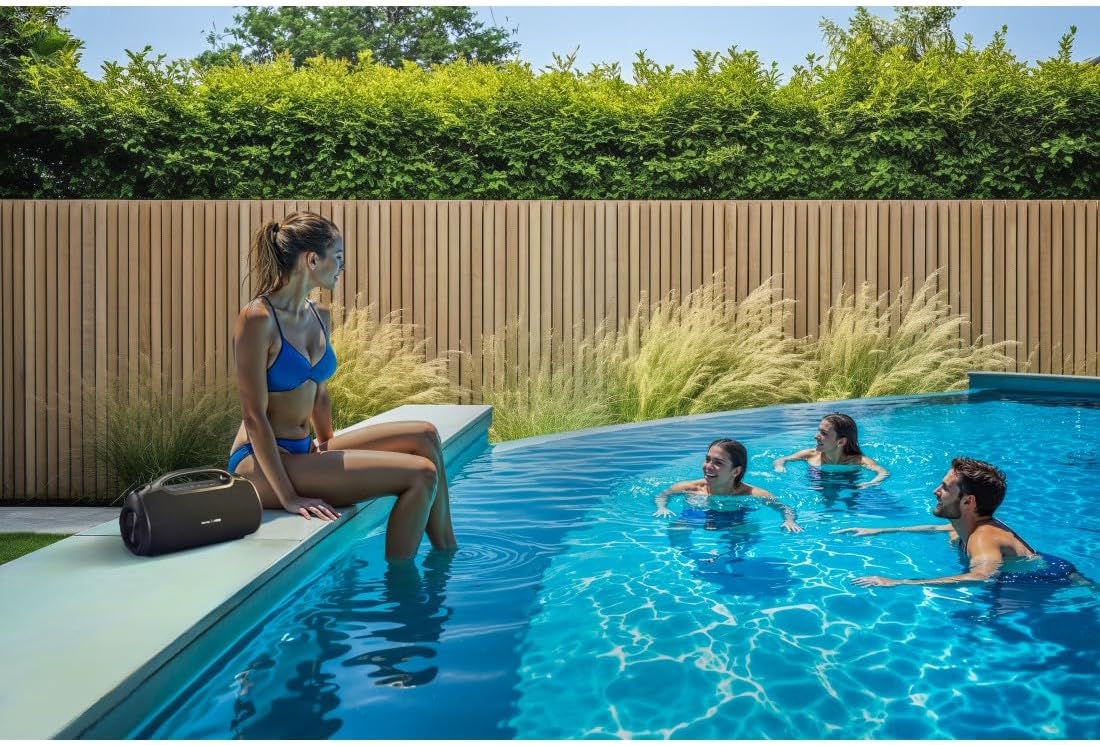
A microphone can be connected to the speaker's 6.3mm jack input for karaoke or public speaking.
- Connect your microphone or guitar to the 6.3mm jack input on the speaker.
- Adjust the volume on your connected device and the speaker as needed.
4.7 Patiesi bezvadu stereo (TWS) savienošana pārī
The Hama Ultimate Pro supports TWS for connecting two speakers for a stereo sound experience. Refer to the specific TWS pairing instructions in the full manual if available, as this feature typically involves pressing a dedicated TWS button on both speakers simultaneously.
5. Skaļruņa vadība
5.1 Pamata atskaņošanas vadīklas
- Atskaņot/pauzēt: Īsi nospiediet atskaņošanas/pauzes pogu.
- Skaļāk: Īsi nospiediet skaļuma palielināšanas (+) pogu.
- Skaļums uz leju: Īsi nospiediet skaļuma samazināšanas (-) pogu.
- Nākamais ieraksts: Ilgi nospiediet skaļuma palielināšanas (+) pogu.
- Iepriekšējais ieraksts: Ilgi nospiediet skaļuma samazināšanas (-) pogu.
5.2 Ekvalaizera režīmi
The speaker offers three distinct equalizer modes to optimize your listening experience:
- Basa skaņa: Enhances low frequencies for a deeper bass response.
- Power Sound: Provides a balanced, powerful sound profile.
- Līdzsvarota skaņa: Offers a neutral and clear audio output.
To switch between modes, short press the EQ button on the control panel.
5.3 Hama Smart Home App Control

The Hama Smart Home app allows for convenient control and customization of the speaker, including battery status and sound settings.
Download the "Hama Smart Home" app from your device's app store to access additional features:
- Custom equalizer settings.
- Change the speaker's name.
- View precise battery status in percentage.
- Remote control of playback and settings.
5.4 Ārējā akumulatora funkcija

The speaker's integrated power bank allows you to charge external devices like smartphones via its USB-C or USB-A ports.
The Hama Ultimate Pro speaker features an integrated power bank function, allowing you to charge other devices:
- Connect your smartphone, tablet, or other USB-powered device to the USB-C or USB-A port on the speaker using a compatible charging cable.
- The speaker's internal battery will begin charging your connected device.
6. Apkope
6.1. Tīrīšana
The speaker has a resistant and washable surface. To clean:
- Ensure the speaker is turned off and all cables are disconnected.
- Izmantojiet mīkstu, damp cloth to wipe the surface. Do not use harsh cleaning agents or solvents.
- Spītīgiem netīrumiem var izmantot maigu ziepju šķīdumu, pēc tam noslaukot ar tīru drānu.amp audums.
- Allow the speaker to dry completely before use.
6.2. Uzglabāšana
- Uzglabājiet skaļruni vēsā, sausā vietā, pasargājot to no tiešiem saules stariem un ekstremālām temperatūrām.
- Ja akumulators tiek uzglabāts ilgstoši, ik pēc dažiem mēnešiem uzlādējiet akumulatoru līdz aptuveni 50%, lai uzturētu tā darbspēju.
6.3 Akumulatora kopšana
- Izvairieties no biežas akumulatora pilnīgas izlādes.
- Do not expose the battery to heat sources or direct flame.
- Atbrīvojieties no baterijām saskaņā ar vietējiem noteikumiem.
7. Traucējummeklēšana
Ja rodas problēmas ar skaļruni, skatiet tālāk norādītos bieži sastopamos risinājumus.
- Nav jaudas: Pārliecinieties, vai skaļrunis ir uzlādēts. Pievienojiet to strāvas avotam, izmantojot USB-C kabeli.
- Nevar savienot pārī, izmantojot Bluetooth:
- Pārliecinieties, vai skaļrunis ir Bluetooth savienošanas pārī režīmā (mirgo zila gaismas diode).
- Pārliecinieties, vai jūsu ierīcē ir iespējots Bluetooth un vai tā atrodas 10 metru attālumā no skaļruņa.
- Aizmirstiet skaļruni no ierīces Bluetooth saraksta un mēģiniet vēlreiz savienot pārī.
- Restartējiet gan skaļruni, gan ierīci.
- Nav skaņas:
- Pārbaudiet skaļuma līmeņus gan skaļrunī, gan pievienotajā ierīcē.
- Ensure the correct input mode (Bluetooth, AUX, USB) is selected on the speaker.
- Ja izmantojat AUX, pārliecinieties, vai kabelis ir pilnībā ievietots un darbojas.
- Uzlādes problēmas:
- Verify the USB-C cable is not damaged and is properly connected.
- Izmēģiniet citu USB strāvas adapteri.
- Speaker Unresponsive: If the speaker becomes unresponsive, use a thin object (like a paperclip) to press the Reset button located on the port panel.
8. Specifikācijas

Physical dimensions of the Hama Ultimate Pro speaker for reference.
| Modeļa numurs | 00188232 |
| Zīmols | Hama |
| Krāsa | Melns |
| Savienojamības tehnoloģija | Bluetooth 5.3 |
| Maksimālais diapazons | 10 metri |
| Audio sistēma | Stereo |
| Max Music Power | 120 W |
| Akumulatora tips | Integrēts litija jons |
| Akumulatora ietilpība | 4500 mAh |
| Akumulatora tilpumstage | 11.4 V |
| Akumulatora jauda | 51.3 Wh |
| Maksimālais akumulatora darbības laiks | 24 stundas |
| Uzlādes laiks | Apm. 2.5 stundas |
| USB PD atbalsts | Jā |
| IP reitings | IPX6 (Protection against strong continuous rain) |
| Izmēri (G x P x A) | 46.5 x 19.2 x 25.4 cm |
| Svars | 5200 g (5.2 kg) |
| Saderīgas ierīces | MP3 Player, Personal Computer, Smartphone, Tablet, Television |
9. Garantija
Hama GmbH & Co KG provides a warranty for this product. Please refer to the warranty card included in your package or visit the official Hama webvietni, lai iepazītos ar detalizētiem garantijas noteikumiem un nosacījumiem, kas attiecas uz jūsu reģionu.
10. Atbalsts
For technical support, troubleshooting assistance, or further inquiries, please contact Hama customer service. Contact details can typically be found on the official Hama webvietnē vai uz produkta iepakojuma.
You can also visit the Hama webBieži uzdoto jautājumu un papildu informācijas par produktu vietne: www.hama.com