Ievads
Thank you for choosing the ProtoArc KM310 Dual Mode Mechanical Keyboard and Mouse Kit. This kit provides a versatile and efficient solution for your computing needs, offering both 2.4G wireless and Bluetooth connectivity. The mechanical keyboard features a UK QWERTY layout with responsive red switches, while the ergonomic mouse offers adjustable DPI and quiet clicks. This manual will guide you through the setup, operation, and maintenance of your new device.
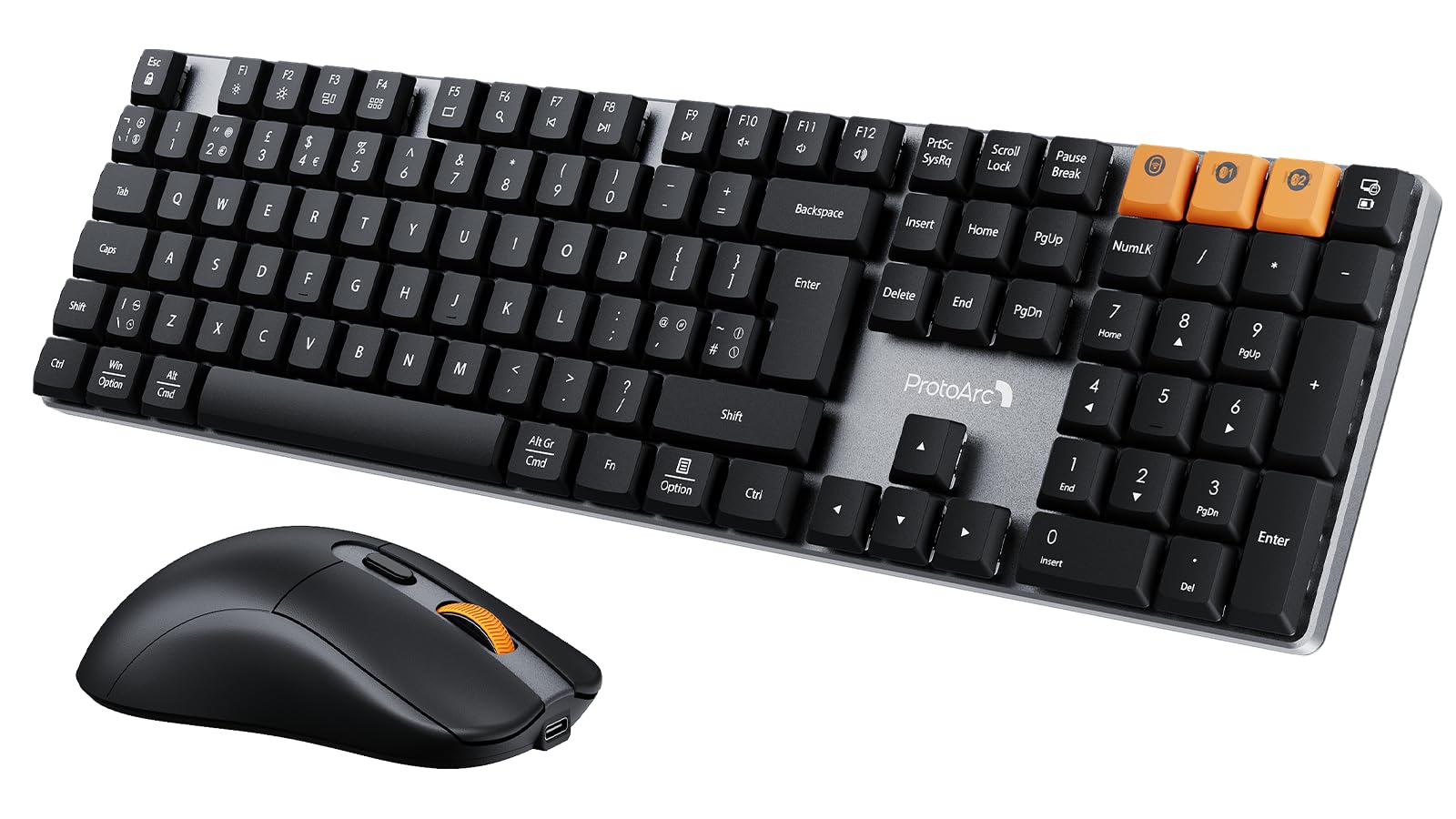
Image: The ProtoArc KM310 keyboard and mouse kit, showcasing its sleek design on a modern desk setup.
Iepakojuma saturs
- ProtoArc KM310 Mechanical Keyboard
- ProtoArc bezvadu pele
- USB 2.4G Receiver (stored in the mouse battery compartment)
- USB-C uzlādes kabelis
- Lietotāja rokasgrāmata
Iestatīšanas instrukcijas
Tastatūras iestatīšana
The keyboard supports both 2.4G wireless and Bluetooth connectivity. You can connect up to three devices simultaneously (one via 2.4G, two via Bluetooth).
2.4 G bezvadu savienojums:
- Locate the USB 2.4G receiver, typically stored in the mouse's battery compartment.
- Pievienojiet USB uztvērēju pieejamam datora USB portam.
- Turn on the keyboard using the power switch located on the side or back.
- Nospiediet Fn+4 to switch the keyboard to 2.4G mode. The indicator light will flash briefly, then remain solid when connected.
Bluetooth Connection (BT1 / BT2):
- Ieslēdziet tastatūru, izmantojot barošanas slēdzi.
- Nospiediet Fn+Q (BT1) vai Fn+W (for BT2) to select a Bluetooth channel. The indicator light will flash slowly.
- Lai pārietu pārī savienošanas režīmā, nospiediet un turiet Fn+Q or Fn+W for 3-5 seconds until the indicator light flashes rapidly.
- On your device (computer, laptop, tablet), enable Bluetooth and search for "ProtoArc KM310".
- Select "ProtoArc KM310" to pair. The indicator light will stop flashing and remain solid when connected.
- Repeat for a second Bluetooth device using Fn+W.
Peles iestatīšana
The mouse also supports both 2.4G wireless and Bluetooth connectivity.
2.4 G bezvadu savienojums:
- Ensure the USB 2.4G receiver is plugged into your computer.
- Ieslēdziet peli, izmantojot ieslēgšanas/izslēgšanas slēdzi tās apakšpusē.
- Press the mode switch button on the underside of the mouse until the indicator light shows 2.4G mode (usually green). The mouse should connect automatically.
Bluetooth savienojums:
- Ieslēdziet peli, izmantojot strāvas slēdzi.
- Press the mode switch button on the underside of the mouse to cycle through Bluetooth modes (BT1 or BT2, usually blue).
- Press and hold the mode switch button for 3-5 seconds until the indicator light flashes rapidly.
- On your device, enable Bluetooth and search for "ProtoArc Mouse".
- Select "ProtoArc Mouse" to pair. The indicator light will stop flashing and remain solid when connected.

Image: The ProtoArc KM310 keyboard and mouse connected to multiple devices (desktop, laptop, tablet) via 2.4G and Bluetooth.
Lietošanas instrukcijas
Tastatūras funkcijas
- Mehāniskās atslēgas: Tastatūrai ir zema profesionālafile mechanical red switches for a smooth and responsive typing experience with low sound.
- UK QWERTY Layout: Standard UK QWERTY layout with a full numeric keypad.
- Multivides atslēgas: Izmantojiet Fn key in combination with the F-keys (F1-F12) for various multimedia and shortcut functions (e.g., volume control, media playback, brightness adjustment). Refer to the keycap legends for specific functions.
- Regulējamas slīpuma kājas: The keyboard includes adjustable tilt legs on the underside, allowing you to set it at a 6° or 9° angle for improved ergonomic comfort during long typing sessions.

Attēls: Tuvplāns view of the ProtoArc KM310 mechanical keyboard, highlighting the low-profile red switches and keycap design.

Image: The ProtoArc KM310 keyboard from a side angle, demonstrating the adjustable tilt legs set at a 9-degree angle.
Peles funkcijas
- Regulējams DPI: The mouse offers three adjustable DPI levels: 1000, 1600, and 2400. Press the DPI button (usually located behind the scroll wheel) to cycle through these settings and adjust cursor sensitivity.
- Klusais klikšķis: Designed for quiet operation, reducing click noise by up to 90%.
- Ergonomisks dizains: The mouse features an ergonomic grip for comfortable use, reducing hand fatigue during extended periods.
- Īpaši viegls: Weighing approximately 63g, the mouse is designed to be ultra-light, contributing to efficient work and reduced fatigue.

Image: The ProtoArc wireless mouse illustrating its adjustable DPI settings (1000, 1600, 2400) and quiet click feature.

Image: A hand demonstrating the natural and ergonomic grip of the ProtoArc wireless mouse.

Image: A comparison showing the ProtoArc wireless mouse's ultra-lightweight design (63g) compared to a traditional mouse (100g), emphasizing reduced fatigue.
Uzlādes instrukcijas
Both the keyboard and mouse are equipped with built-in rechargeable batteries and use a USB-C charging port.
- Uzlāde: Connect the provided USB-C cable to the charging port on the keyboard/mouse and the other end to a USB power source (e.g., computer USB port, wall adapter).
- Uzlādes indikators: An indicator light will typically show red during charging and turn off or change color when fully charged.
- Uzlādes laiks: A full charge usually takes 2-3 hours.
- Gaidīšanas laiks: The devices offer a standby time of 150-200 days on a full charge.
- Lietošana uzlādes laikā: Both devices can be used while charging.
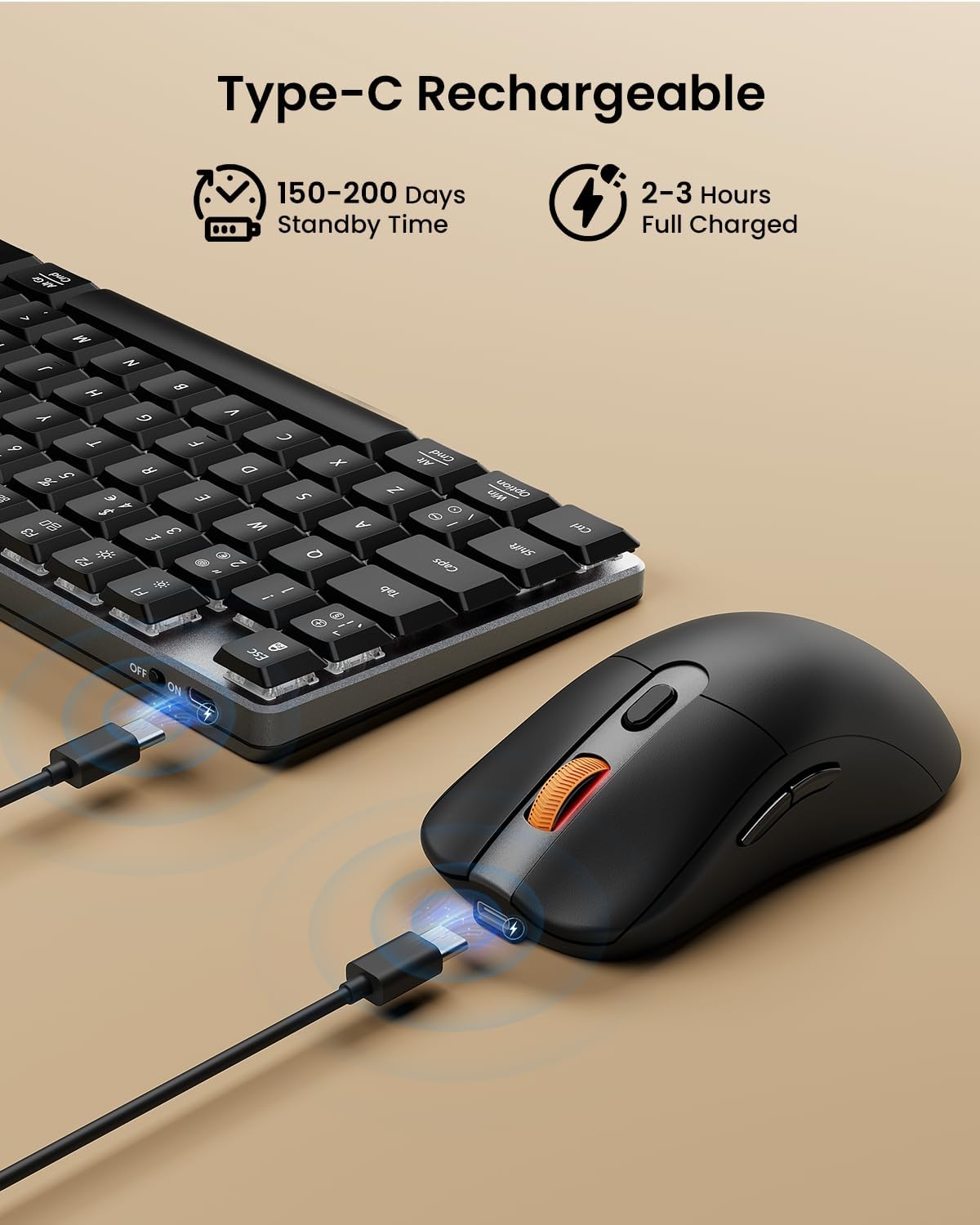
Image: The ProtoArc keyboard and mouse being charged simultaneously via USB-C cables, illustrating the charging ports and cables.
Apkope
- Tīrīšana: Use a soft, dry cloth to clean the surfaces of the keyboard and mouse. For deeper cleaning, especially between keys, use compressed air. Avoid using harsh chemicals or abrasive materials.
- Uzglabāšana: Ja ierīces ilgstoši netiek lietotas, izslēdziet tās, lai taupītu akumulatora darbības laiku. Uzglabājiet tās vēsā, sausā vietā.
- Akumulatora kopšana: Avoid fully discharging the battery frequently. Charge the devices regularly to maintain optimal battery health.
Problēmu novēršana
Tastatūra/pele nereaģē:
- Ensure the devices are turned on.
- Pārbaudiet akumulatora uzlādes līmeni un, ja nepieciešams, uzlādējiet.
- 2.4G savienojumam pārliecinieties, vai USB uztvērējs ir droši pievienots darbojošam USB portam. Izmēģiniet citu USB portu.
- For Bluetooth connection, ensure Bluetooth is enabled on your device and the correct channel (BT1/BT2) is selected on the keyboard/mouse. Try re-pairing the device.
- Move the devices closer to the receiver/device to rule out interference.
Kavēšanās vai savienojumu pārtraukumi:
- Pārliecinieties, vai tuvumā nav spēcīgu traucējumu avotu (piemēram, Wi-Fi maršrutētāju, citu bezvadu ierīču).
- Try connecting via the other mode (e.g., if using 2.4G, try Bluetooth, or vice-versa).
- Update your computer's Bluetooth drivers if connecting via Bluetooth.
Taustiņi nedarbojas pareizi:
- Check for any debris under the keycaps.
- Ensure the keyboard is not in a special mode that might alter key functions.
Specifikācijas
| Zīmols | ProtoArc |
| Modeļa numurs | KM310 |
| Krāsa | Melns |
| Savienojamības tehnoloģija | Bluetooth, 2.4G USB bezvadu savienojums |
| Operētājsistēmas saderība | Windows, macOS, Linux |
| Īpašās funkcijas (tastatūra) | Rechargeable mechanical keyboard, UK QWERTY layout, Red switches, Numeric keypad, Shortcut and multimedia keys, Adjustable tilt legs |
| Special Features (Mouse) | Adjustable DPI (1000/1600/2400), Silent click, Ergonomic grip, Ultra-lightweight (approx. 63g) |
| Saderīgas ierīces | Personālais dators, klēpjdators, planšetdators |
| Tastatūras apraksts | Mehāniski |
| Kustības noteikšanas tehnoloģija | Optiskais |
| Barošanas avots | Darbojas ar akumulatoru (uzlādējams, izmantojot USB-C) |
| Akumulatora gaidstāves laiks | 150-200 dienas |
| Pilns uzlādes laiks | 2-3 stundas |
Garantija un atbalsts
ProtoArc products are designed for reliability and performance. For any questions, technical support, or warranty claims, please contact ProtoArc customer service. Details can typically be found on the official ProtoArc webvietnē vai izmantojot jūsu pirkumu platformu.
Lūdzu, saglabājiet pirkuma apliecinājumu garantijas vajadzībām.


