1. Ievads
Welcome to the user manual for your DOOGEE Note58 Pro Android 16 Smartphone. This guide provides essential information to help you set up, operate, maintain, and troubleshoot your device. Please read this manual thoroughly to ensure optimal performance and longevity of your smartphone.
2. Galvenās iezīmes
- Android 16 operētājsistēma: Experience the latest Android 16 OS, optimized for 64-bit applications, offering enhanced startup and response times. Enjoy a user-friendly interface with features like Private Space for sensitive data and App Pair for efficient multitasking.
- Generous Memory & Storage: Equipped with 32GB RAM (8GB physical + 24GB expandable virtual RAM) and 256GB internal storage, expandable up to 2TB via a TF card. This configuration supports smooth multitasking and ampvieta visam jūsu files.
- Immersive 90Hz HD+ Display: Features a 6.75-inch HD+ IPS display with a 90Hz refresh rate and 1600x720 resolution for a fluid visual experience. Includes two eye-care modes to reduce strain during extended use.
- High-Resolution Camera System: Capture vivid images with the 16MP main camera and natural selfies with the 8MP front camera. Additional depth and macro cameras enhance photographic capabilities.
- Ilgmūžīgs akumulators: A large 6250mAh battery provides extended usage, allowing you to comfortably use your phone for photography, gaming, and work throughout the day without frequent recharging.
- Advanced Connectivity & Navigation: Supports Bluetooth 5.2 for stable, low-power connections and Wi-Fi 5 for fast data transfer. Integrated GPS, GLONASS, Galileo, and BeiDou systems ensure accurate navigation in diverse environments.
- Gluds dizains: Boasts an ultra-thin 8.6mm profile with a dirt-resistant finish and a smooth sand-textured back cover for a stylish and comfortable grip.
3. Iestatīšana
3.1 SIM karšu un TF karšu ievietošana
- Atrodiet SIM kartes paliktni ierīces sānos.
- Ievietojiet komplektā iekļauto SIM kartes izņemšanas instrumentu mazajā caurumā blakus paliktnim un uzmanīgi piespiediet, līdz paliktnis iznirst.
- Place your Nano-SIM cards and/or TF card into the designated slots on the tray. Ensure the gold contacts face downwards.
- Uzmanīgi iebīdiet paplāti atpakaļ ierīcē, līdz tā ir vienā līmenī.
3.2 Ieslēgšana/izslēgšana
- To power on: Press and hold the Power button (located on the right side) until the DOOGEE logo appears.
- Lai izslēgtu: nospiediet un turiet ieslēgšanas/izslēgšanas pogu, pēc tam ekrānā redzamo opciju sarakstā atlasiet “Izslēgt”.
- To restart: Press and hold the Power button, then select "Restart" from the options on the screen.
3.3 Sākotnējās iestatīšanas vednis
Pēc pirmās ieslēgšanas izpildiet ekrānā redzamos norādījumus, lai pabeigtu sākotnējo iestatīšanu, tostarp valodas izvēli, Wi-Fi savienojumu, pieteikšanos Google kontā un drošības iestatījumus.
4. Lietošanas instrukcijas
4.1 Skārienekrāna žesti
- Pieskarieties: Pieskarieties ekrānam vienreiz, lai atlasītu vienumu, atvērtu lietotni vai nospiestu pogu.
- Pieskarieties un turiet: Touch and hold an item to access contextual menus or drag items.
- Pavelciet: Drag your finger across the screen to scroll, switch screens, or dismiss notifications.
- Šķipsnu: Izmantojiet divus pirkstus, lai tuvinātu vai tālinātu fotoattēlus un web lapas.
4.2. Navigācijas josla
The navigation bar at the bottom of the screen typically includes:
- Atpakaļ poga: Atgriežas iepriekšējā ekrānā.
- Sākuma poga: Atgriežas sākuma ekrānā.
- Recents button: Parāda nesen izmantotās lietojumprogrammas.
4.3 Drošības līdzekļi
The Note58 Pro supports multiple security options:
- Pirkstu nospiedumu atbloķēšana: Register your fingerprint for quick and secure unlocking. The fingerprint sensor is typically integrated into the power button.
- Atbloķēšana pēc sejas: Use the front camera to unlock your device with facial recognition.
- Raksts, PIN kods, parole: Standarta Android drošības opcijas.

Image: Face Unlock and Fingerprint Sensor
5. Kameras lietošana
The DOOGEE Note58 Pro features a versatile camera system to capture your moments.
5.1 Main Camera (16MP)
The 16MP main camera captures clear and detailed photos. Open the Camera app and select "Photo" mode for standard shots.

Image: Rear Camera Setup
5.2 Front Camera (8MP)
The 8MP front camera is ideal for natural-looking selfies and video calls. Switch to the front camera within the Camera app.

Image: 8MP Front Camera
5.3 AI Camera Features
Utilize Google AI Camera features for enhanced photography, including object recognition, text extraction, and scene analysis.

Image: Google AI Camera Features
6. Savienojamība
6.1 Wi-Fi savienojums
Lai izveidotu savienojumu ar Wi-Fi tīklu:
- Dodieties uz Iestatījumi > Tīkls un internets > Wi-Fi.
- Ieslēdziet Wi-Fi.
- Sarakstā atlasiet vēlamo tīklu un, ja nepieciešams, ievadiet paroli.

Image: High-Speed Wi-Fi 5
6.2 Bluetooth savienošana pārī
Savienošana pārī ar Bluetooth ierīci:
- Dodieties uz Iestatījumi > Pievienotās ierīces > Bluetooth.
- Ieslēdziet Bluetooth.
- Make sure your other device is in pairing mode.
- Select the device from the list and follow any on-screen prompts.
6.3 NFC funkcionalitāte
The Note58 Pro supports NFC for contactless payments and data transfer. Ensure NFC is enabled in settings to use this feature.

Image: Multifunctional NFC
*Note: Mobile payment services like Google Pay may not be supported in all regions.
7. Akumulatora pārvaldība
The DOOGEE Note58 Pro is equipped with a 6250mAh large-capacity battery for extended use.
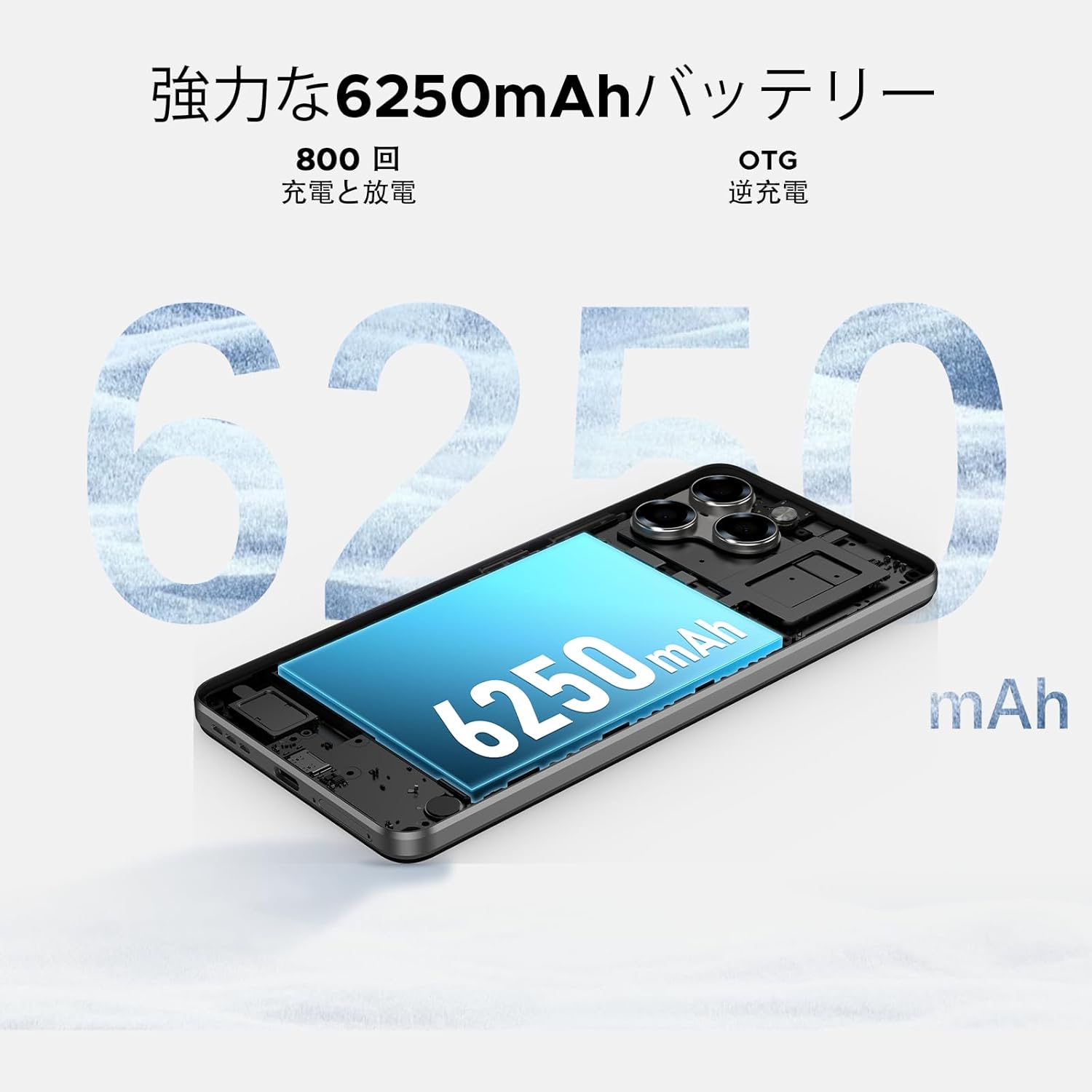
Image: 6250mAh Large Capacity Battery
7.1. Ierīces uzlāde
Use the provided Type-C cable and charger to charge your smartphone. Connect the Type-C end to the phone's charging port and the adapter to a power outlet. The battery icon on the screen will indicate charging status.
7.2 Akumulatora optimizācija
To maximize battery life, consider the following:
- Samaziniet ekrāna spilgtumu.
- Izslēdziet Wi-Fi, Bluetooth un GPS, kad tos neizmantojat.
- Aizveriet fona lietojumprogrammas.
- Enable battery saver mode in Settings.
8. Storage & Performance
The Note58 Pro offers robust performance and ampnoliktava jūsu vajadzībām.
8.1 Memory (RAM)
With 32GB of RAM (8GB physical + 24GB expandable virtual RAM), the device ensures smooth multitasking and efficient app handling, even under heavy usage.
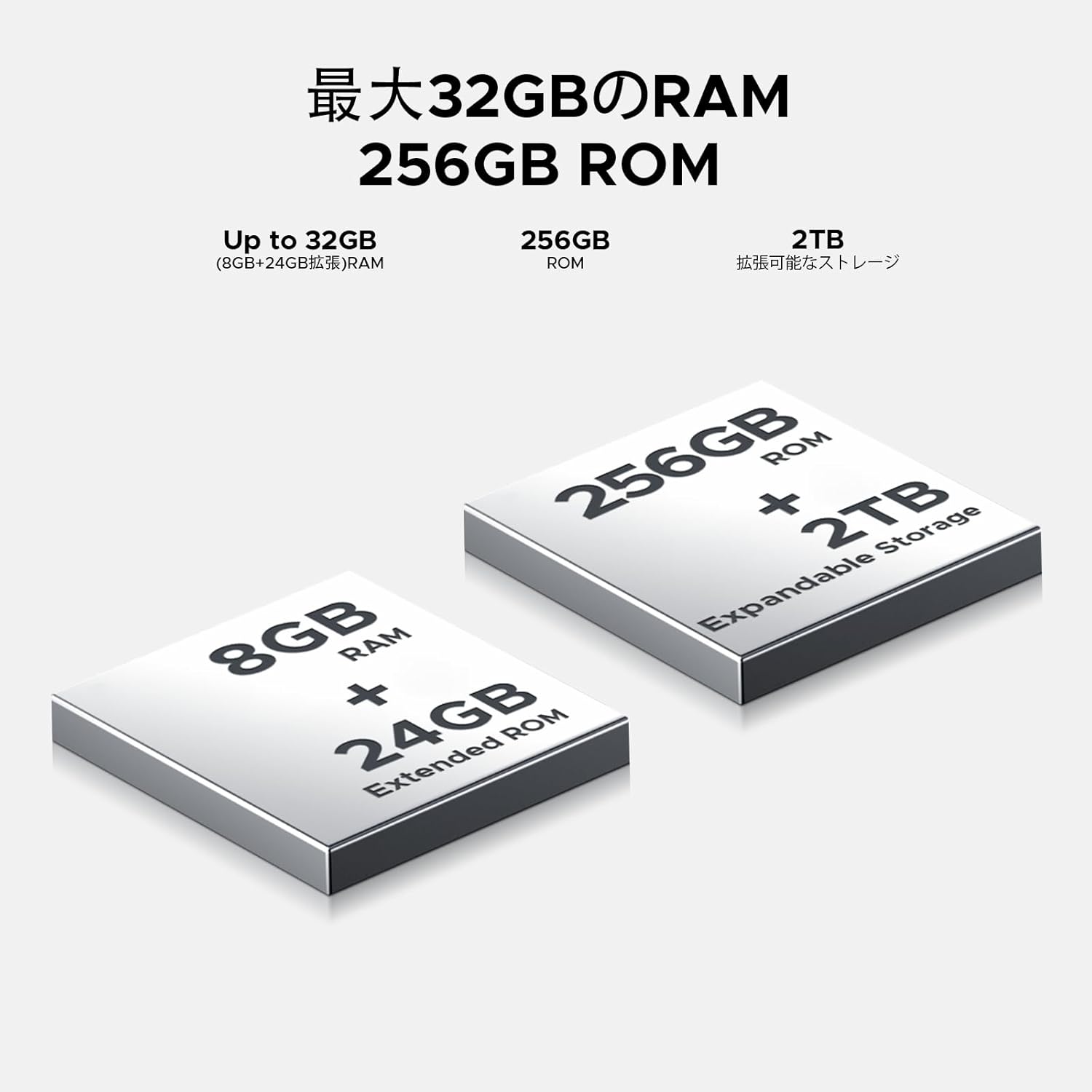
Image: 32GB RAM + 256GB ROM
8.2 Internal Storage (ROM)
The 256GB internal storage provides sufficient space for your apps, photos, and videos. For additional storage, you can expand it up to 2TB using a TF (microSD) card.

Image: 256GB ROM with 2TB Expandable Storage
8.3 Procesors
Powered by the Unisoc T7250 Octa-core processor, the device delivers reliable performance for daily tasks, gaming, and multimedia consumption.

Image: Powerful T7250 Octa-core Processor
9. Displejs
The DOOGEE Note58 Pro features a 6.75-inch HD+ IPS display with a 90Hz refresh rate, providing a smooth and vibrant visual experience.

Image: 6.75-inch 90Hz HD+ Display
9.1 Eye-Care Modes
To reduce eye strain, activate the eye-care modes available in the display settings. These modes adjust color temperature to provide a more comfortable viewing experience, especially in low light.
9.2 Widevine L1 Support
The device supports Widevine L1, allowing you to stream high-definition content from popular platforms like Hulu, Amazon Prime Video, and HBO Max.

Image: Seamless Visual Experience with Widevine L1
10. Navigācija
The DOOGEE Note58 Pro integrates four major global positioning systems for accurate navigation.

Image: Precise Navigation System
10.1 Supported Systems
- GPS: Globālās pozicionēšanas sistēma
- GLONASS: Globalnaya Navigatsionnaya Sputnikovaya Sistema
- Galileo: European satellite navigation system
- BeiDou: Chinese satellite navigation system
These systems ensure reliable location tracking and navigation whether you are in urban areas, mountainous regions, or remote locations.
11. Apkope
11.1 Ierīces tīrīšana
To clean your smartphone, use a soft, lint-free cloth. Avoid using harsh chemicals or abrasive materials, as these can damage the screen and finish. For stubborn smudges, lightly dampNoslaukiet drānu ar ūdeni vai ekrāna tīrīšanas līdzekli, kas paredzēts elektronikai.
11.2. Programmatūras atjauninājumi
Regulāri pārbaudiet un instalējiet programmatūras atjauninājumus, lai nodrošinātu, ka jūsu ierīcē ir jaunākās funkcijas, drošības ielāpi un veiktspējas uzlabojumi. Dodieties uz Iestatījumi > Sistēma > Sistēmas atjauninājums lai pārbaudītu atjauninājumus.
11.3. Krātuves pārvaldība
Periodiski review jūsu saglabātais files and applications. Delete unnecessary items to free up space and maintain optimal device performance. You can also offload large files to cloud storage or an external TF card.
12. Traucējummeklēšana
If you encounter issues with your DOOGEE Note58 Pro, try the following common troubleshooting steps:
- Ierīce neieslēdzas: Pārliecinieties, vai akumulators ir uzlādēts. Pievienojiet lādētāju un uzgaidiet dažas minūtes, pirms mēģināt atkārtoti ieslēgt ierīci.
- Lietotņu avarē vai sasalst: Close the problematic app and reopen it. If the issue persists, restart your device. Clear the app's cache and data in Iestatījumi > Lietotnes > [Lietotnes nosaukums] > Krātuve un kešatmiņa.
- Slikts Wi-Fi/Bluetooth savienojums: Ensure Wi-Fi/Bluetooth is enabled and you are within range of the network/device. Try forgetting the network/device and reconnecting. Restart your router if it's a Wi-Fi issue.
- Lēna veiktspēja: Close unnecessary background apps. Clear cached data. Check for available software updates. Consider performing a factory reset as a last resort (back up your data first).
- SIM karte nav atrasta: Ensure the SIM card is correctly inserted and that your carrier's frequency bands are supported by the device. Restart the phone.
- Akumulators ātri izlādējas: Review akumulatora patēriņš Iestatījumi > Akumulators to identify power-hungry apps. Reduce screen brightness, disable unnecessary features (GPS, Bluetooth, Wi-Fi), and enable battery saver mode.
Ja šīs darbības neatrisina problēmu, lūdzu, skatiet sadaļu Garantija un atbalsts, lai saņemtu papildu palīdzību.
13. Specifikācijas
| Funkcija | Specifikācija |
|---|---|
| Zīmols | DOOGEE |
| Modeļa numurs | N58 Pro |
| Operētājsistēma | Android 16 |
| Ekrāna izmērs | 6.75 collas |
| Displeja veids | LCD |
| Instalētās RAM atmiņas apjoms | 32 GB |
| Atmiņas krātuves ietilpība | 256 GB (paplašināma līdz 2 TB, izmantojot TF karti) |
| Akumulatora ietilpība | 6250 mAh |
| Galvenā kamera | 16 MP |
| Priekšējā kamera | 8 MP |
| Savienojamības tehnoloģija | Bluetooth 5.2, Wi-Fi 5, 4G Dual SIM, NFC |
| Navigācijas sistēmas | GPS, GLONASS, Galileo, BeiDou |
| Preces svars | 199 grami |
| Iepakojuma izmēri | 19.2 x 10.4 x 5.2 cm |
| Izdošanas gads | 2025 |
14. Garantija un atbalsts
The DOOGEE Note58 Pro comes with a one-year warranty from the date of purchase.
14.1 Frekvenču joslu saderība
Before purchase, please verify that the device's supported frequency bands are compatible with your local carrier. Supported bands include:
- GSM: B2/3/5/8
- WCDMAB: 1/2/4/5/8
- TDD: 38/40/41
- FDD: B1/2/3/4/5/7/8/18/19/20/25/26/28A/28B/66
14.2 Tehniskais atbalsts
Should you encounter any issues or require technical assistance, please contact our customer support. Our technical specialists are committed to responding within 48 hours.

Image: Customer Service Information
15. Iepakojuma saturs
The following items are included in your DOOGEE Note58 Pro package:
- 1x DOOGEE Note58 Pro Smartphone
- 1 C tipa kabelis
- 1x lādētājs
- 1x SIM kartes pieslēgvieta
- 1x iepakojuma kaste
- 1x telefona maciņš

Attēls: Iepakojuma saturs
16. Krāsu opcijas
The DOOGEE Note58 Pro is available in the following colors:
- Inkstone Black
- Amber Gold
- Silver (as seen in product videos)

Image: Color Options
17. Produktu video
17.1 DOOGEE Note58 Pro Overview
Video: Šis video sniedz īsu ieskatuview of the DOOGEE Note58 Pro, showcasing its unboxing, design, camera features, and multimedia capabilities. It highlights the phone's sleek appearance and user experience.


