1. Ievads
This manual provides essential information for the safe and efficient use of your OUKITEL C2 smartphone. Please read it carefully before using the device.

OUKITEL C2 Smartphone in purple, showcasing tā eleganto dizainu un lielo displeju.
The OUKITEL C2 is a lightweight and colorful smartphone designed for comfortable daily use. It features a 6.52-inch HD display, a powerful 5000mAh battery, and runs on Android 14. With 16GB RAM and 128GB ROM, expandable up to 1TB, it offers ample storage and smooth performance for multitasking and various applications.
2. Kas ir kastē
Pārliecinieties, vai produkta iepakojumā ir visi nepieciešamie priekšmeti:
- 1 viedtālrunis
- 1 Lietotāja rokasgrāmata
- 1 datu kabelis
- 1 lādētājs
- 1 Phone Case

Contents of the OUKITEL C2 retail box, including the smartphone, charger, cable, and manual.
3. Ierīces izkārtojums
Iepazīstieties ar sava OUKITEL C2 viedtālruņa fiziskajām sastāvdaļām.
- Barošanas poga: Atrodas labajā pusē, izmanto ierīces ieslēgšanai/izslēgšanai vai modināšanai/miega režīmam.
- Skaļuma pogas: Atrodas virs ieslēgšanas/izslēgšanas pogas, izmanto multivides un zvanu skaļuma regulēšanai.
- C tipa USB ports: Atrodas apakšā, paredzēts uzlādei un datu pārsūtīšanai.
- 3.5 mm austiņu ligzda: Atrodas augšpusē, vadu austiņu pievienošanai.
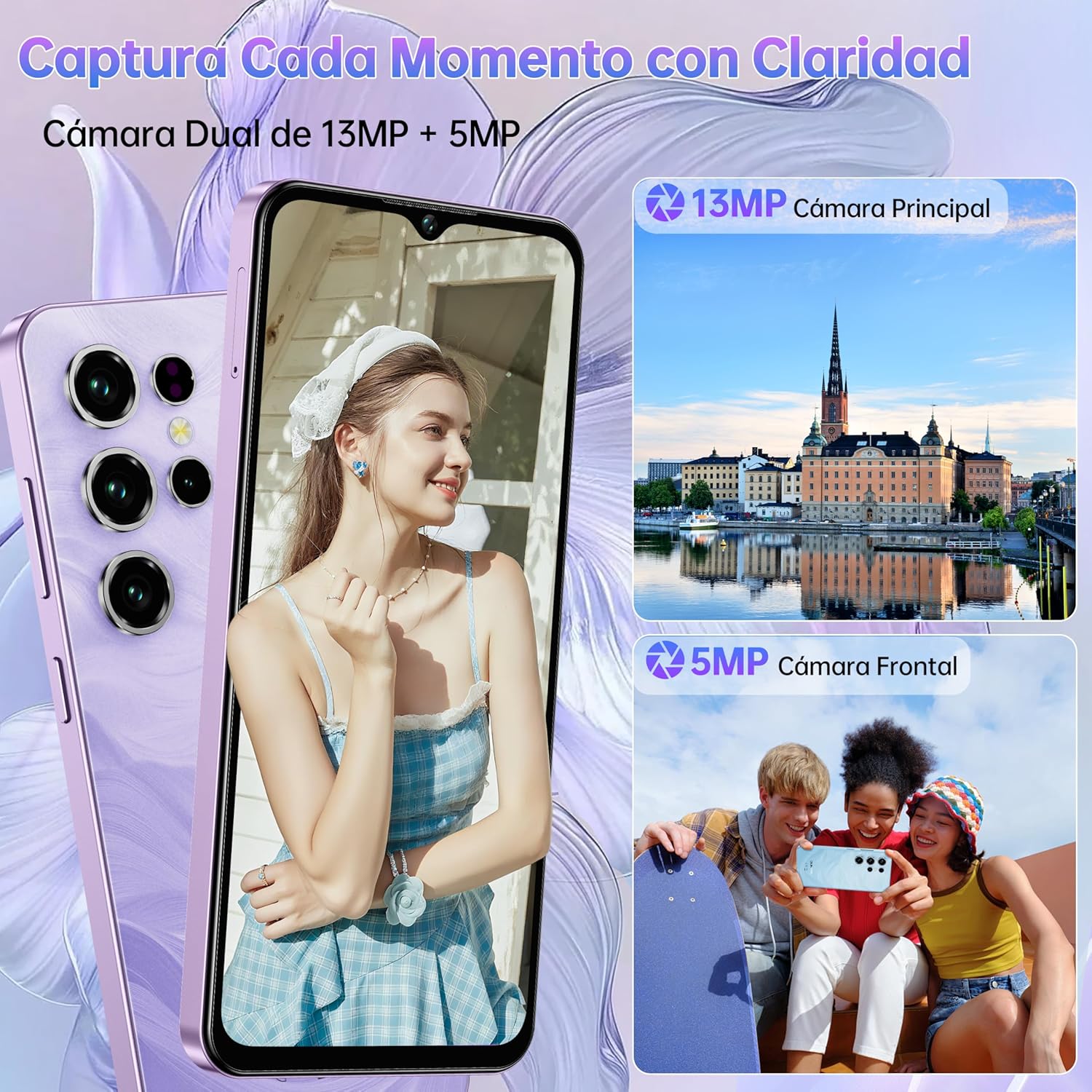
- Kameras modulis: Rear-mounted 13MP main camera and front-mounted 5MP camera.
- SIM kartes paliktnis: Located on the left side, for inserting SIM and TF cards.

Sānu view of the OUKITEL C2 smartphone, showing volume and power buttons.

Aizmugure view of the OUKITEL C2, highlighting the camera module.
4. Iestatīšana
4.1 SIM/TF kartes ievietošana
- Atrodiet SIM kartes paliktni ierīces kreisajā pusē.
- Ievietojiet SIM kartes izņemšanas rīku mazajā caurumā blakus paliktnim un stingri piespiediet, līdz paliktnis iznirst.
- Ievietojiet Nano SIM karti(-es) un/vai TF karti paredzētajās ligzdās uz paliktņa. Pārliecinieties, vai zelta kontakti ir vērsti uz leju.
- Uzmanīgi iespiediet paliktni atpakaļ ierīcē, līdz tas nofiksējas vietā.

Illustration of the SIM card tray for Dual Nano SIM or SIM + TF card configuration.
4.2. Sākotnējā ieslēgšana
Press and hold the Power button on the right side of the device until the OUKITEL logo appears. Follow the on-screen instructions to complete the initial setup, including language selection, Wi-Fi connection, and Google account setup.
4.3. Uzlāde
Connect the provided USB Type-C cable to the phone's charging port and the other end to the charger. Plug the charger into a power outlet. The phone supports 10W charging. A full charge ensures optimal battery performance.

OUKITEL C2 smartphone connected to its charger, indicating battery charging.
5. Ierīces lietošana
5.1. Pamata navigācija
Your OUKITEL C2 runs on Android 14, offering an intuitive user experience. Use gestures or navigation buttons (configurable in settings) to move between apps, return to the home screen, and access recent applications.
OUKITEL C2 display showing the Android 14 user interface.
5.2 Kameras lietošana
The OUKITEL C2 features a 13MP main camera and a 5MP front camera. Open the Camera app to access various modes such as Portrait, Beauty, HDR, Panorama, and Pro mode. Tap the shutter button to capture photos or record videos.

OUKITEL C2 camera interface, demonstrating various shooting modes.
5.3 Savienojamība
- 4G divas SIM kartes: Supports two Nano SIM cards for flexible network usage.
- Bluetooth 5.0: Connect to wireless headphones, speakers, and other Bluetooth devices.
- OTG (ceļā): Connect USB devices like flash drives or external keyboards, or use your phone to charge other devices.
- GPS: Integrated with GPS, GLONASS, Beidou, and Galileo for accurate navigation.

OUKITEL C2 demonstrating OTG functionality, charging another device.
5.4 Security (Face ID)
Unlock your device quickly and securely using Face ID. Go to Iestatījumi > Drošība > Sejas atbloķēšana to set up your facial recognition data.

OUKITEL C2 showcasing Face ID for secure unlocking.
5.5. Displeja funkcijas
The 6.52-inch HD display offers clear visuals with up to 450 nits brightness for outdoor visibility. Utilize the Visual Comfort Mode (found in Display settings) to reduce blue light and optimize screen warmth, minimizing eye strain during prolonged use.

OUKITEL C2 display highlighting its 6.52-inch HD screen and visual comfort features.
6. Apkope
6.1 Akumulatora kopšana
Lai pagarinātu 5000 mAh akumulatora darbības laiku:
- Izvairieties no ekstremālām temperatūrām.
- Izmantojiet tikai komplektā iekļauto lādētāju un kabeli.
- Neļaujiet akumulatoram bieži pilnībā izlādēties.
- Atvienojiet lādētāju, kad akumulators ir pilns.
6.2. Programmatūras atjauninājumi
Regulāri pārbaudiet programmatūras atjauninājumus, lai nodrošinātu, ka jūsu ierīcē ir jaunākās funkcijas, drošības ielāpi un veiktspējas uzlabojumi. Dodieties uz Iestatījumi > Sistēma > Sistēmas atjauninājums lai pārbaudītu pieejamos atjauninājumus.
6.3. Tīrīšana
Use a soft, lint-free cloth to clean your device. Avoid using harsh chemicals or abrasive materials that could damage the screen or casing.
7. Traucējummeklēšana
If you encounter issues with your OUKITEL C2, try the following:
- Ierīce nereaģē: Nospiediet un apmēram 10–15 sekundes turiet ieslēgšanas/izslēgšanas pogu, lai piespiedu kārtā restartētu ierīci.
- Lietotnes avārijas: Notīriet lietotnes kešatmiņu un datus Iestatījumi > Lietotnes > [Lietotnes nosaukums] > KrātuveJa problēma joprojām pastāv, atinstalējiet lietotni un instalējiet to atkārtoti.
- Slikts akumulatora darbības laiks: Pārbaudiet fona lietotņu lietojumu sadaļā Iestatījumi > Akumulators. Reduce screen brightness and disable unnecessary features like GPS or Bluetooth when not in use.
- Tīkla problēmas: Ensure your SIM card is correctly inserted. Try restarting the device or resetting network settings in Iestatījumi > Sistēma > Atiestatīšanas opcijas > Atiestatīt Wi-Fi, mobilos tīklus un Bluetooth.
- Rūpnīcas režīma iestatīšana: As a last resort, you can perform a factory reset. This will erase all data on your device. Go to Iestatījumi > Sistēma > Atiestatīšanas opcijas > Dzēst visus datus (rūpnīcas datu atiestatīšana). Back up important data before proceeding.
8. Specifikācijas
| Zīmols | OUKITEL |
| Modelis | OUKITEL C2 |
| Operētājsistēma | Android 14 |
| RAM | 16 GB (4+12) |
| Iekšējā atmiņa (ROM) | 128 GB |
| Paplašināma krātuve | Līdz 1 TB (TF karte) |
| Displeja izmērs | 6.52 collas |
| Displeja izšķirtspēja | 540x1200 pikseļi |
| Akumulatora ietilpība | 5000 mAh |
| Uzlādes ātrums | 10W |
| Aizmugurējā kamera | 13 MP |
| Priekšējā kamera | 5 MP |
| Procesora tips | Quad-Core (2 GHz) |
| Savienojamība | 4G Dual SIM, Bluetooth 5.0, USB Type-C, 3.5mm Jack |
| Navigācija | GPS, GLONASS, Beidou, Galileo |
| Drošības līdzekļi | Sejas ID |
| Izmēri | 16.36 x 7.59 x 0.93 cm |
| Svars | 190 g |
9. Garantija un atbalsts
Your OUKITEL C2 smartphone comes with an official OUKITEL warranty. For specific warranty terms and conditions, please refer to the warranty certificate included in your product packaging or visit the official OUKITEL webvietne.
OUKITEL provides professional customer service and support. If you encounter any issues or have questions not covered in this manual, please contact OUKITEL customer support through their official channels.
- 30 dienu garantija: Free returns and refunds within 30 days of purchase.
- 24/7 klientu apkalpošana: Online support available.
- Original Factory Quality: High-quality components ensure reliable performance.

OUKITEL customer service information, highlighting 30-day guarantee and 24/7 support.


