Ievads
This manual provides comprehensive instructions for the TECTINTER 3-in-1 PS Portal Case and Screen Protector Kit. This kit is designed to protect and transport your PlayStation Portal Remote Player, offering a durable EVA travel case and screen protection. Please read this manual carefully to ensure proper use and maintenance of your product.
Produkta sastāvdaļas
The TECTINTER 3-in-1 PS Portal Case Kit includes the following items:
- 1x EVA Travel Case for PS Portal
- 2x Screen Protectors for PS Portal
- 1x Lietotāja rokasgrāmata (šis dokuments)

Attēls: Pāriview of the TECTINTER 3-in-1 PS Portal Case Kit, showing the EVA travel case, screen protector, and a PlayStation Portal device.

Image: The hard carrying case for PS Portal, shown both closed with a handle and open with a PlayStation Portal device securely placed inside.
Iestatīšana
1. Installing the Screen Protector
Follow these steps to apply the screen protector to your PlayStation Portal:
- Notīriet ekrānu: Use a microfiber cloth to thoroughly clean the PlayStation Portal screen, removing any dust, fingerprints, or smudges. Ensure the screen is completely dry.
- Izlīdziniet aizsargu: Carefully peel off the protective film from the adhesive side of the screen protector. Align the protector with the edges of your PlayStation Portal screen.
- Uzklāt un izlīdzināt: Gently lay the screen protector onto the screen. Use a squeegee or a soft card to push out any air bubbles from the center towards the edges.
- Pēdējā noslaucīšana: Once applied, use the microfiber cloth to gently wipe the screen protector surface.
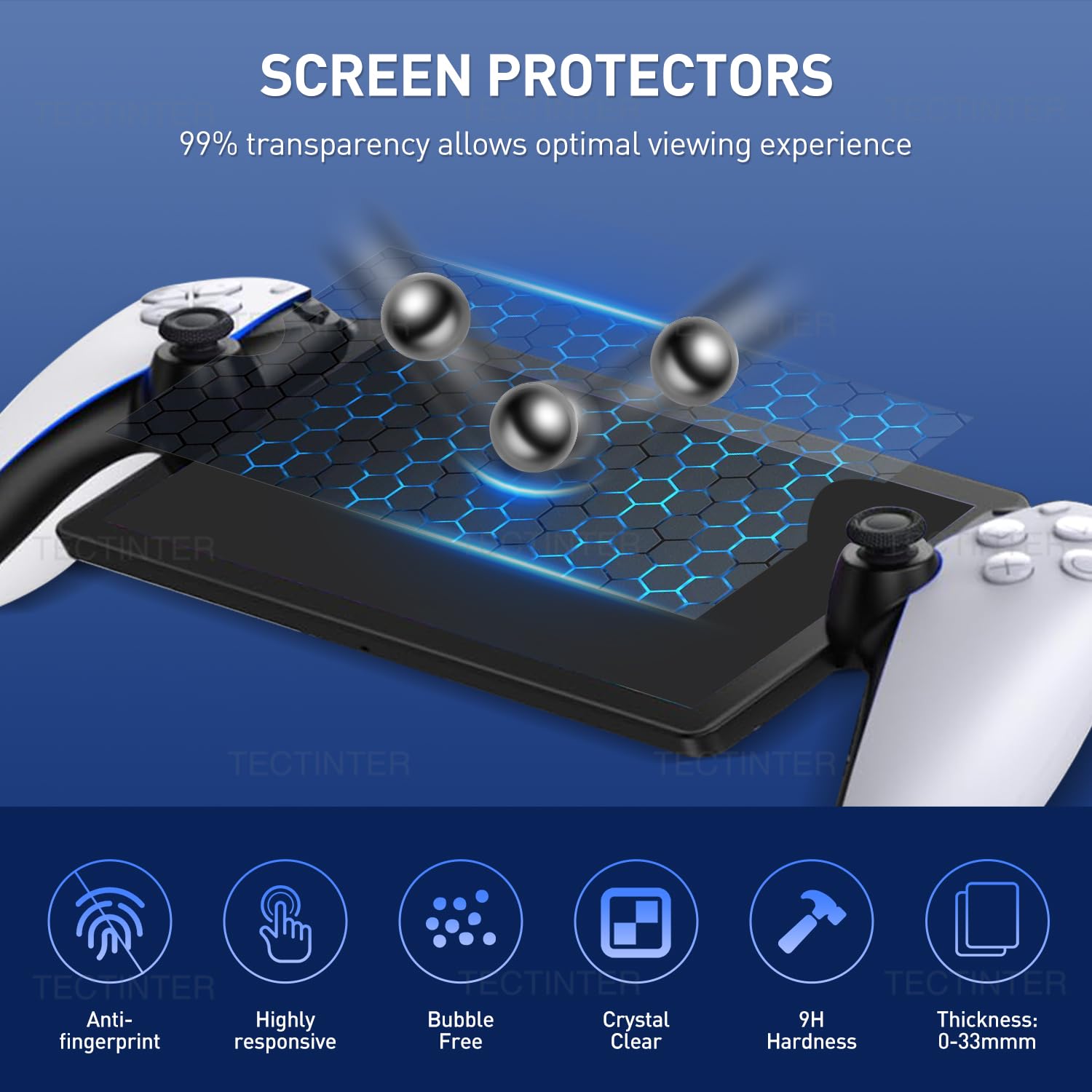
Image: Diagram illustrating the features of the screen protector, including anti-fingerprint, high responsiveness, bubble-free application, crystal clarity, 9H hardness, and optimal thickness.
2. Placing the PS Portal in the Case
To secure your PlayStation Portal within the EVA travel case:
- Atveriet lietu: Unzip the case completely using the dual zippers.
- Novietojiet ierīci: Carefully place your PlayStation Portal into the molded compartment designed for it. Ensure it sits snugly.
- Utilize Internal Straps (if present): Some cases may have elastic straps or Velcro fasteners to further secure the device. Ensure these are used if available.
- Slēgt lietu: Zip the case closed, ensuring no cables or accessories are caught in the zipper.
Darbība (lietošana)
1. Carrying the Case
The TECTINTER PS Portal Case is designed for portability:
- Rokas turētājs: Use the integrated soft anti-slip handle for comfortable carrying.
- In a Bag: The compact design allows the case to be easily placed inside a backpack, luggage, or other travel bags.

Image: Four panels demonstrating the portability of the case: handheld, placed on a table, used for protection anywhere, and carried inside a bag.
2. Utilizing Storage
The case features a built-in mesh compartment for organizing accessories:
- Tīkla kabata: Store small items such as charging cables, earbuds, button caps, or a power bank in the zippered mesh pocket.
- Device Compartment: The main compartment is specifically molded for the PlayStation Portal, ensuring a secure fit and preventing movement during transit.

Image: An illustration showing the high capacity storage of the case, capable of holding the PlayStation Portal, power bank, charger dock, earphones, charging cable, and a phone.
Apkope
1. Korpusa tīrīšana
To keep your EVA travel case in optimal condition:
- Ārpuse: Noslaukiet ārējo virsmu ar mīkstu, damp drānu. Noturīgiem netīrumiem var izmantot maigu ziepju šķīdumu, pēc tam noslaukot ar tīru drānu.amp audums.
- Interjers: Use a soft, dry cloth or a lint roller to remove dust or debris from the interior lining.
- Izvairieties: Do not use harsh chemicals, abrasive cleaners, or solvents, as these can damage the material.
2. Screen Protector Care
Maintain the clarity and effectiveness of your screen protector:
- Tīrīšana: Gently wipe the screen protector with a clean, soft microfiber cloth. For smudges, a screen cleaner specifically designed for electronics can be used.
- Aizstāšana: If the screen protector becomes heavily scratched, cracked, or loses its adhesive properties, replace it with a new one to ensure continued protection.

Image: Three panels illustrating the protective qualities of the case: water-resistant fabric, anti-collision lining, and anti-scratch design to protect the console screen.

Image: A comparison demonstrating the strong impact resistance of the thickened EVA hard shell, showing it remains undeformed under pressure compared to other cases.
Problēmu novēršana
If you encounter any issues with your TECTINTER PS Portal Case Kit, refer to the following common solutions:
- Ekrāna aizsargplēves burbuļi: If bubbles appear after application, gently lift the nearest edge of the protector and re-apply, pushing the air out with a squeegee. Small bubbles may disappear over 24-48 hours.
- Case Not Closing Properly: Ensure the PlayStation Portal is correctly seated in its molded compartment and that no accessories or cables are obstructing the zipper path.
- Zipper Stiffness: If the zippers feel stiff, apply a small amount of zipper lubricant (e.g., beeswax or a specialized zipper wax) to the teeth and gently work the zipper back and forth.
- Device Movement Inside Case: Verify that your device is the PlayStation Portal Remote Player. The case is precision-molded for this specific device. Ensure any internal straps or dividers are correctly utilized.
Specifikācijas
| Funkcija | Apraksts |
|---|---|
| Modeļa numurs | PS Portal Case |
| Iepakojuma izmēri | 15.12 x 7.52 x 3.5 collas |
| Preces svars | 15.8 unces |
| Lietas materiāls | Durable EVA (Ethylene-vinyl acetate) |
| Ekrāna aizsarga cietība | 9H |
| Aizsardzības līdzekļi | Water-resistant, Anti-collision, Anti-scratch, Pressure-resistant |
| Uzglabāšana | Main compartment for PS Portal, mesh pocket for accessories |

Attēls: Detalizēts view of the case's features, including a strong handle, double zippers, and screen protection design.
Garantijas informācija
TECTINTER products are manufactured with quality and durability in mind. For specific warranty details regarding your PS Portal Case and Screen Protector Kit, please refer to the product packaging or contact customer support. Keep your purchase receipt as proof of purchase for any warranty claims.
Klientu atbalsts
If you have any questions, require assistance, or need to report an issue with your TECTINTER product, please contact our customer support team. For the most up-to-date contact information, please visit the official TECTINTER webvietnē vai skatiet kontaktinformāciju, kas norādīta uz produkta iepakojuma.
We are committed to providing reliable products and support to our customers.


