1. Produkts beidziesview
The NICGIGA 16 Port 2.5Gb Ethernet Switch (Model S25-1600) is an unmanaged network switch designed to expand your network capacity with high-speed 2.5 Gigabit Ethernet ports. It features a fanless metal design for quiet operation and efficient heat dissipation, supporting both desktop and 19-inch rack mounting. This plug-and-play device requires no software configuration, making it suitable for home and small office environments requiring enhanced network performance.
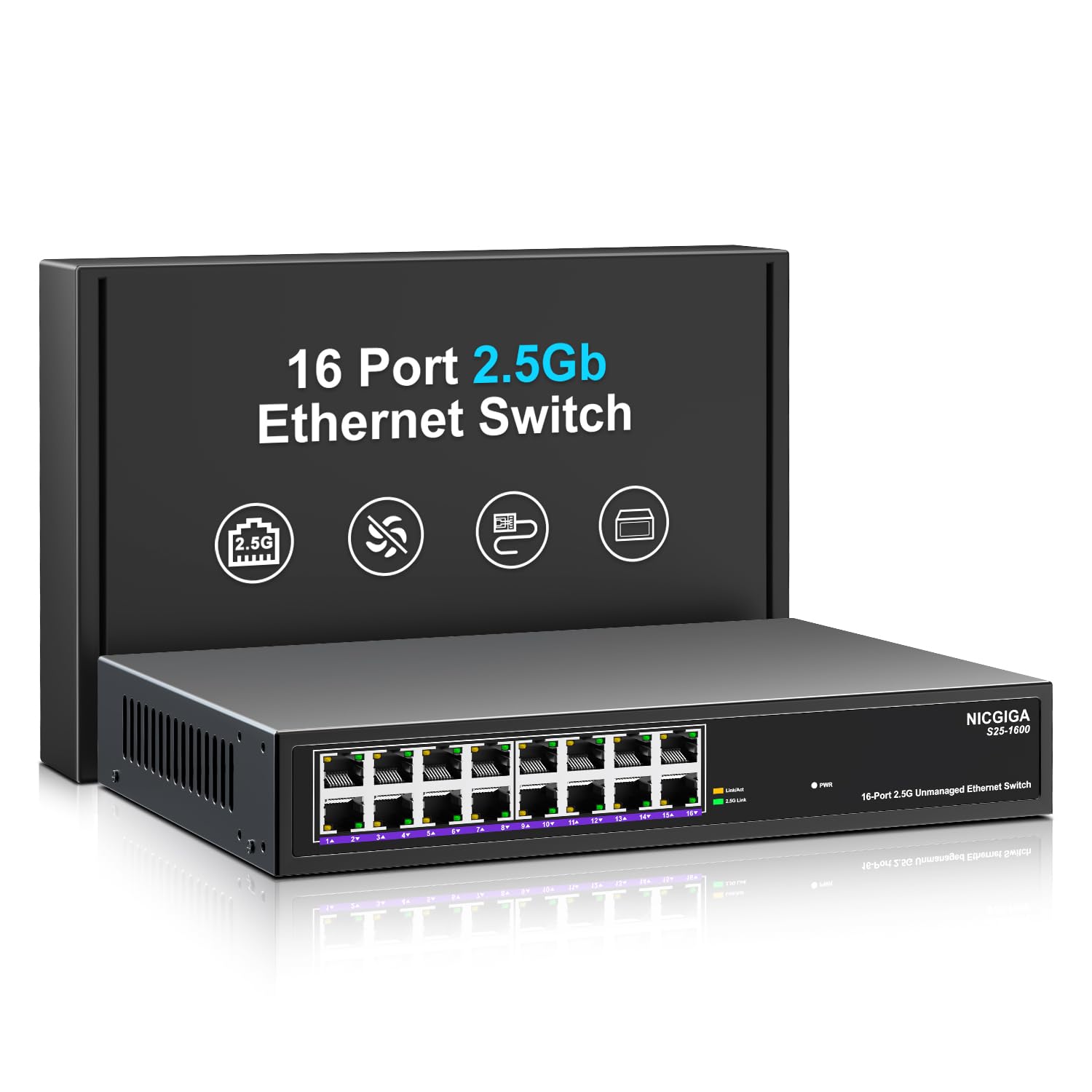
1. attēls. Priekšpuse view of the NICGIGA S25-1600 switch, highlighting the 16 RJ45 ports and LED indicators for power and link status.
2. Iepakojuma saturs
Pārliecinieties, vai jūsu iepakojumā ir iekļauti šādi priekšmeti:
- NICGIGA 16 Port 2.5Gb Ethernet Switch (Model S25-1600)
- Strāvas adapteris
- Plaukta stiprinājuma komplekts (ja piemērojams)
- Lietotāja rokasgrāmata (šis dokuments)
3. Produkta īpašības
- 16x 2.5Gbps RJ45 Ports: Provides high-speed connectivity for multiple devices.
- 80 Gb/s komutācijas jauda: Ensures high-performance data transfer without bottlenecks.
- Automātiskās sarunas: Automatically detects and adjusts to optimal link speeds (100Mbps, 1Gbps, 2.5Gbps) for connected devices.
- Plug and Play: No software or configuration required for immediate use.
- Metāla dizains bez ventilatora: Offers silent operation and robust heat dissipation.
- Desktop or 19-inch Rack Mount: Elastīgas uzstādīšanas iespējas.
- 4KV zibens aizsardzība: Enhances device durability against electrical surges.
- Automatic MDI/MDIX: Novērš nepieciešamību pēc krustojošiem kabeļiem.
- Non-blocking Data Forwarding: Ensures full wire-speed throughput on all ports simultaneously.

Figure 2: Key features of the NICGIGA S25-1600 switch, including its 2.5Gbps ports, rack-mountable design, fanless operation, plug-and-play functionality, metal casing, and 4KV lightning protection.
4. Iestatīšanas instrukcijas
The NICGIGA 16 Port 2.5Gb Ethernet Switch is designed for simple plug-and-play installation. Follow these steps to set up your switch:
- Strāvas pieslēgums: Pievienojiet komplektā iekļauto strāvas adapteri slēdža barošanas ieejas portam un pēc tam pievienojiet adapteri standarta elektrotīkla kontaktligzdai. Priekšējā panelī vajadzētu iedegties strāvas gaismas diodei.
- Ierīces savienojums: Connect your network devices (e.g., computers, NAS, WiFi 6 APs, routers) to any of the 16 RJ45 ports on the switch using standard Ethernet cables. The switch will automatically detect the link speed and establish a connection.
- Verifikācija: Observe the LED indicators on the front panel. A green light indicates a 2.5G link, while a yellow light indicates a 100Mb/1G link. A flashing yellow light signifies data transmission.

Figure 3: Simplified setup process: connect power, connect devices, and the network is ready.
Montāžas iespējas:
The switch supports both desktop placement and 19-inch rack mounting. Use the included rack mount kit for rack installations.

Figure 4: The NICGIGA S25-1600 switch installed in a 19-inch rack, showing its compact dimensions suitable for enterprise and data center use.
5. Lietošanas instrukcijas
As an unmanaged switch, the NICGIGA S25-1600 operates automatically once connected. There is no software configuration required.
LED indikatori:
- Barošanas gaismas diode:
- Ieslēgts: Slēdzis ir ieslēgts.
- Izslēgts: Slēdzis ir izslēgts.
- Port Link/Activity LEDs (Green/Yellow):
- Iedegta zaļā gaisma: Indicates a 2.5G network link is established.
- Dzeltenā gaisma ieslēgta: Indicates a 100Mb/1G network link is established.
- Yellow Light Flashing: Indicates data transmission activity on the port.
- Izslēgts: No link is established or the connected device is powered off.
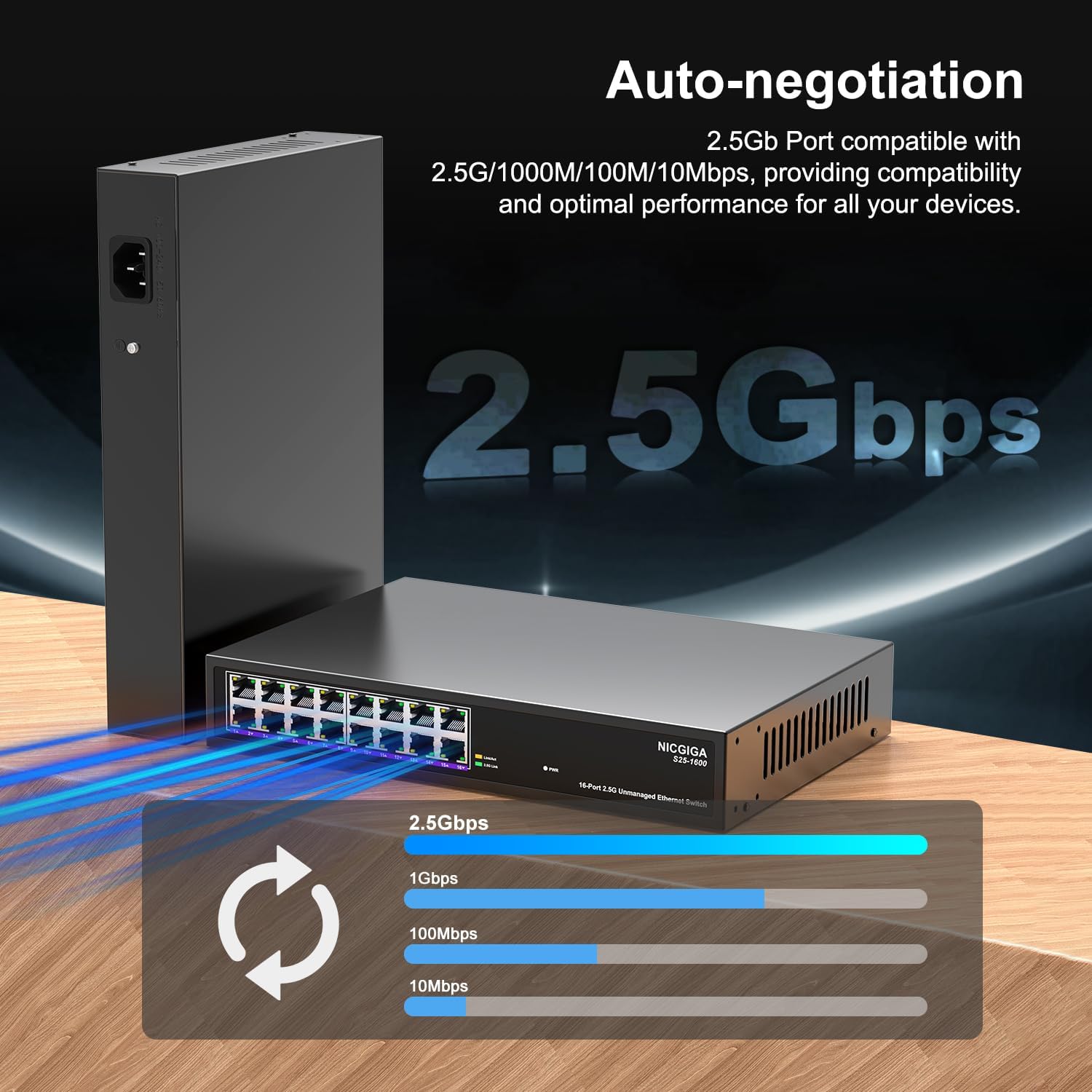
Figure 5: The auto-negotiation function ensures compatibility and optimal performance across various network speeds.
6. Apkope
The NICGIGA S25-1600 switch is designed for minimal maintenance.
- Tīrīšana: Slēdža ārpuses tīrīšanai izmantojiet mīkstu, sausu drānu. Nelietojiet šķidrus vai aerosola tīrīšanas līdzekļus.
- Ventilācija: Ensure the switch is placed in a well-ventilated area. Although fanless, proper airflow helps maintain optimal operating temperatures. Do not block ventilation openings.
- Vides apstākļi: Operate the switch within the recommended temperature and humidity ranges specified in the technical specifications.
7. Traucējummeklēšana
If you encounter issues with your NICGIGA S25-1600 switch, refer to the following troubleshooting tips:
| Problēma | Iespējamais cēlonis | Risinājums |
|---|---|---|
| No Power LED indication. | Nav barošanas avota vai bojāts strāvas adapteris. |
|
| No Link/Activity LED for a connected device. |
|
|
| Lēns tīkla ātrums. |
|
|
8. Specifikācijas
| Funkcija | Apraksts |
|---|---|
| Modelis | S25-1600 |
| Ostas | 16x 100/1000/2500Mbps RJ45 porti |
| Pārslēgšanas jauda | 80 Gbps |
| Pakešu pārsūtīšanas ātrums | 89.28 Mpps |
| MAC adrešu tabula | 16 tūkst |
| Jumbo rāmis | 12 tūkst |
| Kešatmiņas | 12Mbit |
| Automātiskās sarunas | 100Mb/1G/2.5G |
| MDI/MDIX | Atbalstīts |
| Fanless dizains | Jā |
| Mājoklis | Metāls |
| Montāžas iespējas | Desktop, 19-inch Rack Mount |
| Zibens aizsardzība | 4 KV |
| Iepakojuma izmēri | 13.62 x 10.51 x 3.5 collas |
| Preces svars | 4.09 mārciņas |
| UPC | 790885830181 |
9. Garantija un tehniskais atbalsts
NICGIGA provides a one-year warranty for this product. For technical assistance or warranty claims, please contact NICGIGA customer support. Lifetime technical support is available for the product.
For further information, please visit the official NICGIGA webvietnē vai skatiet kontaktinformāciju, kas norādīta kopā ar pirkumu.


