1. Ievads
The NICGIGA 24 Port 2.5Gb Ethernet Switch (Model S25-2400) is an unmanaged network switch designed to provide high-speed connectivity for your home or office network. Featuring 24 2.5 Gigabit Ethernet ports, this switch offers a robust solution for expanding your network capacity and enhancing data transfer rates. Its plug-and-play design ensures easy installation without complex configuration, making it suitable for various environments, including desktop and 19-inch rack mount setups. The fanless metal design ensures quiet operation and efficient heat dissipation, contributing to device stability and longevity.
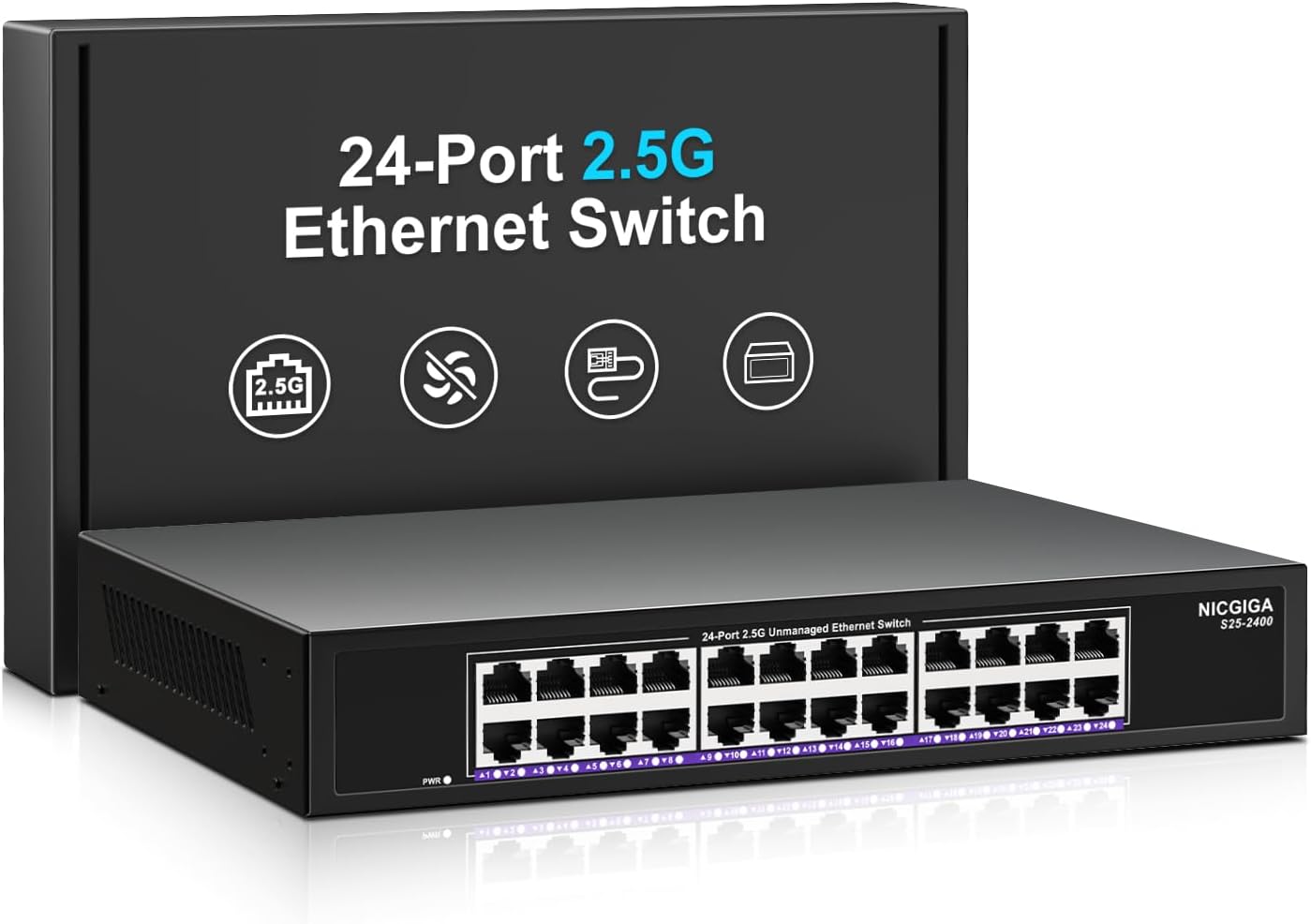
1.1. attēls: priekšpuse view of the NICGIGA 24 Port 2.5Gb Ethernet Switch, showcasing its 24 RJ45 ports and LED indicators.
2. Iepakojuma saturs
Pārliecinieties, vai jūsu iepakojumā ir iekļauti šādi priekšmeti:
- NICGIGA 24 Port 2.5Gb Ethernet Switch (Model S25-2400)
- Strāvas adapteris
- Rack Mount Kit (for 19-inch rack installation)
- Lietotāja rokasgrāmata (šis dokuments)
3. Produkts beidziesview
3.1 Priekšējais panelis
The front panel of the NICGIGA 24 Port 2.5Gb Ethernet Switch features 24 RJ45 ports and LED indicators for monitoring network activity.
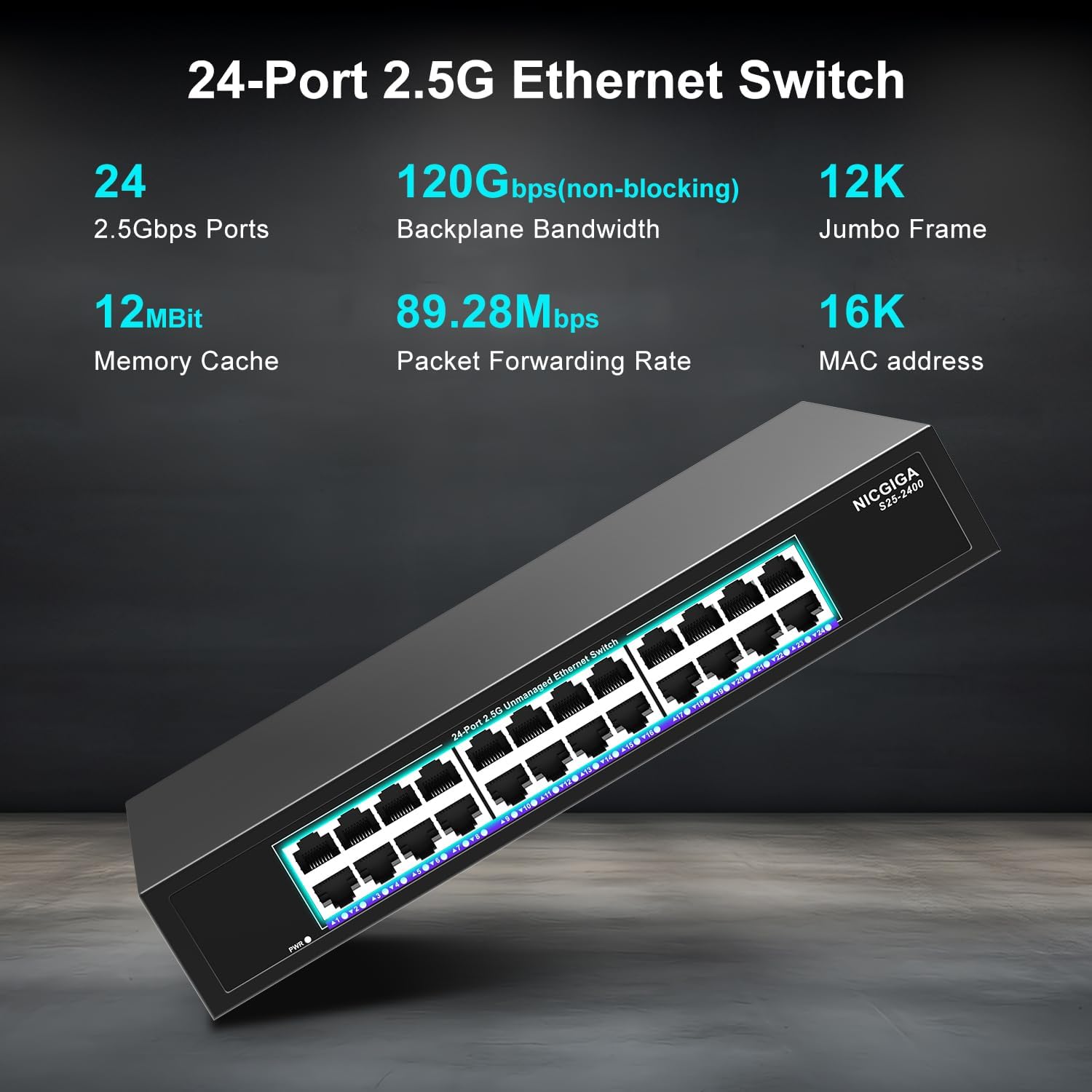
3.1. attēls: Detalizēts view of the switch's front panel, highlighting the 24 RJ45 ports and power input.
- RJ45 porti (1–24): These ports support 100/1000/2500Mbps Ethernet connections. They automatically detect and adjust to the speed of the connected device.
- LED indikatori: Each port has an associated LED that indicates link status and activity.
- Vienmērīgi zaļš: A stable link is established at 2.5Gbps.
- Vienkrāsains dzeltens: A stable link is established at 1Gbps.
- Vienkrāsains oranžs: A stable link is established at 100Mbps.
- Mirgo: Portā notiek datu aktivitāte.
- Izslēgts: No link is established or the device is not connected.
- Barošanas gaismas diode: Norāda slēdža jaudas statusu.
- Vienmērīgi zaļš: Slēdzis ir ieslēgts.
- Izslēgts: Slēdzis ir izslēgts.
3.2 Aizmugurējais panelis
The rear panel typically contains the power input and ventilation openings.
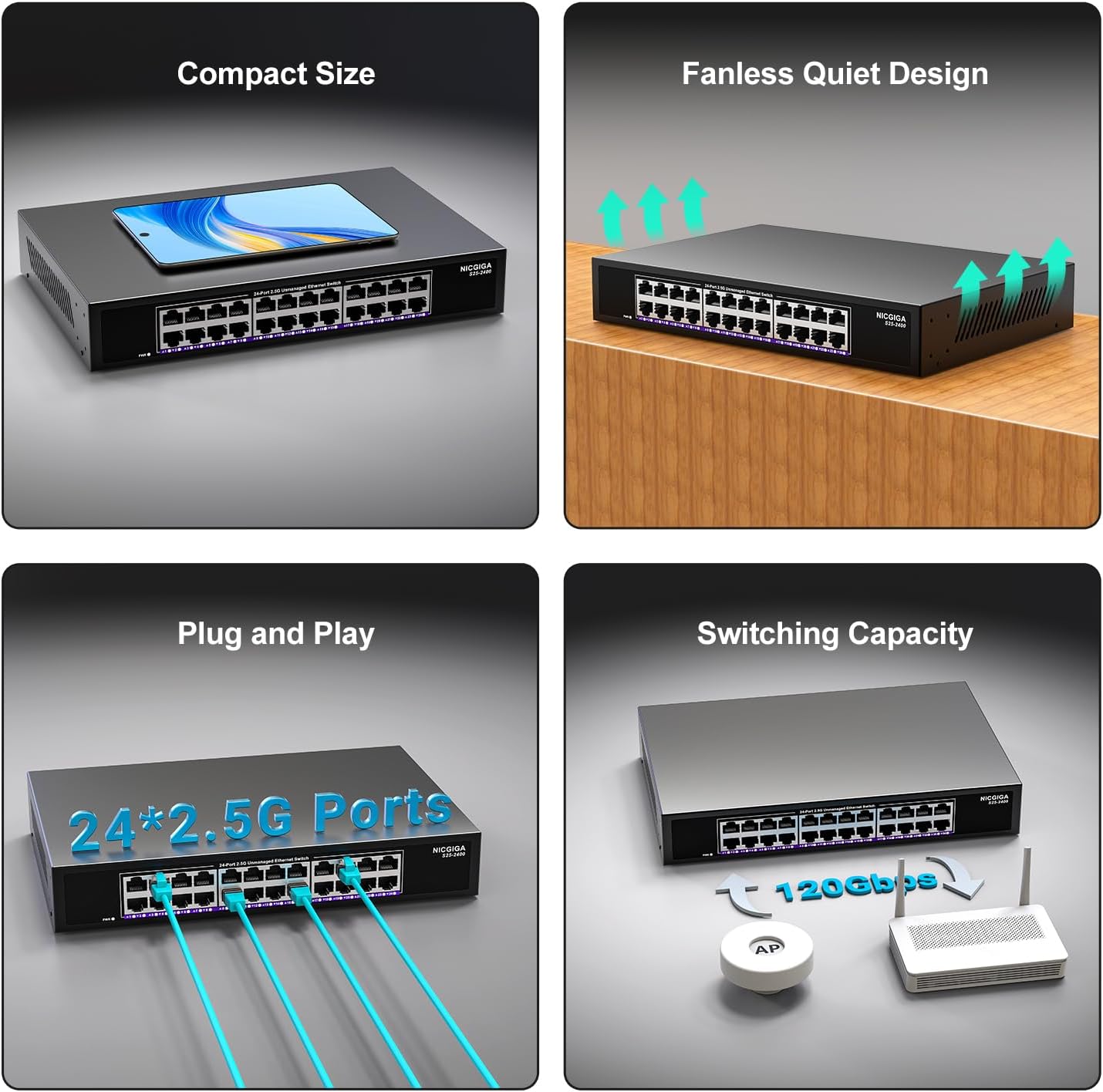
3.2. attēls: aizmugurē view of the switch, showing the power input and fanless design.
4. Iestatīšana
The NICGIGA 24 Port 2.5Gb Ethernet Switch is designed for simple plug-and-play operation, requiring no software installation or complex configuration.
4.1. Instalēšana darbvirsmā
- Place the switch on a stable, flat surface, ensuring adequate ventilation around the device.
- Pievienojiet strāvas adapteri slēdža barošanas ieejai un pēc tam strāvas kontaktligzdai.
- Connect your network devices (e.g., computers, NAS, Wi-Fi 6 APs, routers) to any of the 24 RJ45 ports using standard Ethernet cables. The switch will automatically detect the link speed.

4.1. attēls: Piemērsample of desktop setup, showing the switch connected to a laptop and a Wi-Fi router.
4.2 19-inch Rack Mount Installation
The switch can be installed in a standard 19-inch equipment rack using the included rack mount kit.
- Piestipriniet abus statīva stiprinājuma kronšteinus slēdža sānos, izmantojot komplektā iekļautās skrūves.
- Secure the switch into an available slot in your 19-inch rack using appropriate rack screws (not included).
- Connect the power adapter and network cables as described in the desktop installation.

Image 4.2: Diagram illustrating the dimensions for rack mounting and an example of the switch installed in a 19-inch rack.
5. Lietošanas instrukcijas
Once the switch is powered on and devices are connected, it operates automatically.
- Automātiskās sarunas: Each port automatically detects the speed (100Mbps, 1Gbps, or 2.5Gbps) and duplex mode (half/full) of the connected device and adjusts accordingly. This ensures optimal performance and compatibility across various network devices.
- Nebloķējoša arhitektūra: The switch provides full wire-speed forwarding on all ports simultaneously, ensuring maximum throughput for all connected devices without bottlenecks.
- Nepārvaldīta darbība: No configuration or software is required. Simply connect your devices, and the switch will manage data traffic efficiently.

Image 5.1: Illustration of the auto-negotiation feature, showing how the switch adapts to different link speeds.
6. Apkope
The NICGIGA 24 Port 2.5Gb Ethernet Switch is designed for minimal maintenance.
- Tīrīšana: Slēdža ārpuses tīrīšanai izmantojiet mīkstu, sausu drānu. Nelietojiet šķidrus vai aerosola tīrīšanas līdzekļus.
- Ventilācija: Ensure that the ventilation openings are not blocked to allow for proper airflow and heat dissipation. The fanless design relies on natural convection.
- Vide: Lai nodrošinātu optimālu veiktspēju un ilgmūžību, izmantojiet slēdzi norādītajos vides apstākļos (temperatūra, mitrums).
7. Traucējummeklēšana
If you encounter issues with your NICGIGA 24 Port 2.5Gb Ethernet Switch, refer to the following common troubleshooting steps:
- Nav jaudas:
- Pārliecinieties, vai strāvas adapteris ir droši pievienots gan slēdzim, gan darbojošai strāvas kontaktligzdai.
- Pārliecinieties, vai strāvas kontaktligzda darbojas, pievienojot tai citu ierīci.
- Check the Power LED on the switch; it should be solid green when powered on.
- Nav saites/aktivitātes ostā:
- Pārliecinieties, vai Ethernet kabelis ir droši pievienots gan komutatora portam, gan pievienotajai ierīcei.
- Pārliecinieties, vai pievienotā ierīce ir ieslēgta un tās tīkla adapteris darbojas pareizi.
- Try a different Ethernet cable to rule out cable issues.
- Pārbaudiet ar citu slēdža portu.
- Check the LED indicator for the specific port; if it's off, there's no link.
- Lēns tīkla ātrums:
- Ensure all connected devices and network adapters support 2.5Gbps speeds for optimal performance. The switch will auto-negotiate to the highest common speed.
- Use Cat5e or higher-rated Ethernet cables for 2.5Gbps connections.
- Check for excessive network traffic or bottlenecks on other network devices.
- Neregulāra savienojamība:
- Pārbaudiet Ethernet kabeļus, vai tie nav bojāti.
- Ensure the switch is placed in a well-ventilated area to prevent overheating, although it has a fanless design.
- Check for potential electromagnetic interference from other electronic devices.
8. Specifikācijas
| Funkcija | Specifikācija |
|---|---|
| Modelis | S25-2400 |
| Portu skaits | 24 x 2.5Gbps RJ45 Ports |
| Interfeisa veids | RJ45 |
| Datu pārsūtīšanas ātrums | 100/1000/2500Mbps (Auto-Negotiation) |
| Pārslēgšanas jauda | 160 Gbps |
| Jumbo rāmis | 12 tūkst |
| MAC adrešu tabulas izmērs | 16 tūkst |
| Kešatmiņas | 12Mbit |
| Pakešu pārsūtīšanas ātrums | 89.28 Mpps |
| Dizains | Fanless Metal Design |
| Zibens aizsardzība | 4 KV |
| Uzstādīšana | Desktop or 19-inch Rack Mount |
| Izmēri (G x P x A) | 270.5 x 181 x 44.5 mm (10.6 x 7.1 x 1.7 collas) |
| Preces svars | 1.9 kg (4.18 mārciņas) |
| Saderīgas ierīces | Galddators, spēļu konsole, klēpjdators |
| UPC | 790885830235 |
Piezīme. Specifikācijas var tikt mainītas bez iepriekšēja brīdinājuma.
9. Garantija un atbalsts
NICGIGA provides a one-year warranty for this product, ensuring reliability, quality, and performance. Additionally, lifetime technical support is available for the entire product lifecycle.
For technical assistance or warranty claims, please contact NICGIGA customer support through the official webvietne vai jūsu pirkumu platforma.


