1. Ievads
Thank you for choosing the KTC H25T7-3 24.5 Inch 240Hz FHD Gaming Monitor. This manual provides essential information for setting up, operating, and maintaining your monitor. Please read it thoroughly before use to ensure optimal performance and safety.
Drošības informācija
- Nepakļaujiet monitoru lietum vai mitrumam, lai novērstu ugunsgrēku vai elektriskās strāvas triecienu.
- Neatveriet monitoru casing. Iekšpusē nav detaļu, ko varētu apkalpot lietotājs. Visu apkopi uzticiet kvalificētam personālam.
- Novietojiet monitoru uz stabilas, līdzenas virsmas, lai novērstu tā nokrišanu.
- Nodrošiniet atbilstošu ventilāciju ap monitoru, lai novērstu pārkaršanu.
- Use only the power adapter and cables provided by KTC.
2. Kas ir kastē
Pārliecinieties, vai jūsu iepakojumā ir visi tālāk norādītie priekšmeti:
- KTC H25T7-3 24.5" FHD 240Hz Monitor (x1)
- Monitor Stand (x1)
- Īsā lietošanas pamācība (QSG) (x1)
- DisplayPort (DP) kabelis (x1)
- Strāvas adapteris (x1)
- Strāvas vads (x1)
3. Produkts beidziesview
The KTC H25T7-3 is a 24.5-inch Full HD (1920x1080) gaming monitor featuring a Fast IPS panel, 240Hz refresh rate, and 1ms MPRT response time for smooth visuals. It supports HDR400 and Adaptive-Sync technology to enhance your viewspēļu pieredzi.
Galvenās iezīmes
- 24.5" FHD Fast IPS Panel: Delivers crisp 1080p resolution with wide 178° viewleņķi.
- 240 Hz atsvaidzes intensitāte un 1 ms MPRT: Ensures ultra-smooth motion and minimal ghosting.
- Adaptīvās sinhronizācijas tehnoloģija: Synchronizes the monitor's refresh rate with your GPU for tear-free gameplay.
- HDR400 atbalsts: Provides enhanced contrast and color depth for a more immersive visual experience.
- Ergonomisks statīvs: Offers tilt, pivot, and height adjustments for personalized viewgūstot komfortu.
- Acu kopšanas līdzekļi: Low blue light and flicker-free technology reduce eye strain during extended use.
- Vairākas savienojuma iespējas: Includes 2x HDMI 2.0, 1x DisplayPort 1.4, and 1x USB 2.0.

3.1. Attēls: beidziesview of KTC H25T7-3 monitor features including Fast IPS, 240Hz, HDR400, and adjustable stand.
4. Iestatīšana
4.1 Statīva salikšana
- Uzmanīgi izņemiet monitora un statīva sastāvdaļas no iepakojuma.
- Piestipriniet statīva pamatni pie statīva kakla, izmantojot komplektā iekļautās skrūves.
- Novietojiet salikto statīvu ar montāžas slotu monitora aizmugurē un stingri nostipriniet to.

4.1. attēls. Priekšpuse view of the KTC H25T7-3 monitor with its stand assembled.
4.2 VESA Wall Mounting (Optional)
The monitor supports a 100x100mm VESA mount. To wall mount the monitor:
- Noņemiet statīvu no monitora, ja tas jau ir piestiprināts.
- Attach your VESA-compatible wall mount bracket to the four screw holes on the back of the monitor. Ensure the screws are appropriate for the VESA standard and do not overtighten.
- Lai nodrošinātu drošu uzstādīšanu, ievērojiet VESA stiprinājumam pievienotās instrukcijas.

4.2. attēls. Aizmugure view of the KTC H25T7-3 monitor, highlighting the input ports and VESA mounting area.
4.3 Savienojošie kabeļi
Connect the necessary cables to the corresponding ports on the monitor and your computer/device:
- Jauda: Connect the power adapter to the monitor's DC input and then plug the power cord into a power outlet.
- DisplayPort (DP): For optimal performance (240Hz, Adaptive-Sync), connect the provided DisplayPort cable from your graphics card to the monitor's DP 1.4 port.
- HDMI: Alternatively, connect an HDMI cable from your device to one of the monitor's HDMI 2.0 ports.
- USB: The USB 2.0 port can be used for firmware upgrades or connecting peripherals.
5. Lietošanas instrukcijas
5.1 Ieslēgšana/izslēgšana
Lai ieslēgtu vai izslēgtu monitoru, nospiediet ieslēgšanas/izslēgšanas pogu (parasti tā atrodas monitora aizmugurē vai apakšā). Kad monitors ir ieslēgts, iedegas ieslēgšanas indikators.
5.2 OSD izvēlnes navigācija
The On-Screen Display (OSD) menu is controlled by a joystick button, typically located on the back of the monitor. Use the joystick to navigate through the menu options and adjust settings.
- Iespiest: Enter/Confirm selection.
- Uz augšu uz leju: Pārvietojieties pa izvēlnes opcijām.
- Pa kreisi/pa labi: Pielāgot vērtības vai pārvietoties starp apakšizvēlnēm.
5.3 Displeja iestatījumu pielāgošana
Access the OSD menu to configure various display settings:
- Spilgtums/kontrasts: Pielāgojiet kopējo spilgtuma un kontrasta līmeņus.
- Krāsu iestatījumi: Fine-tune color temperature, gamma, and individual RGB values.
- Attēla režīms: Select from preset modes (e.g., Standard, Game, Movie, sRGB) or customize your own.
- Atsvaidzināšanas biežums: Ensure your graphics card output is set to 240Hz for optimal performance.
- Adaptīvā sinhronizācija: Enable this feature in the OSD menu and your graphics card control panel to eliminate screen tearing.
- HDR: Activate HDR400 for compatible content to experience enhanced dynamic range.
- Zema zilā gaisma: Adjust the blue light filter to reduce eye strain.

Figure 5.1: Visual representation of the 240Hz refresh rate for smooth motion.
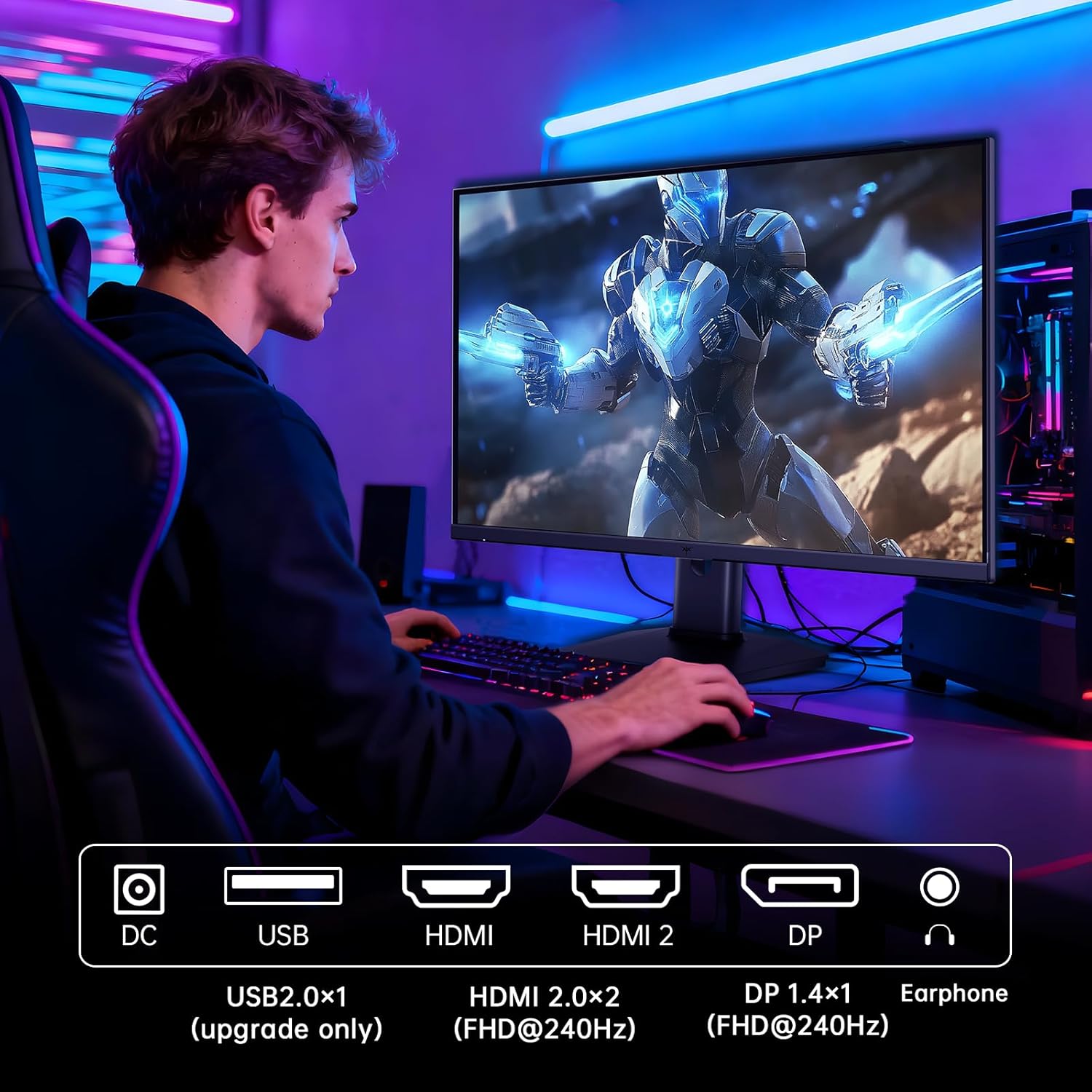
Figure 5.2: Comparison showing the effect of Adaptive-Sync on reducing stuttering and screen tearing.

Figure 5.3: Illustration of HDR400 technology delivering clear details in dark areas compared to HDR10.

Figure 5.4: Diagram illustrating hardware blue light reduction technology to filter harmful blue light bands.
5.4 Ergonomiski pielāgojumi
Monitora statīvs nodrošina dažādus pielāgojumus, lai optimizētu jūsu viewpozīcija:
- Tilt: Adjust the screen angle forward or backward (-5° to 20°).
- Rakurs: Pagrieziet ekrānu par 90° portreta režīmam.
- Augstuma regulēšana: Paceliet vai nolaidiet ekrānu līdz pat 110 mm.
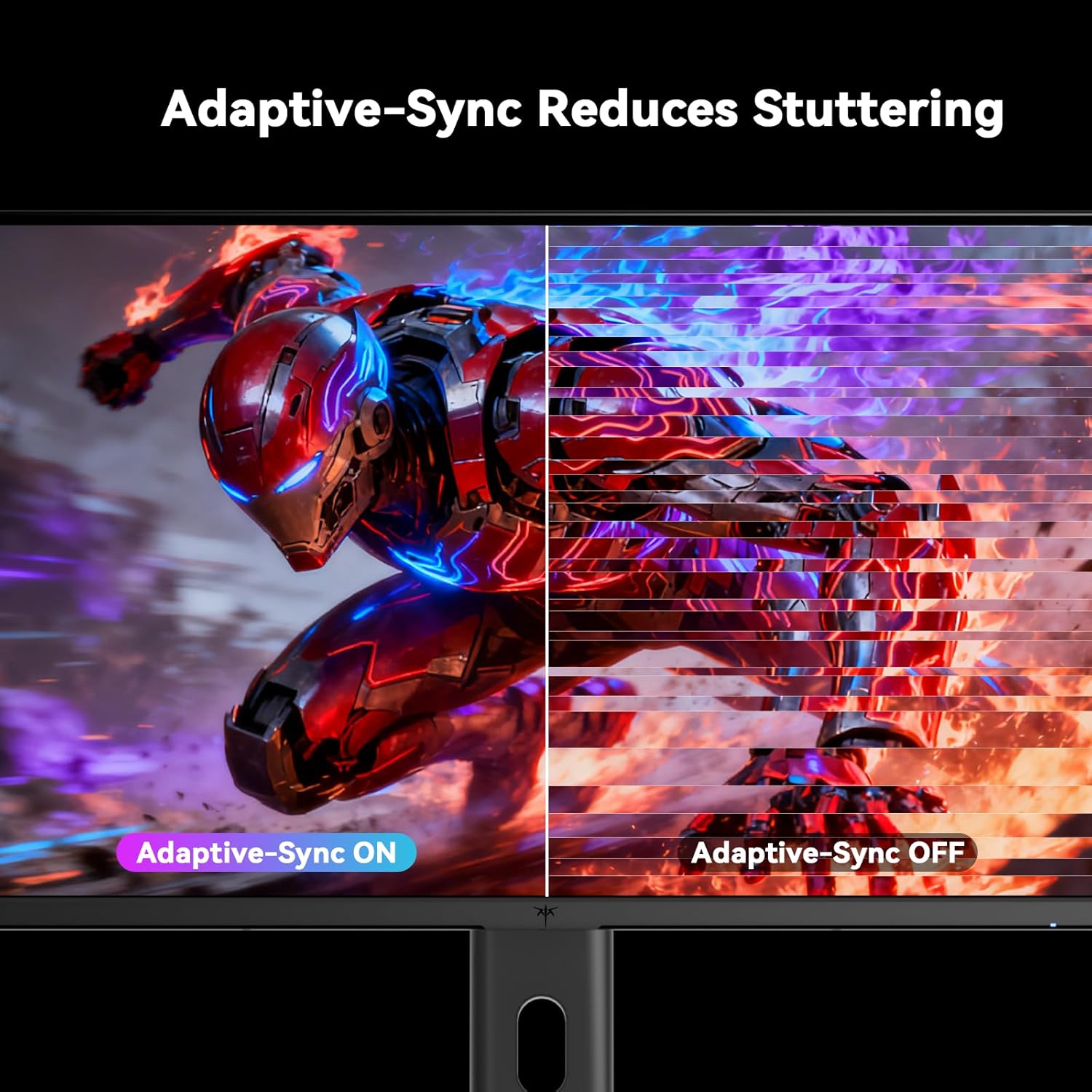
Figure 5.5: Diagram showing the tilt, pivot, and height adjustment capabilities of the monitor stand.
5.5 Oficiālais produkta video
Video 5.1: An official product video from KTC-Official showcasing the 24.5 Inch FHD 240Hz Gaming Monitor, demonstrating its features and performance.
6. Apkope
6.1 Monitora tīrīšana
Lai notīrītu monitora ekrānu un casing:
- Pirms tīrīšanas vienmēr atvienojiet monitoru no strāvas kontaktligzdas.
- Viegli izmantojiet mīkstu, neplūksnu drānu dampnoskalot ar ūdeni vai neabrazīvu ekrāna tīrīšanas līdzekli.
- Neizsmidziniet tīrīšanas līdzekli tieši uz ekrāna.
- Izvairieties lietot benzolu, šķīdinātāju, uz amonjaka bāzes veidotus tīrīšanas līdzekļus vai abrazīvus materiālus.
6.2 Vispārēja aprūpe
- Sargājiet monitoru no tiešiem saules stariem, pārmērīga karstuma vai aukstuma.
- Nenovietojiet smagus priekšmetus uz monitora vai tā kabeļiem.
- Neaizsedziet monitora ventilācijas atveres.
7. Traucējummeklēšana
Ja rodas problēmas ar monitoru, skatiet tālāk norādītās bieži sastopamās problēmas un risinājumus.
| Problēma | Iespējamais cēlonis | Risinājums |
|---|---|---|
| Nav jaudas | Strāvas kabelis nav pievienots; strāvas kontaktligzda nedarbojas | Pārliecinieties, vai strāvas kabelis ir droši pievienots. Pārbaudiet strāvas kontaktligzdu ar citu ierīci. |
| Nav signāla | Video cable not connected; Incorrect input source selected; Computer/device not powered on | Check video cable connections. Select the correct input source via the OSD menu. Ensure your computer/device is on. |
| Mirgojošs ekrāns | Incorrect refresh rate; Cable issue; Adaptive-Sync not enabled | Set refresh rate to 240Hz. Try a different video cable. Enable Adaptive-Sync in OSD and GPU settings. |
| Image distortion/poor quality | Incorrect resolution; Graphics driver issue; Monitor settings | Set resolution to 1920x1080. Update graphics drivers. Adjust OSD settings (brightness, contrast, color). |
7.1 Rūpnīcas atiestatīšana
If problems persist, you may perform a factory reset through the OSD menu. This will revert all monitor settings to their default values.
8. Specifikācijas
Detailed technical specifications for the KTC H25T7-3 monitor:
| Funkcija | Specifikācija |
|---|---|
| Modeļa numurs | H25T7-3 |
| Ekrāna izmērs | 24.5 collas |
| Paneļa veids | Gandrīz IPS |
| Izšķirtspēja | FHD 1080p (1920 x 1080 pikseļi) |
| Malu attiecība | 16:9 |
| Atsvaidzināšanas biežums | 240 Hz |
| Atbildes laiks | 1 ms (MPRT) |
| Adaptīvā sinhronizācija | Jā |
| HDR atbalsts | HDR400 |
| Krāsu gamma | 114% sRGB |
| Kontrasta attiecība | 1000:1 |
| Displeja krāsas | 16.7 miljoni |
| Spilgtums | 350 cd/m² |
| Viewleņķis | 178° (H/V) |
| Savienojamība | 2x HDMI 2.0, 1x DisplayPort 1.4, 1x USB 2.0 |
| VESA stiprinājuma saderība | 100x100 mm |
| Ergonomiski pielāgojumi | Tilt, Pivot, Height |
| Produkta izmēri (ar statīvu) | 7.6 x 21.97 x 18.23 collas |
| Svars (ar statīvu) | 11.58 mārciņas |
| Voltage | 12 volti (līdzstrāva) |
9. Garantija un atbalsts
9.1 Informācija par garantiju
KTC monitors are designed and manufactured to the highest quality standards. For specific warranty terms and conditions, please refer to the warranty card included with your product or visit the official KTC webSaglabājiet pirkuma čeku kā pirkuma apliecinājumu garantijas prasību gadījumā.
9.2 Klientu atbalsts
If you have any questions, require technical assistance, or experience issues not covered in this manual, please contact KTC customer support. Contact details can typically be found on the official KTC webvietnē vai īsajā lietošanas pamācībā.


