Ievads
Welcome to the user manual for your Rapoo EV310M Wireless Vertical Mouse. This ergonomic mouse is designed for comfort and efficiency, featuring multi-mode wireless connectivity and adjustable DPI settings. Please read this manual carefully to ensure proper setup and optimal performance.
Iepakojuma saturs
- Rapoo EV310M Wireless Vertical Mouse
- USB uztvērējs (glabājas peles iekšpusē)
- AA Battery (pre-installed or included)
- Īsā lietošanas pamācība (šis dokuments)
Produkts beidziesview
Familiarize yourself with the components of your Rapoo EV310M mouse.
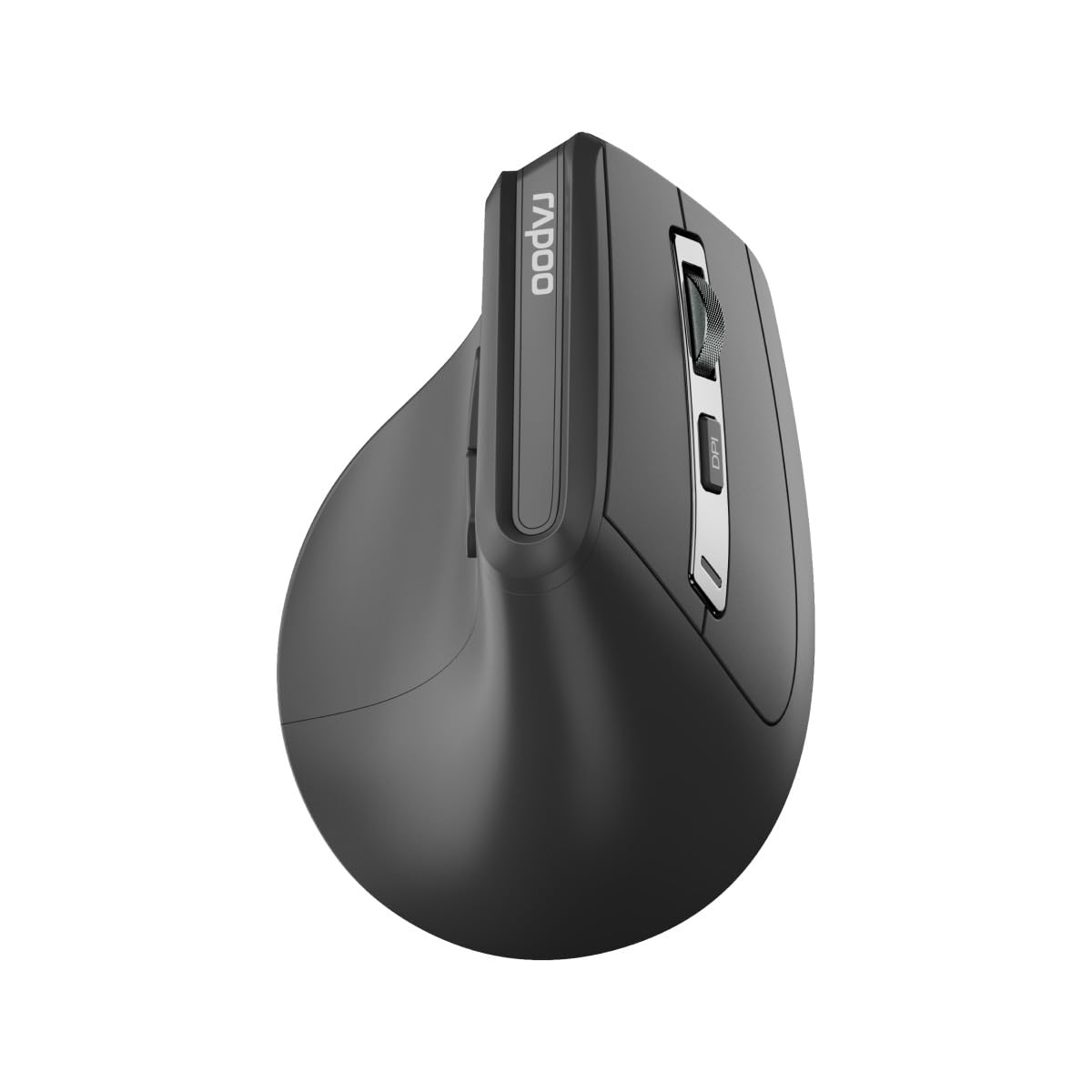
Attēls: Augšpusē view of the Rapoo EV310M Wireless Vertical Mouse, highlighting the scroll wheel and DPI button.
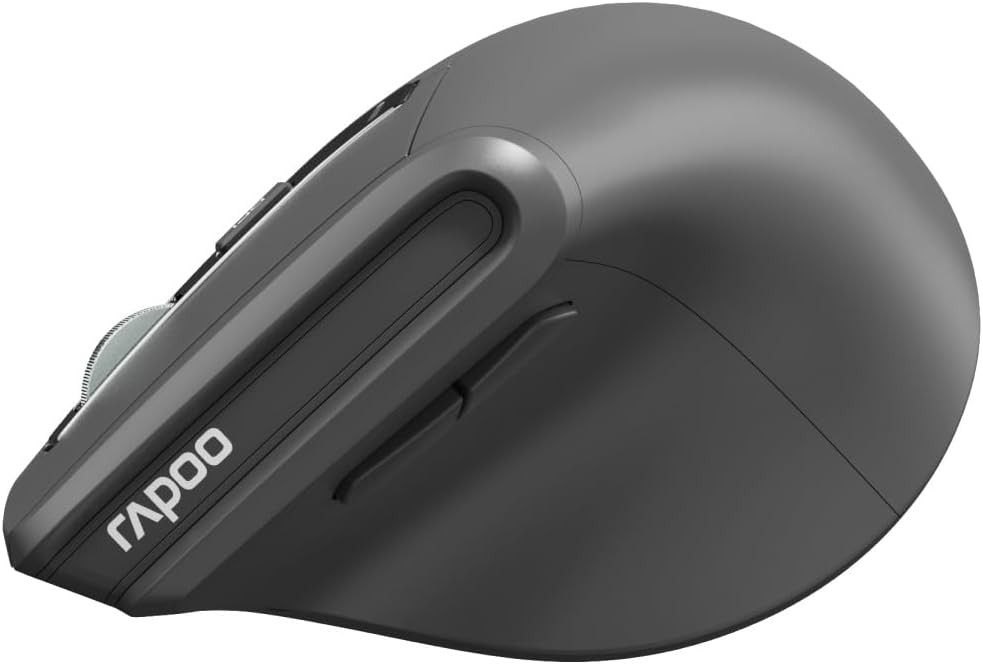
Attēls: Sāns view of the Rapoo EV310M Wireless Vertical Mouse, showing the forward and backward navigation buttons.
Pogu funkcijas
- Kreisā klikšķa poga: Standarta kreisā klikšķa funkcija.
- Labā klikšķa poga: Standarta labās pogas klikšķināšanas funkcija.
- Ritināšanas ritenis: Ritināt uz augšu/uz leju, klikšķis ar vidējo peles pogu.
- DPI poga: Pielāgo kursora jutību (DPI).
- Uz priekšu poga: Navigē uz priekšu web pārlūkprogrammas vai file pētnieki.
- Atpakaļ poga: Navigē atpakaļ web pārlūkprogrammas vai file pētnieki.
- Mode Switch Button/Indicator: Switches between 2.4GHz and Bluetooth modes.
Iestatīšana
1. Akumulatora uzstādīšana
- Atrodiet akumulatora nodalījumu peles apakšpusē.
- Atveriet akumulatora nodalījuma vāku.
- Ievietojiet vienu AA bateriju, nodrošinot pareizu polaritāti (+/-).
- Aizveriet akumulatora nodalījuma vāku.
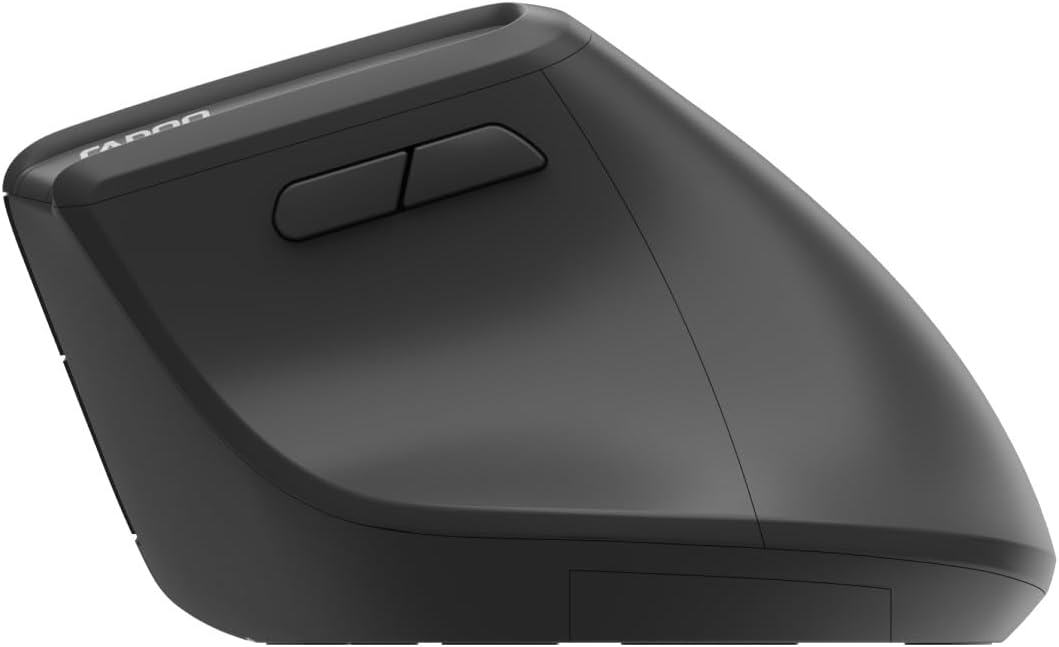
Image: Underside of the mouse, illustrating the battery compartment and the storage slot for the USB receiver.
2. Peles pievienošana
The Rapoo EV310M supports multi-mode wireless connection: 2.4 GHz via USB receiver and Bluetooth 3.0/5.0.
2.1. 2.4 GHz bezvadu savienojums
- Izņemiet USB uztvērēju no tā glabāšanas slota peles apakšpusē.
- Pievienojiet USB uztvērēju pieejamam datora USB portam.
- Turn on the mouse using the power switch (usually on the bottom).
- The mouse should connect automatically. If not, press the mode switch button until the 2.4GHz indicator lights up.
2.2. Bluetooth savienojums
- Ieslēdziet peli.
- Press the mode switch button to select a Bluetooth channel (e.g., Bluetooth 1 or Bluetooth 2). The indicator light for the selected Bluetooth channel will start blinking slowly.
- Press and hold the mode switch button for 3 seconds until the indicator light blinks rapidly. This indicates the mouse is in pairing mode.
- Datorā vai ierīcē atveriet Bluetooth iestatījumus un meklējiet jaunas ierīces.
- Select "RAPOO EV310M" from the list of available devices to pair.
- Kad ierīces ir savienotas pārī, indikators pārtrauks mirgot un dažas sekundes degs nepārtraukti, pirms izslēgsies.
Lietošanas instrukcijas
1. DPI regulēšana
The DPI (Dots Per Inch) button allows you to adjust the cursor speed and sensitivity.
- Nospiediet pogu DPI poga located on the top of the mouse to cycle through available DPI settings (e.g., 800, 1200, 1600, 2400 DPI).
- Each press will change the sensitivity, allowing you to find your preferred cursor speed.
2. Pārslēgšanās starp pievienotajām ierīcēm
The EV310M mouse can be paired with up to three devices (one 2.4GHz and two Bluetooth devices).
- To switch between connected devices, simply press the režīma pārslēgšanas poga uz peles.
- The indicator light will briefly show which channel (2.4G, BT1, BT2) is active.
Apkope
Tīrīšana
Lai tīrītu peli, izmantojiet mīkstu, sausu drānu. Spēcīgu netīrumu gadījumā nedaudz paberzējiet.ampNoslaukiet drānu ar ūdeni vai maigu tīrīšanas šķīdumu. Izvairieties no spēcīgu ķīmisku vielu vai abrazīvu materiālu lietošanas.
Akumulatora nomaiņa
When the mouse performance degrades or the indicator light signals low battery, replace the AA battery following the installation steps in the Setup section.
Problēmu novēršana
Pele nereaģē
- Pārbaudiet akumulatoru: Pārliecinieties, vai akumulators ir pareizi ievietots un tam ir pietiekams uzlādes līmenis. Nomainiet, ja nepieciešams.
- Strāvas slēdzis: Verify the mouse is turned on.
- USB uztvērējs: For 2.4GHz mode, ensure the USB receiver is securely plugged into a working USB port. Try a different port.
- Bluetooth savienojums: For Bluetooth mode, ensure Bluetooth is enabled on your device and the mouse is correctly paired. Re-pair if needed.
- Attālums: Ensure the mouse is within the effective operating range of your computer (typically 10 meters).
Kursora kustība ir nevienmērīga
- Virsma: Izmantojiet peli uz tīras, neatstarojošas virsmas. Ieteicams izmantot peles paliktni.
- DPI iestatījums: Adjust the DPI setting to a lower value if the cursor is too fast or jumpy.
- Sensora tīrība: Check the optical sensor on the bottom of the mouse for any obstructions or dirt. Clean gently with a soft cloth.
Specifikācijas
| Funkcija | Detaļas |
|---|---|
| Zīmols | RAPOO |
| Modeļa numurs | EV310M |
| Savienojamības tehnoloģija | Bluetooth (3.0, 5.0), 2.4 GHz Wireless |
| DPI jutība | Adjustable 800-2400 DPI |
| Pogu skaits | 6 |
| Roku orientācija | Labrocis |
| Barošanas avots | Darbojas ar baterijām (1x AA) |
| Akumulatora darbības laiks | Līdz 9 mēnešiem |
| Operētājsistēmas saderība | Dators, Linux, Mac |
| Preces svars | 100 grami |
| Krāsa | Melns |
Garantija un atbalsts
For warranty information or technical support, please refer to the official RAPOO website or contact your local dealer. Keep your purchase receipt for warranty claims.


