📘 Altice manuals • Free online PDFs
Altice logo

Altice Manuals & User Guides

Altice provides telecommunications and media equipment, including the Altice One entertainment hub, Altice Amplify smart speakers, and high-performance fiber gateways and routers.

Tip: include the full model number printed on your Altice label for the best match.

About Altice manuals on Manuals.plus

Altiss is a multinational telecommunications and media company known for delivering high-speed internet, television, and voice services. In the United States, Altice USA operates primarily under the Optimāls brand, providing advanced connectivity solutions to millions of homes and businesses. The brand's hardware portfolio includes the all-in-one Altiss Viens entertainment system, which combines TV and internet into a single hub, and the Altiss Ampatdzīvināt smart speaker featuring high-fidelity sound by Devialet and built-in Amazon Alexa integration.

Beyond consumer entertainment devices, Altice Labs—the company's technology innovation arm—engineers a wide range of networking equipment. This includes GPON gateways, DOCSIS 3.1 modems, and Wi-Fi routers designed to support fiber-optic and coaxial networks. These devices are frequently deployed by Internet Service Providers (ISPs) to ensure robust residential and commercial connectivity. Whether you are setting up an Altice One remote, configuring an Altice Labs fiber router, or troubleshooting your home network, these manuals provide the essential guidance needed for installation and maintenance.

Altice manuals

Jaunākās rokasgrāmatas no manuals+ šim zīmolam veidots.

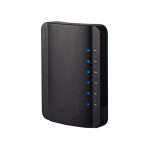
Suddenlink Gateway 4 saderīgā modema instrukcijas

7. gada 2022. marts
Suddenlink Gateway 4 Compatible Modem These instructions will guide you through installing or replacing a Gateway 4 Disconnect everything from your existing equipment. Connect the open end of your coaxial…

suddenlink Gateway 5 lietošanas pamācība

28. gada 2021. decembris
suddenlink Gateway 5 Instruction Manual Installation Instructions These instructions will guide you through installing or replacing a Gateway 5. If you’re replacing a modem, router or Gateway, disconnect everything from…

Altice F4 juridiskā informācija, garantija un drošības vadlīnijas

Juridiskā brošūra
Oficiāla juridiskā brošūra par Altice F4 funkcionālo tālruni, kurā ietverti juridiskie paziņojumi, ierobežotā atbildība, garantijas informācija, drošības pasākumi, radiofrekvenču iedarbības vadlīnijas, utilizācijas instrukcijas, barošanas avota informācija un atbilstība FCC prasībām.

Altice One Voice Remote User Guide

Lietotāja rokasgrāmata
A comprehensive guide to using the Altice One voice remote, covering remote exploration, controlling your Altice One box, TV functions, and voice commands.

Altice manuals from online retailers

Altice One Remote Control User Manual - Model T4HU1714 36k

T4HU1714 36k • November 19, 2025
Comprehensive user manual for the Altice One Remote Control (Model T4HU1714 36k), featuring Bluetooth, voice search, and dedicated Netflix button. Includes setup, operating instructions, troubleshooting, and specifications.

Altice F2 GSM Mobile Phone User Manual

F2 • 2025. gada 7. jūlijs
This user manual provides detailed instructions for the Altice F2 GSM Mobile Phone, covering setup, operation, maintenance, and troubleshooting. Learn about its features including Dual SIM, camera, flashlight,…

Altice video guides

Noskatieties šī zīmola iestatīšanas, instalēšanas un problēmu novēršanas videoklipus.

Altice support FAQ

Bieži uzdoti jautājumi par šī zīmola rokasgrāmatām, reģistrāciju un atbalstu.

  • How do I log in to my Altice Labs router?

    Connect your device to the router's network via Wi-Fi or Ethernet. Open a web browser and enter '192.168.1.1' in the address bar. Log in using the username and password printed on the label on the bottom or back of the router.

  • How do I pair my Altice One remote?

    On your Altice One box, press the 'A' button to bring up the home screen, select 'Settings', then 'Remote', and follow the on-screen instructions to pair via Bluetooth. For voice commands, ensure the remote is successfully paired.

  • How do I reset my Altice modem or gateway?

    Locate the reset button on the back of the device. Press and hold it for about 10-15 seconds using a paperclip until the lights on the front panel blink, then release. The device will reboot to factory default settings.

  • What is the Altice Amplify?

    Altiss Amplify is a high-fidelity smart speaker powered by Devialet audio technology. It features Amazon Alexa built-in for voice control and acts as a Bluetooth speaker and TV sound system enhancement for Altice One users.